 English
  Español
  Français
  Deutsch
  Português
  Italiano
  Русский
  中文(简体)
  日本語
日本語  한국어
한국어  العربية
  हिन्दी
  Nederlands
  Türkçe
  Polski
The internet is a vast, interconnected world, a treasure trove of information, entertainment, and connection. However, for many of us, this digital universe can feel a little smaller, a little less accessible, when confronted with a language we don’t understand. Whether you’re a student researching international topics, a traveler planning your next adventure, a business professional dealing with global clients, or simply someone who enjoys exploring content from different cultures, language barriers can be a frustrating obstacle. Fortunately, browser extensions have emerged as powerful tools to bridge these linguistic divides, and Chrome, with its massive user base and extensive extension library, is at the forefront of this innovation.
But with so many options available, how do you choose the best translation Chrome extension for your needs? This guide will dive deep into what makes a translation extension great, explore some of the top contenders, and highlight how Linguin aims to redefine your multilingual web experience.
What Makes a Great Translation Chrome Extension?
Before we start naming names, let’s establish the criteria for what truly elevates a translation extension from “good” to “great.” It’s not just about spitting out words; it’s about providing a seamless, accurate, and user-friendly experience.
Accuracy and Nuance: This is paramount. A translation that misses the mark can lead to misunderstanding, misinterpretation, and frustration. The best extensions utilize advanced AI and machine learning to capture not just the literal meaning of words but also the intended nuance, context, and even idiomatic expressions. This is an area where sophisticated AI, like that powering Linguin, truly shines, constantly learning and improving to provide more natural-sounding translations.
Speed and Responsiveness: In the fast-paced digital world, waiting for a translation is a deal-breaker. A great extension should offer near-instantaneous translations, whether it’s a single word, a sentence, or an entire webpage. This includes quick translation of text copied from a website or immediate rendering of translated content.
Ease of Use and Integration: The best extensions integrate seamlessly into your browsing experience. This means intuitive interfaces, simple activation methods (e.g., a single click, hover, or keyboard shortcut), and clear options for selecting languages. It shouldn’t require a technical degree to operate.
Versatility and Features: Beyond simple text translation, look for extensions that offer additional features. This might include:
- Full Page Translation: Translating an entire webpage with a single click.
- Selected Text Translation: The ability to translate specific phrases or sentences you highlight.
- Dictionary and Glossary Support: Providing definitions or alternative translations for words.
- Offline Translation Capabilities: Useful for situations with limited or no internet access.
- Customization Options: Allowing users to set default languages or preferred translation methods.
- Document Translation: Some advanced extensions can even help with translating documents.
Privacy and Security: When dealing with sensitive information or personal browsing habits, privacy is crucial. The best extensions will be transparent about their data usage policies and prioritize user security.
Availability of Languages: A truly effective translation tool should support a wide array of languages, catering to a global user base. The more languages an extension supports, the more universally useful it becomes.
Now that we know what to look for, let’s explore some of the leading contenders in the realm of translation Chrome extensions.
Top Translation Chrome Extensions for a Multilingual Web
While the landscape is always evolving, a few extensions consistently rise to the top due to their performance, features, and user satisfaction.
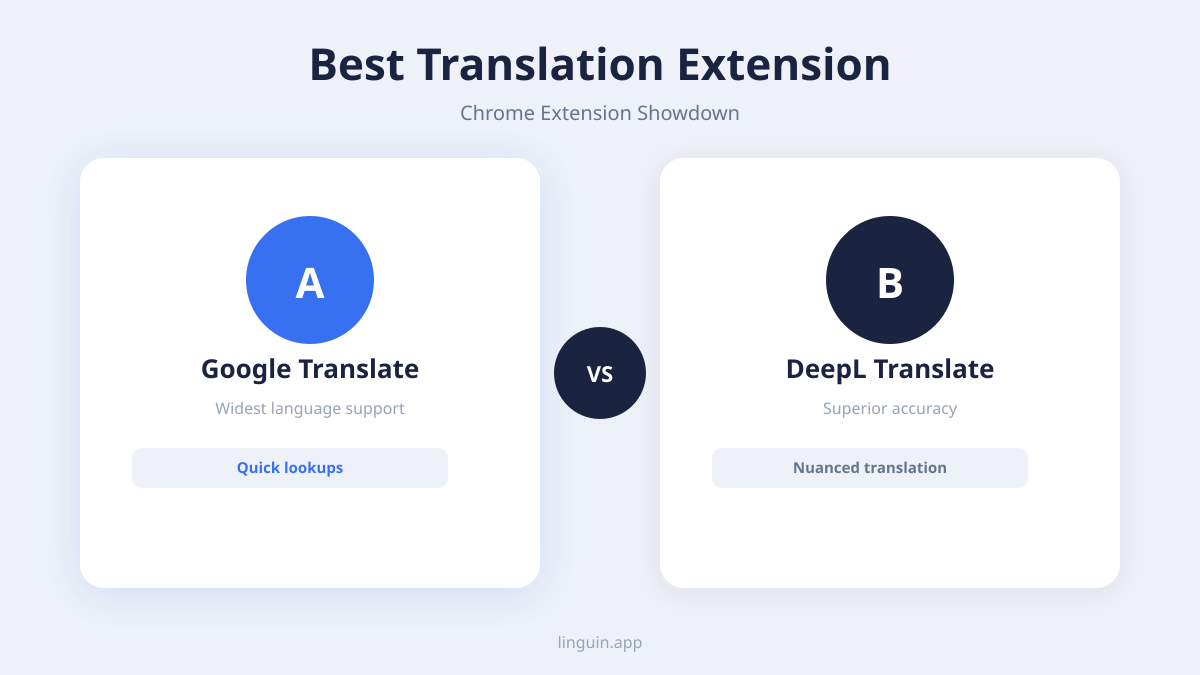
1. Google Translate: It’s impossible to discuss browser translation without mentioning Google Translate. Its ubiquitous presence and integration across Google’s ecosystem make it a go-to for many. The Chrome extension leverages the immense power of Google’s translation engine, offering excellent full-page translation, selected text translation via a right-click menu, and even the ability to translate text entered directly into the extension’s pop-up.
- Pros: Vast language support, excellent full-page translation, widely recognized and trusted.
- Cons: Can sometimes be overly literal, occasionally struggles with very nuanced or idiomatic language. Privacy concerns for some users due to its connection with Google’s data collection practices.
2. DeepL Translator: DeepL has rapidly gained a reputation for its remarkably accurate and natural-sounding translations, often surpassing Google Translate in capturing the subtle nuances of language. This is thanks to its advanced neural network technology, which is specifically trained on vast amounts of parallel text data to understand context and idiomatic expressions. The DeepL Chrome extension allows for quick translation of selected text, providing contextually appropriate alternatives and ensuring a smoother reading experience.
- Pros: Exceptional accuracy and natural-sounding translations, good at handling complex sentences and idiomatic expressions, user-friendly interface.
- Cons: Supports fewer languages than Google Translate, although its language selection is growing. The free version has certain usage limits.
3. ImTranslator: ImTranslator is a versatile extension that offers multiple translation engines, including Google Translate, Microsoft Translator, and its own engine. This flexibility allows users to choose the best engine for a particular language pair or context. It provides a comprehensive suite of features, including dictionary lookups, text-to-speech, and the ability to translate selected text, full pages, or even documents.
- Pros: Multiple translation engine options, rich feature set including dictionary and text-to-speech, good for users who want to experiment with different translation outputs.
- Cons: The interface can feel a bit busy with so many options, and the quality of translation can vary depending on the engine selected.
4. Reverso Translation: Reverso is known for its emphasis on providing context and understanding how words and phrases are used in real-world situations. Its Chrome extension offers translations along with examples of usage from authentic texts, helping users to grasp not just what a word means, but how it’s actually employed. This is particularly beneficial for language learners who want to improve their fluency.
- Pros: Excellent for context and learning, provides usage examples, good for understanding idioms and phrasing.
- Cons: Primarily focused on selected text translation, full-page translation might not be as robust as other options.
Linguin: Elevating Your Translation Experience
While the extensions above offer robust solutions, the journey to perfect, effortless multilingual browsing is ongoing. At Linguin, we’re committed to pushing the boundaries of what’s possible with AI-powered translation. Our vision extends beyond just translating words; we aim to create a truly intuitive and integrated experience that removes language as a barrier to knowledge and connection.
Linguin is more than just a Chrome extension; it’s a comprehensive translation ecosystem available across macOS, iOS, and as a Chrome and Safari extension. We leverage state-of-the-art AI models, continuously refined through extensive training and user feedback, to deliver translations that are not only accurate but also natural, contextually aware, and culturally sensitive.
What sets Linguin apart?
- Advanced AI for Nuance: Our AI is designed to understand the subtle intricacies of language, capturing humor, sarcasm, and formal/informal tones that often trip up less sophisticated translation tools. This means more accurate and less awkward translations, whether you’re reading a casual blog post or a formal document.
- Seamless Integration: Linguin is built to integrate effortlessly into your workflow. Whether you’re browsing the web, working on your Mac, or on the go with your iPhone, Linguin provides consistent, high-quality translations without disrupting your flow. Our Chrome extension, for instance, offers quick access to translate selected text, entire pages, or even snippets within forms, all with minimal fuss.
- Privacy-Focused Design: We understand the importance of user privacy. Linguin is developed with a strong commitment to protecting your data, ensuring that your browsing and translation activities remain confidential.
- A Growing Ecosystem: With Linguin available on multiple platforms, you can enjoy a consistent and high-quality translation experience wherever you are and whatever device you’re using. This unified approach means you don’t have to juggle different tools or worry about losing your preferred settings between devices.
Consider the scenario where you’re researching a complex academic paper in a foreign language. A literal translation might render it unreadable. Linguin’s AI, however, strives to understand the underlying academic discourse, providing a translation that maintains the scholarly tone and technical terminology. Or imagine you’re communicating with an international friend on social media; Linguin can help you capture the casual, friendly tone of your message, ensuring your personality shines through.
The power of AI in translation is growing exponentially, and at Linguin, we are at the forefront of this innovation. We believe that everyone should have the ability to access and share information freely, regardless of the language spoken.
Choosing the Right Extension for You
The “best” translation Chrome extension ultimately depends on your individual needs and priorities.
- For broadest language support and general use: Google Translate is a solid, reliable choice.
- For the most accurate and natural-sounding translations, especially for complex texts: DeepL Translator is highly recommended.
- For users who want flexibility and multiple translation options: ImTranslator offers a good range of features.
- For language learners who need context and usage examples: Reverso Translation is an excellent resource.
- For a comprehensive, privacy-conscious, and seamlessly integrated multilingual experience across all your devices: Linguin offers a next-generation solution.
We encourage you to experiment with a few different extensions. Try translating the same piece of text or webpage with each one and compare the results. Pay attention to which one feels most intuitive, which provides the most accurate and natural-sounding translations for the languages you use most frequently, and which best fits into your daily browsing habits.
The Future of Web Translation
The evolution of translation technology, particularly with advancements in AI and machine learning, means that the quality and accessibility of web translation will only continue to improve. We can expect even more nuanced understanding of context, better handling of dialects and regional variations, and more seamless integration into every aspect of our digital lives.
At Linguin, we are dedicated to being part of this exciting future, constantly innovating to provide you with the most powerful, intuitive, and reliable translation tools available. Our mission is to break down language barriers, making the internet a truly global and accessible space for everyone.
So, whether you’re a seasoned globetrotter of the digital world or just starting to explore its foreign corners, equip yourself with the right translation Chrome extension. With the power of advanced AI at your fingertips, the entire world of information is just a click away.