 English
  Español
  Français
  Deutsch
  Português
  Italiano
  Русский
  中文(简体)
  日本語
日本語  한국어
한국어  العربية
  हिन्दी
  Nederlands
  Türkçe
  Polski
Bridging Language Barriers on Your Mac
In today’s interconnected world, the ability to communicate across languages is no longer a luxury; it’s a necessity. Whether you’re a student researching international literature, a business professional collaborating with global teams, a traveler planning your next adventure, or simply someone curious about different cultures, language barriers can feel like insurmountable walls. Fortunately, technology has provided us with powerful tools to dismantle these obstacles. For Mac users, the advent of sophisticated AI translators has transformed how we interact with information and people worldwide.
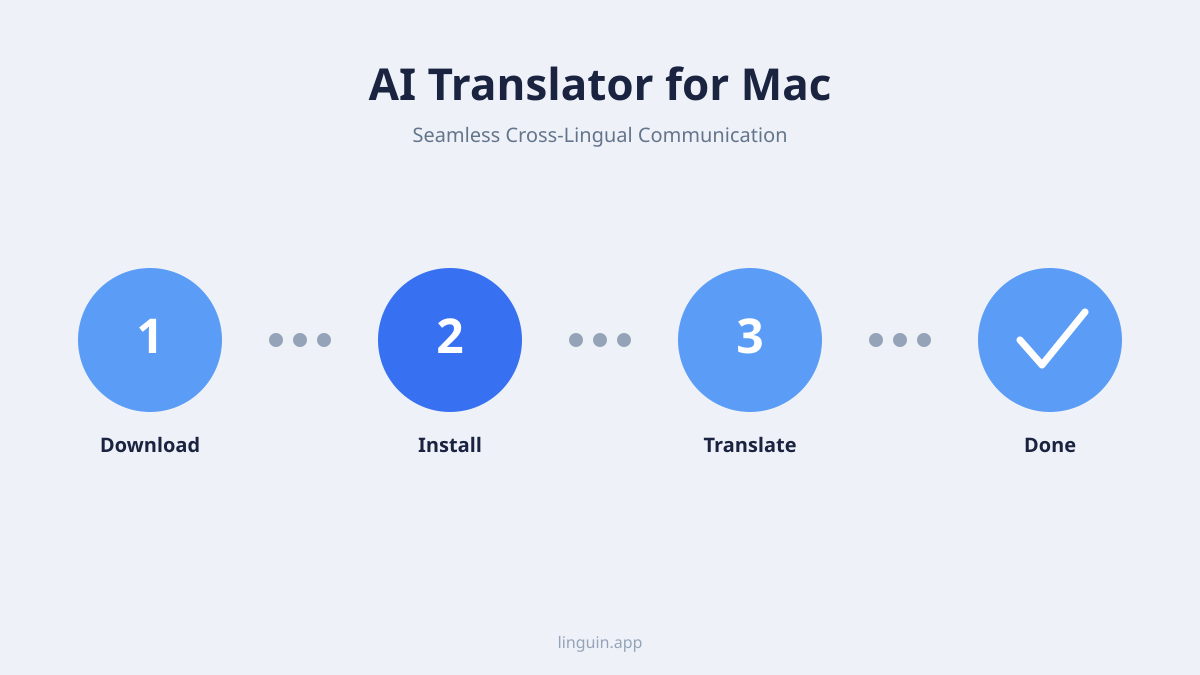
For a long time, translation tools were rudimentary, often producing awkward and inaccurate results that were more confusing than helpful. These relied on simple word-for-word substitutions or basic phrase matching, failing to grasp the nuances of grammar, context, and idiom that make languages rich and expressive. The emergence of Artificial Intelligence, particularly in the form of Neural Machine Translation (NMT), has changed the game entirely. NMT models learn from vast amounts of multilingual text, enabling them to understand and generate translations that are far more fluent, natural, and contextually appropriate. When this advanced AI is integrated into an application designed for the seamless experience of macOS, the result is an incredibly powerful and intuitive tool for breaking down language barriers.
Why You Need an AI Translator for Your Mac
Your Mac is likely the central hub for much of your digital life. You browse the web, communicate via email and messaging apps, work with documents, and consume media, all on your computer. Imagine if every piece of foreign language content you encountered – an article, an email, a website, a PDF – could be instantly understood. This is the power an AI translator for Mac brings to your fingertips.
Beyond simply understanding text, the best AI translators offer a range of features that can significantly boost your productivity and enhance your digital workflow. Consider the daily tasks of a professional: reading industry reports from international sources, responding to emails from clients in different countries, or collaborating on documents with global colleagues. Manually translating these can be time-consuming and prone to errors, which can have significant professional consequences. An AI translator streamlines this process, allowing you to grasp the essence of foreign communications quickly and respond with confidence.
For students and researchers, the benefits are equally profound. Access to a wider pool of academic papers, historical documents, and literary works opens up new avenues for learning and discovery. No longer are you limited by the languages you already speak; a good AI translator can make a vast universe of knowledge accessible.
Even for personal use, the ability to understand foreign language news, enjoy international films with accurate subtitles, or connect with people from different backgrounds on social media enriches our lives and broadens our perspectives. It fosters a sense of global citizenship and understanding that is invaluable in our increasingly diverse world.
Key Features to Look for in a Mac AI Translator
When choosing an AI translator for your Mac, it’s crucial to consider the features that will best serve your needs. The landscape of translation technology is constantly evolving, and the most effective tools offer more than just basic text conversion.
Accuracy and Fluency
This is paramount. The AI’s ability to accurately capture the meaning and intent of the original text, while producing output that sounds natural and grammatically correct in the target language, is the bedrock of any good translator. Look for tools that leverage advanced NMT models. Linguin, for example, is built on cutting-edge AI, ensuring high-quality translations that go beyond literal word-for-word conversions.
Broad Language Support
A truly useful translator will support a wide array of languages. Whether you need to translate between common European languages, Asian languages, or less commonly spoken dialects, ensure the tool you choose has comprehensive coverage. The ability to detect the source language automatically is also a significant convenience.
Integration and Accessibility
The best AI translators for Mac are those that seamlessly integrate into your existing workflow. This means offering features like:
- System-wide translation: The ability to translate text selected anywhere on your Mac, from a webpage to a document to an application dialog box.
- Quick access: Easy ways to invoke the translator, perhaps through a keyboard shortcut or a menu bar icon, without interrupting your current task.
- Browser extensions: For consistent translation across the web, a dedicated Chrome or Safari extension is invaluable. Linguin offers these for a truly unified experience.
- App integration: The capability to translate within specific applications, whether it’s an email client, a word processor, or a chat application.
Document and File Translation
For professionals and students, the ability to translate entire documents (PDFs, Word files, etc.) is a game-changer. This feature saves immense amounts of time compared to copying and pasting text segment by segment. The translator should aim to preserve formatting as much as possible during this process.
Offline Translation Capabilities
While internet connectivity is common, there will be times when you need to translate without access to a stable connection. Having an offline mode, where a subset of language pairs or essential translation models can be downloaded and used locally, is a highly valuable feature for travel or areas with spotty internet.
User Interface and Ease of Use
A powerful tool should also be intuitive. A clean, uncluttered interface that makes it easy to select languages, input text, and receive translations is essential for a positive user experience. Keyboard shortcuts, clear labeling, and logical navigation contribute to efficiency.
How Linguin Elevates Your Mac Translation Experience
Linguin is designed from the ground up to provide Mac users with an unparalleled AI translation experience. We understand the unique workflow and aesthetic of macOS, and our app is built to complement it, not disrupt it.
Seamless System Integration
One of Linguin’s core strengths is its deep integration with macOS. With a simple keyboard shortcut, you can select any text on your screen – from a lengthy article to a single word in a dropdown menu – and have it translated instantly. This system-wide capability means you’re never more than a keystroke away from understanding. Whether you’re reading a foreign news site, a technical document, or a social media post, Linguin brings clarity without requiring you to switch applications or copy-paste.
Uncompromising Accuracy Powered by Advanced AI
At the heart of Linguin is a sophisticated AI engine that continuously learns and improves. We leverage the latest advancements in Neural Machine Translation to deliver translations that are not only accurate but also remarkably fluent and contextually aware. This means you can trust Linguin to capture the nuances of idioms, technical jargon, and even subtle shifts in tone, providing translations that read as if they were originally written in your target language.
Multi-Platform Consistency
Your digital life extends beyond your Mac. Linguin understands this, which is why we offer a comprehensive suite of tools designed for a unified experience across your devices. Our macOS app is complemented by highly effective Chrome and Safari extensions. This means that whether you’re browsing the web on your Mac, need to translate a webpage instantly, or wish to translate text within your browser without leaving the page, Linguin has you covered. The same applies to iOS devices, ensuring your translation needs are met wherever you are.
Document Translation Made Easy
For those who regularly work with foreign language documents, Linguin offers robust document translation capabilities. Upload your PDFs, Word documents, or other common file formats, and our AI will process them, delivering translated versions while striving to maintain original formatting. This is an enormous time-saver for researchers, legal professionals, students, and anyone who needs to digest lengthy foreign texts.
Intuitive Design for Effortless Use
We believe powerful technology should also be accessible. Linguin features a clean, intuitive interface designed to be user-friendly for everyone. Selecting source and target languages is straightforward, and the translation output is presented clearly. We’ve put significant effort into ensuring that using Linguin is a smooth and efficient process, allowing you to focus on understanding and communicating, not on wrestling with the software.
Continuously Evolving Technology
The field of AI is advancing at an unprecedented pace, and so is Linguin. We are committed to continuously updating our AI models and adding new features to ensure you always have access to the most accurate and efficient translation technology available. Your feedback is invaluable in this process, helping us shape the future of global communication.
Who Benefits from an AI Translator for Mac?
The applications of a powerful AI translator on your Mac are vast and varied. Here are just a few examples of who can significantly benefit:
- Students and Academics: Access research papers, historical documents, and literature in any language. Translate lecture notes, study materials, and engage with international academic communities.
- Business Professionals: Communicate with international clients and partners, understand global market trends, translate business reports, and facilitate cross-border collaborations.
- Writers and Content Creators: Research international markets, translate content for a global audience, and gain inspiration from diverse literary works.
- Travelers: Plan trips with confidence by understanding travel guides, booking websites, and local information. Communicate with locals while abroad.
- Developers and Tech Enthusiasts: Read documentation, forum discussions, and open-source code in languages other than their own.
- Language Learners: Supplement their learning by reading texts in their target language and cross-referencing with translations to grasp complex sentences and idioms.
- Immigrants and Expats: Navigate new environments, understand official documents, and connect with their new communities more effectively.
- Curious Minds: Anyone who wants to explore the world of information and culture beyond linguistic boundaries.
The Future of Communication is Multilingual and Accessible
The journey of breaking down language barriers is an ongoing one, but with the advancements in AI and the thoughtful design of applications like Linguin, we are closer than ever to a truly globally connected world. Your Mac, as a powerful and versatile device, is the perfect platform to host this revolution in communication.
By embracing an AI translator for your Mac, you’re not just adopting a new tool; you’re investing in your ability to learn, connect, and thrive in an increasingly diverse and interconnected planet. You’re unlocking access to a universe of information and human connection that was previously out of reach.
Linguin is here to empower you on this journey. Experience the difference that intelligent, integrated, and intuitive AI translation can make to your daily life. Download Linguin today and start bridging the gaps, one word at a time.