
 English
  Español
  Français
  Deutsch
  Português
  Italiano
  Русский
  中文(简体)
  日本語
日本語  한국어
한국어  العربية
  हिन्दी
  Nederlands
  Türkçe
  Polski
Is Linguin the right AI-powered translation tool for you? This in-depth Linguin review provides a complete analysis of its capabilities, performance, and ideal use cases. In a world where communication spans over a hundred languages, having a reliable, context-aware translator on your Mac, iPhone, or directly in your browser is no longer a luxury but a necessity. This article will walk you through everything from core features and accuracy to real-world application scenarios, helping you decide if this tool fits your workflow.
Key takeaways
- Linguin provides AI-powered translation directly within macOS, iOS, Chrome, and the macOS Safari extension, minimizing app switching.
- The app emphasizes context-aware translations that handle idioms and conversational nuance better than basic word-for-word tools.
- Key features include quick text translation with five style options, a custom dictionary for consistent terminology, translation history, and voice dictation with spoken playback on the native apps.
What is Linguin and who is it for?
Linguin is an AI-powered translation application designed to integrate seamlessly into your digital workspace. It functions as a native app for macOS and iOS, as a website, and as an extension for Chrome and, on macOS, Safari. The core premise is to provide instant, high-quality translation without forcing you to leave your current window to look something up on a separate website. By leveraging AI models, it aims to deliver translations that are not only accurate but also natural and contextually appropriate.
The tool is built for a diverse user base. Professionals who communicate with international clients or colleagues will find its quick-text translation invaluable, especially with the custom dictionary keeping brand and technical terms consistent. Students and researchers working with foreign language materials can use it to translate web pages and any text they can copy. Travelers or language learners can benefit from the voice dictation and read-aloud features on the mobile and desktop apps. Essentially, anyone who regularly encounters language barriers in their digital life is a potential user.
You will interact with Linguin primarily through its minimalist interface. On macOS, a single fixed shortcut, Option + Space, opens and closes the app window from anywhere so you can paste text and translate it instantly. On iOS, you open the app and paste text you’ve copied from Messages, Mail, Notes, or Safari. The Chrome extension and the macOS Safari extension let you translate a full webpage or a text selection without leaving the tab. This multi-platform approach ensures the tool is available wherever you do most of your work or browsing.
Core features and how they work
The value of any translation tool lies in its features and their execution. Linguin packs several core functionalities that address common translation needs.
Text and phrase translation: This is the most fundamental feature. You can translate typed or pasted text between supported languages, and you can pick from five translation styles, Standard, Casual, Formal, Technical, or Creative, so the output matches the tone of what you’re translating. For example, translating a complex English sentence into German will consider the German case system and verb placement, not just substitute words. You can also use this for quick checks, like translating a product description or a short email.
Custom dictionary: Rather than full translation memory with fuzzy matching, Linguin gives you a custom dictionary of fixed term replacements. If a brand name, product name, or technical abbreviation keeps getting mistranslated or rendered inconsistently, add it once and every future translation applies your preferred rendering automatically.
Voice dictation and playback: On the macOS and iOS apps, you can dictate into your device’s microphone using on-device speech recognition, watch the transcription get translated automatically, and listen to the translated result read aloud. It’s a turn-based dictate-then-translate-then-listen loop rather than a live, simultaneous two-way interpreter, and it’s only available in the native apps, not the browser extensions, which are text-only.
Browser integration: The Chrome extension and the macOS Safari extension make translating web content effortless. You can translate a full webpage on demand, or select a paragraph, product review, or comment to get a translation without leaving the page. The Safari extension is macOS-only (there’s no iPhone or iPad version) and ships bundled with the Mac app; you turn it on in Safari’s own Extensions settings. For daily internet use, this integration is often the most used aspect of the app.
Translation history: Signed-in users get a history of past translations, useful if you need to go back and find a translation you did earlier without redoing the work.
Assessing translation quality and accuracy
When reviewing any translator, the paramount question is: how good are the translations? For Linguin, the answer hinges on its use of modern AI language models. Unlike older statistical or rule-based systems, these neural networks are trained on massive amounts of text data, enabling them to understand context, idiom, and intent.
The primary advantage is in handling natural language. A simple tool might translate the English idiom “it’s raining cats and dogs” word-for-word, producing nonsense in another language. An AI model like Linguin’s is more likely to recognize the phrase as an idiom and substitute the equivalent expression in the target language, such as “il pleut des cordes” in French (it’s raining ropes). This contextual understanding extends to grammar, where the AI can correctly resolve ambiguous pronouns based on the preceding sentences, and to domain-specific jargon, where it can better handle technical or business terms based on the surrounding text.
However, it is important to understand that no machine translation is perfect. The quality can vary based on the language pair. Translations between major world languages with abundant training data (like English, Spanish, French, German, Chinese) will generally be more reliable and fluent than for languages with fewer digital resources. The complexity of the source text also matters. Straightforward, declarative sentences will yield excellent results, while highly poetic, archaic, or slang-heavy text may produce errors or awkward phrasing.
For critical applications-legal documents, medical information, official communications-a human review is always recommended. Linguin serves as a powerful first draft or comprehension aid. You can learn more about the ongoing evolution of this technology in our article on AI translation accuracy. In practical use, you will find the output is typically fluent enough for clear understanding, which is the goal for most day-to-day scenarios. The tool excels at bridging comprehension gaps quickly and effectively.
Real-world use cases and scenarios
Seeing how a tool performs in specific situations is the best way to evaluate it. Here are concrete scenarios where Linguin proves its utility.
Scenario 1: The remote professional. You’re reviewing a technical specification written in Polish, shared as text in a chat with a software team in Warsaw. Instead of asking the team to translate it line by line, you copy the relevant paragraph, press Option + Space to open Linguin on your Mac, paste it, and choose the Technical style. This keeps the discussion flowing and lets you ask informed follow-up questions immediately, using the correct module or function names.
Scenario 2: The student researcher. You are writing a literature review and need to reference several academic papers published in Japanese. Using the Linguin Safari extension on your Mac, you navigate to the online journal and use the right-click menu to translate the page. While you would still cite the original source, this gives you a clear understanding of the paper’s methodology and conclusions. For a key passage you want to quote, you select just that text and translate it on its own to double-check the nuance before noting it down.
Scenario 3: The traveler and communicator. You are messaging a colleague in Japan using a chat app on your iPhone. They send you a Japanese message about meeting logistics. You copy the text, open the Linguin app, and paste it in to read the translation. For your reply, you tap the microphone button and dictate your response in English; Linguin transcribes and translates it to Japanese, and you can listen to the translated version read aloud before copying it back into the chat app to send.
These scenarios highlight the tool’s versatility. It acts as a productivity multiplier by removing the “translation hassle” from workflows that are already complex. For a deeper comparison of how different tools handle these tasks, you can explore our guide on the best translation apps compared.
Platform experience: macOS, iOS, and browsers
A tool is only as good as its implementation. Linguin’s experience varies slightly by platform, each tailored to the environment’s strengths.
macOS application: This is the most complete version of Linguin. The single global shortcut, Option + Space, opens and closes the app window from anywhere, so you can paste text without switching focus away from what you were doing. It’s a fixed shortcut, not a customizable one, and there’s no system Services-menu entry, so translating text from another app means copying it and pasting it into Linguin rather than right-clicking it in place. Voice dictation and read-aloud playback are built into this app.
iOS application: On iPhone and iPad, the app is streamlined around the same core workflow: paste text, choose a style, get your translation, and optionally dictate or listen with your voice. There is no keyboard extension and no system share-sheet integration, so when you see text in Messages, Mail, Notes, or Safari, you copy it and paste it into the Linguin app rather than sharing directly into it.
Chrome extension and macOS Safari extension: These focus on translating what’s already on the page. After installation, an icon appears in your toolbar; clicking it or using the right-click menu can translate the entire visible page on demand, and selecting text gives you a quick popup translation of just that selection. The Safari extension is bundled with the Mac app (there’s no separate download and no iOS version) and is turned on from Safari > Settings > Extensions. This eliminates the need to open a new tab for a translation service, and it’s one of the more seamless ways to consume foreign-language content on the web. For a dedicated look at this functionality, read our review of the best translation Chrome extension.
Comparing Linguin to other translation options
To properly understand Linguin’s place in the market, it helps to compare its approach to other common solutions.
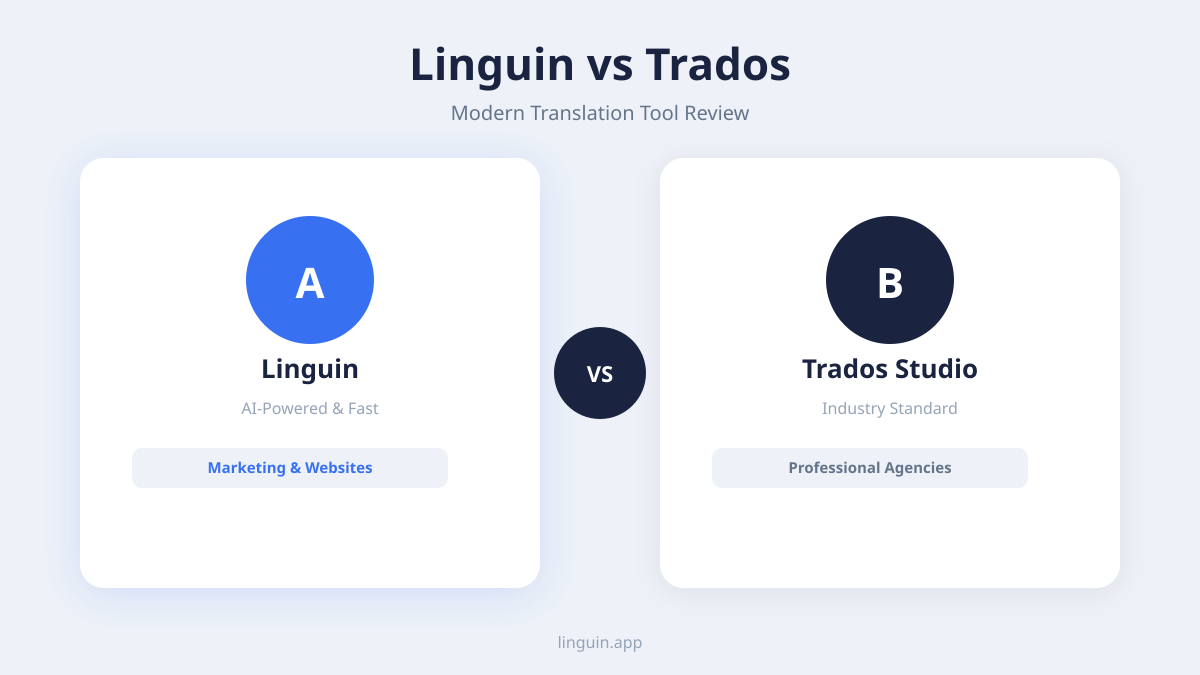
Vs. free online translators (e.g., Google Translate, Bing Translator): The most direct comparison. Free web tools are excellent for quick, one-off translations. However, they require you to open a browser, navigate to a site, and copy-paste text. Linguin’s integrated approach saves these steps, offering a more streamlined workflow. In terms of raw translation quality for major languages, the gap has narrowed, as many services now use similar AI models. Linguin’s advantage is its focus on a integrated, multi-platform user experience rather than being a website you visit.
Vs. desktop-only premium translators: Some professional translation software is built solely for Windows or macOS desktops, with deep features for translators but often a steeper learning curve and higher cost. Linguin takes a more generalist, user-friendly approach. It may not have the same depth of translation memory or terminology management as those tools, but it is far more accessible for the average professional or student who needs reliable translation without becoming a translation expert.
Vs. other AI-powered apps: Several new apps also use AI models from providers like OpenAI or Google. The differentiation here often comes down to design, pricing model, and specific feature sets. Linguin distinguishes itself with its tight ecosystem across Apple devices and major browsers, offering a consistent experience whether you are at your desk or on your phone, plus the style control and custom dictionary that many general-purpose AI chat apps don’t offer as a dedicated translation feature.
The best choice depends on your primary needs. If your work lives entirely in a web browser and you only need page translation, a free extension might suffice. If you need translation deeply embedded in your macOS and iOS workflow with a single always-available shortcut, Linguin’s integrated model presents a compelling case. Our analysis of AI translator apps for Mac provides more context on this specific platform competition.
Pricing and value consideration
Linguin operates on a freemium model. A free tier gives you the Standard translation style with a per-translation character limit, which is sufficient for light, occasional use, translating a few emails a month or reading short foreign articles.
A paid plan (available as a monthly subscription or a one-time lifetime purchase, both billed upfront) unlocks:
- The four additional translation styles: Casual, Formal, Technical, and Creative.
- A higher character limit per translation.
- The custom dictionary and full translation history.
When evaluating the cost, consider it against the time saved and the value of seamless integration. If you find yourself translating for even an hour a week, the subscription cost can be justified by the regained productivity. The value is not just in the translation engine itself, but in the convenience layer, the shortcut, the extensions, the style control, that reduces friction in your daily tasks.
Frequently asked questions
How accurate is Linguin compared to human translation?
No AI translator matches a skilled human translator for nuance, cultural adaptation, and creative text. However, for informational content-news articles, business emails, technical documents, web pages-Linguin’s AI models provide high accuracy suitable for comprehension and communication. The output is often fluent and contextually correct. For publishable or legally binding materials, professional human review is still essential.
Can I use Linguin completely offline?
No. Linguin does not have an offline mode or downloadable language packs; every translation requires an internet connection because the text is processed by the translation engine over the network.
Does it work with voice and speech translation?
Yes, but as a turn-based loop rather than a live conversation mode. The macOS and iOS apps let you dictate into your device’s microphone, see the transcription translated automatically, and listen to the result read aloud. There’s no simultaneous two-way interpreter mode, and the browser extensions don’t support voice at all, they’re text-only.
Is my translated data private?
Text you translate is sent over the internet to the translation engine to be processed, and signed-in users get a translation history saved to their account. Since there’s no offline mode, an internet connection is required for every translation. Review Linguin’s privacy policy for the specifics of how translation requests and history are handled.
Final verdict and getting started
This Linguin review reveals a tool designed for efficiency and integration. Its greatest strength is removing the friction from the translation process, placing powerful AI models a keystroke or tap away across all your devices. The translation quality is robust for everyday and professional informational use, particularly when context matters. While not a replacement for human expertise in high-stakes scenarios, it is an exceptional aid for comprehension, communication, and productivity.
The decision to use Linguin hinges on how often you encounter language barriers and how much you value a streamlined workflow. If you regularly read foreign websites, communicate with international contacts, or review documents in other languages, the integrated approach will save you significant time and effort.
To get started, the best path is to try it yourself. Visit the Linguin website to download the macOS app, iOS app, or install the browser extension for Chrome or Safari. The free tier allows you to test the core features with real-world content from your own life-try translating a work email, a news article, or a message. This hands-on experience will show you how it fits into your personal or professional routine better than any review ever could.

-vs-translator.png)




