
 English
  Español
  Français
  Deutsch
  Português
  Italiano
  Русский
  中文(简体)
  日本語
日本語  한국어
한국어  العربية
  हिन्दी
  Nederlands
  Türkçe
  Polski
When choosing a translation tool, the core question is simple: which one delivers more natural, accurate, and integrated results? This Linguin vs Google Translate comparison aims to answer that directly. For professionals, students, and anyone who relies on clear communication across languages, the choice impacts everything from business emails to understanding foreign documents. This article provides a detailed, feature-by-feature analysis to help you decide which tool aligns with your specific needs for translation quality, context handling, and workflow efficiency.
Key takeaways
- Linguin’s free Standard style is Google Translate itself, the real comparison is between Google Translate and Linguin’s four paid styles, which route through a hosted AI model built for tone and context.
- Linguin is available as apps for macOS, iOS, and the web, plus a Chrome extension and, on Mac, a Safari extension, all reachable quickly, though you paste text in rather than translating it automatically wherever your cursor happens to be.
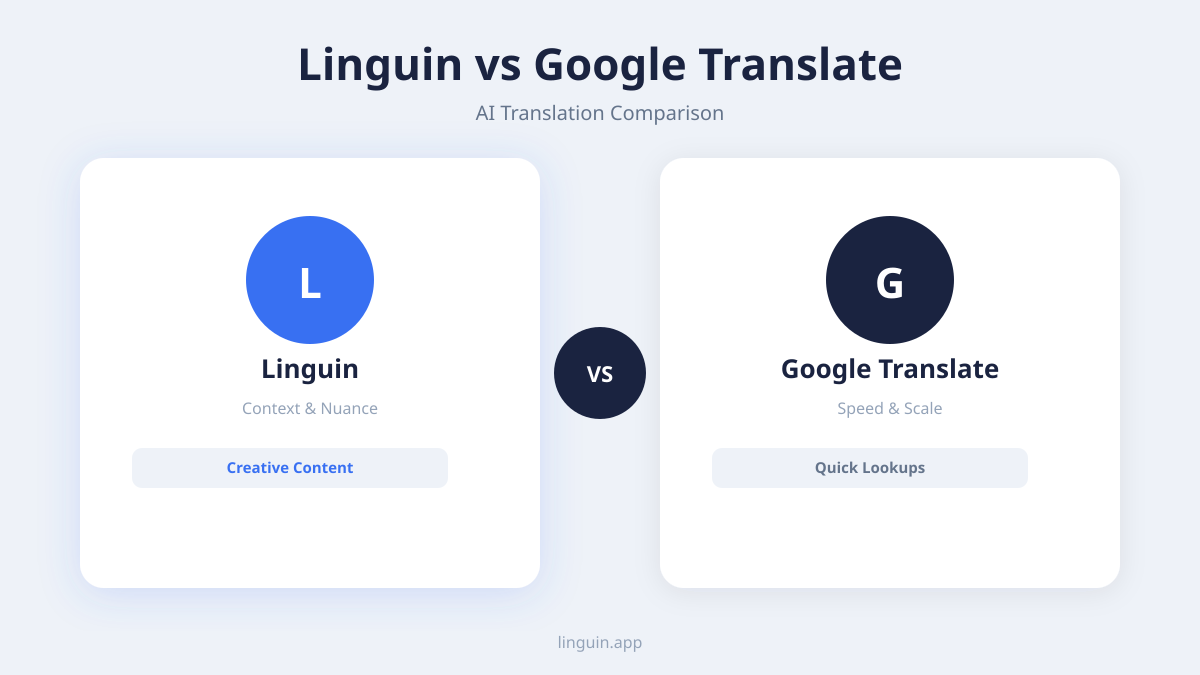
- For professional or creative content like marketing copy, technical documents, or nuanced conversations, Linguin’s paid AI-model styles can capture tone and intent more effectively than a flat, literal translation.
The evolution of translation technology
Translation tools have moved far beyond simple dictionary replacements. The first generation of online translators, exemplified by Google Translate’s early statistical models, focused on finding the most probable word-to-word matches. This worked for short phrases but often failed with complex grammar, idioms, or sentences where context changed meaning. The shift to neural machine translation (NMT) marked a significant improvement, allowing for consideration of entire sentences. However, the current frontier is context-aware translation, where the tool considers the surrounding text, the conversational thread, and even the user’s intent to generate the most appropriate output.
This evolution matters because language is not a series of isolated statements. A single word can have multiple meanings. For instance, the word “bank” could refer to a financial institution or the side of a river. Without context, a translator might guess incorrectly. Modern AI-powered tools aim to understand this context, much like a human translator would. They analyze not just the sentence you want translated, but also the sentences before and after it, the type of document it’s in, and the likely purpose of the communication.
Google Translate, as a massive, general-purpose tool, has adopted NMT and continues to improve. Its strength lies in its vast database of language pairs and its ability to translate entire web pages quickly. It’s also worth noting upfront: Linguin’s own free Standard style runs on Google Translate, so the two share the exact same output for anyone on Linguin’s free plan. Where Linguin differs is its four paid styles (formal, casual, creative, technical), which route through a separate, hosted AI model built to pay more attention to tone and context, plus a fast, dedicated app you can reach with one keyboard shortcut on Mac instead of a browser tab. For a deeper look at how AI models achieve this, you can read our article on AI translation accuracy.
Accuracy and natural language output
Accuracy in translation is not just about correct words. It is about conveying the original message with the appropriate tone, formality, and natural flow of the target language. Google Translate excels at providing a fast, literal translation that gets the general idea across. It is highly reliable for simple, declarative sentences and common phrases. However, when faced with ambiguity, slang, or cultural references, its output can become stilted, awkward, or even misleading, which is exactly the gap Linguin’s paid styles aim to close.
Linguin’s paid styles are designed to prioritize natural language output. They route through a hosted AI model rather than a flat, general-purpose engine, which helps them generate translations that sound closer to something originally written in the target language. This is particularly useful for professional communication. For example, if you are messaging a colleague in Japan and write, “Let’s table this discussion for now,” a literal translation might confuse the recipient. Google Translate (and Linguin’s own free Standard style, which is Google Translate) might struggle with the idiom “table this,” potentially interpreting it as putting something on a physical table. Linguin’s paid, context-aware styles are more likely to recognize this as a business idiom meaning to postpone the discussion, and translate it into a naturally equivalent phrase in Japanese.
The difference is also clear in handling grammatical structures that do not directly map between languages. Languages like German or Finnish often construct long, compound sentences. A direct, word-order-preserving translation can become a confusing mess in English. Linguin’s paid styles are generally better equipped to restructure these sentences logically for an English reader while preserving the original meaning. Similarly, for languages with formal and informal registers, like Spanish or Korean, choosing the Formal or Casual style lets you set the register explicitly, whereas Google Translate has no style selector and defaults to whatever register its model produces. You can explore more about the nuances of AI translation accuracy in 2026 for further insights.
Integration and workflow efficiency
A powerful translation engine is only as good as its accessibility. The true test of a tool is how seamlessly it fits into your existing workflow. This area highlights a fundamental architectural difference between the two platforms. Google Translate is primarily a destination. You open a browser tab, go to translate.google.com, paste your text, and copy the result. For web pages, you can use its built-in browser feature or a separate extension. This process, while functional, requires you to stop what you are doing, switch contexts, and manually move text back and forth.
Linguin is built as a native application and browser extension, and it’s faster to reach than a browser tab even if the workflow is still copy-paste-based outside the browser. On macOS, Option+Space opens or closes the app window from anywhere, a single fixed shortcut, so you copy text, press the shortcut, and paste it in rather than retyping a URL and finding the input box each time. On iOS, you open the app and paste text in the same way; there’s no share-sheet or system-wide selection integration yet. The Chrome extension, and on Mac the Safari extension, go further: right-click a selection or a whole page to translate it in place, or open a small sidebar translator, without needing to copy and paste at all for web content.
Consider a common scenario: you are researching a topic in a foreign language PDF. With Google Translate, you might need to copy paragraphs, switch to the translate tab, paste, copy the translation, and then paste it into your notes. With Linguin, the sequence is similar for the app (copy, Option+Space, paste, read), but for anything you’re reading in a browser tab, the extension skips the copy-paste step entirely by translating the page or selection right where it is. Neither tool currently offers a live, real-time conversation mode for video calls or in-person conversations, if that’s a requirement, look at a dedicated conversation-translation app instead. This integration makes Linguin one of the best Mac productivity apps for multilingual users.
Supported languages and use cases
Both Linguin and Google Translate support a impressive number of languages, well over 100 each. This means for the vast majority of users, the language they need will be available on both platforms. The critical difference lies not in the raw count, but in how each tool handles different types of content within those languages. Google Translate, given its scale and history, has extensive data for most major language pairs. It is a solid, general-purpose choice for getting the gist of a menu, understanding a basic news article, or learning a simple word.
Linguin, while covering the same breadth of languages, focuses its AI power on delivering higher quality for specific, demanding use cases. These are scenarios where literal translation falls short.
- Professional and business communication: Translating emails, contracts, reports, or presentation slides requires precision and appropriate tone. Linguin’s context awareness helps maintain professionalism.
- Creative and marketing content: Translating website copy, slogans, or product descriptions demands cultural sensitivity and natural phrasing to resonate with the target audience.
- Technical documentation: Manuals, software strings, and academic papers contain jargon and complex sentence structures that benefit from AI’s ability to parse technical context.
- Ongoing back-and-forth messaging: Whether in messaging apps, email threads, or during browsing, having Linguin one shortcut or one right-click away makes translating each message faster than reopening a translation website every time.
For example, if you are a developer working with an international team and need to understand an error log written in Korean, a literal translation might give you a confusing technical salad. Linguin’s Technical style, powered by a hosted AI model, has a better chance of providing a coherent, actionable translation than a flat literal one. Similarly, if you are using a translation Chrome extension to read reviews of a product on a foreign e-commerce site, understanding the nuanced sentiment (sarcasm, strong recommendation, mild complaint) is crucial. Linguin’s paid styles are generally better equipped to convey these subtleties than a plain, one-size-fits-all translation.
Privacy and data handling
In an era of increased digital awareness, how a translation tool handles your data is a significant consideration. When you use an online service like Google Translate, the text you submit is typically sent to Google’s servers for processing. According to Google’s policies, this data may be used to improve their translation services. For many individuals, this is an acceptable trade-off for a free, powerful tool. However, for professionals dealing with sensitive, proprietary, or confidential information, sending that data to a third-party server can be a non-starter.
Linguin’s privacy story is more modest than it might first appear, and it’s worth being honest about it. The free Standard style is Google Translate, so that traffic is subject to Google’s own data practices. The four paid styles route through a separate hosted AI model over an encrypted connection. Either way, text you paste in does leave your device to be translated, there is no offline mode and no on-device processing on any platform. What Linguin does offer is a clear privacy policy and no advertising-driven data use, and being a dedicated app rather than a public website means your translation activity isn’t sitting in a browser history or a shared web session. But if a hard requirement is that text never leaves your device, no tool in this comparison meets that bar for its AI-model-powered styles, and you should avoid pasting highly sensitive information (medical records, legal identifiers, financial account numbers) into any online translator, Linguin included.
The privacy advantage that does hold up is more about workflow than architecture. Because Linguin is a dedicated app, you’re not pasting your text into an open browser tab you might forget to close, and your translation history (Premium) stays attached to your own account rather than a general web search history. It’s a smaller, more contained footprint, not an offline guarantee.
Cost and value proposition
The pricing models of Linguin and Google Translate reflect their core philosophies and target users. Google Translate is famously free for its standard translation services, with a paid API available for developers and businesses that need high-volume, programmatic access. This freemium model makes it accessible to everyone and is its greatest strength. For casual, infrequent translation needs, it is an unbeatable value.
Linguin has a free plan (Standard style, Google Translate, capped at 500 characters per translation and 20 translations a day) and a paid plan, $4.99/month or a $29.95 one-time lifetime purchase, which unlocks the four AI-model-powered styles, unlimited character length, translation history, a custom dictionary, voice output, and appearance customization, across the desktop and mobile apps and both browser extensions. The value proposition is not about translating more words for less money. It is about translation tone, workflow efficiency, and useful extras like history and a personal dictionary. You are paying for a tool that saves you steps and gives you more control over how a translation sounds for professional or creative purposes.
Who finds the most value in Linguin? Professionals whose work depends on accurate, tone-appropriate cross-language communication, such as researchers, writers, international business managers, and developers. Students working with foreign source materials. Anyone who has grown frustrated with the copy-paste-translate-copy-paste cycle and wants translation to be a faster part of their digital experience, on a Mac especially, where a single shortcut brings up the app instantly. If your needs are casual and offline access matters more than tone control, that’s a real point in Google Translate’s favor. Comparing it to other solutions can help; see our guide on the best AI translation app for a broader perspective.
Frequently asked questions
Which is more accurate, Linguin or Google Translate?
Linguin’s free Standard style actually is Google Translate, so for a quick, literal translation the two are identical. The real difference shows up in Linguin’s four paid styles (formal, casual, creative, technical), which route through a hosted AI model that pays more attention to tone and context, especially for idioms and professional or creative writing.
Can I use Linguin offline?
No. Linguin requires an internet connection for every translation, on every platform. There’s no downloadable language pack or on-device processing. If offline translation is a hard requirement, Google Translate’s own app does offer downloadable offline language packs, which is an area where it currently has the edge.
Is Google Translate free?
Yes, the standard Google Translate service accessed via its website or mobile app is completely free for personal use. Google charges for its Cloud Translation API, which is designed for developers and businesses integrating translation into their own applications at high volume.
Why would I pay for Linguin if Google Translate is free?
You’d pay for Linguin’s four AI-model-powered translation styles for tone control that plain Google Translate doesn’t offer, plus unlimited character length, translation history, a custom dictionary, and voice output, all in a fast, always-available app. If you only need quick, literal translations, Linguin’s own free Standard style (also Google Translate) already covers that at no cost.
Does Linguin work on all my devices?
Linguin is available as a macOS app, an iOS app, a web app, a Chrome extension, and, on Mac only, a Safari extension, all tied to the same account so your premium status, translation history, and custom dictionary follow you. There’s no Safari extension for iPhone or iPad.
Making the right choice for your needs
Choosing between Linguin and Google Translate ultimately comes down to your specific requirements. If your needs are casual, you need offline access, or you prioritize a zero-cost solution, Google Translate remains a powerful and capable tool, and it’s worth remembering that Linguin’s own free tier is built on it. However, if your work involves professional or creative writing where tone matters, and you’d rather have a fast, dedicated app with translation history and a custom dictionary than a browser tab, Linguin’s paid plan is worth the upgrade.
The most important points to remember are that Linguin’s real advantage is in its paid, AI-model-powered styles, not in some fundamentally different or more private engine, and in being a fast app you can reach with one shortcut on Mac rather than a browser tab. The next step is to experience the difference for yourself. Consider trying Linguin in scenarios that matter to you, such as translating a complex work email in the Formal style or a casual chat in the Casual style, to see how style selection and a dedicated app change the experience compared to Google Translate’s one-size-fits-all output.
-vs-translator.png)




