English
  Español
  Français
  Deutsch
  Português
  Italiano
  Русский
  中文(简体)
  日本語
日本語  한국어
한국어  العربية
  हिन्दी
  Nederlands
  Türkçe
  Polski
Effective multilingual user interface design hinges on using AI translation not just as a final step, but as an integrated part of the design process from the beginning. This approach ensures translated content feels native and intuitive, rather than a confusing afterthought. For app developers, product managers, and UX/UI designers targeting a global audience, mastering this integration is key to user adoption and satisfaction. This article provides a comprehensive guide to the principles, challenges, and practical strategies for optimizing AI translation for UI design.
Key takeaways
- AI translation for UI design requires planning for text expansion and contraction to maintain layout integrity across languages.
- Context and cultural nuance are critical; direct word-for-word translation often fails in a user interface.
- Integrating translation tools like Linguin directly into the design and development workflow saves time and improves consistency.
The foundational principles of multilingual UI design
Designing a user interface for multiple languages starts with principles that go beyond simple text replacement. The core challenge is creating a flexible, culturally neutral container that can gracefully accommodate content in over 100 languages. This begins with an understanding of internationalization, which is the process of designing a software application so it can be adapted to various languages and regions without engineering changes. It is the essential groundwork upon which localization, the adaptation of the product for a specific locale, is built.
A primary technical consideration is text space. English text is often compact. German words can be 50% longer, while many Asian languages can be more concise. A button that perfectly fits “Submit” in English might break with the German “Absenden” or the Finnish “Lähetä.” Designers must adopt fluid layouts, dynamic UI components, and generous padding. This means avoiding fixed-width containers, designing icons that complement text without relying on it, and establishing clear character limits for all user-facing text elements from the start.
Another principle is cultural neutrality in visual design. Colors, symbols, and imagery carry different connotations. A color signaling success in one culture might represent mourning in another. An icon of a hand gesture could be offensive. Successful multilingual UI design uses a foundational visual language that is inclusive, focusing on universally understood metaphors or testing imagery across target markets. The goal is to create a UI skeleton that is resilient and ready for the nuanced work of AI-driven translation and localization.
How AI translation differs for user interfaces
Applying AI translation for UI design presents unique challenges distinct from translating documents or conversations. UI text is often decontextualized, consisting of short, isolated strings like button labels, menu items, error messages, and tooltips. A standalone word like “Run” could be a verb, a noun, or a command, depending on its placement in the app. Traditional translation engines might fail without this critical contextual awareness. Modern AI models, however, can analyze the surrounding UI elements and metadata to infer the correct meaning, a capability essential for accurate interface translation.
Furthermore, UI language requires a specific tone and consistency. An app’s voice-whether formal, friendly, or technical-must remain uniform across all languages. AI translation systems can be tuned to maintain this consistent tone across every menu and dialog. They also manage terminology databases, ensuring that a core term like “workspace” or “merge” is translated identically everywhere it appears, which is vital for user comprehension and trust. This is different from creative content translation, where stylistic variation might be encouraged.
The technical integration is also key. AI translation for UI design works best when connected directly to design systems and development pipelines. For instance, tools can be linked to Figma or Sketch files, allowing designers to preview translations in real-time, and to code repositories, enabling developers to automate the pull-and-replace of text strings. This seamless workflow prevents the chaos of spreadsheets and manual copying, reducing errors and accelerating the iteration cycle for global product updates.
Practical strategies for integrating translation into your workflow
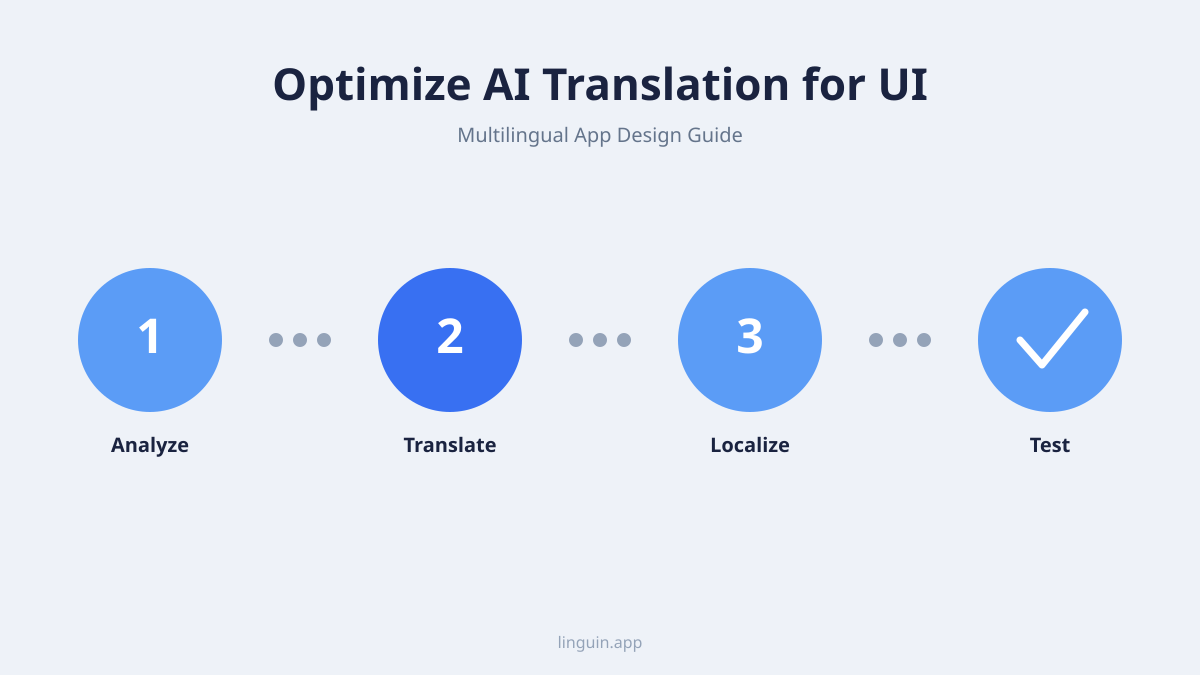
To effectively leverage AI translation for UI design, teams must embed it into their processes from the earliest stages. The first strategy is designing with translation in mind. During wireframing and mockup creation, use placeholder text from multiple languages, not just Latin-based ones. This practice, often called “pseudo-localization,” helps identify layout weaknesses early. Designers should collaborate with localization experts or use tools that simulate text expansion to stress-test their designs before any code is written.
A second strategy involves creating a structured content management system for all translatable strings. All UI text should be extracted into centralized files, like JSON for web apps or .strings files for iOS. Each string should be paired with developer notes that provide essential context for translators. For example, the note for “File” could specify: “Noun, refers to a document. Context: ‘Open File’ menu item.” This context is the fuel for accurate AI translation. Platforms like Linguin can integrate with these systems to fetch, translate, and push back strings automatically, maintaining version control and history.
Finally, establish a continuous cycle of testing and refinement. Automated screenshots in different languages can help visual QA, but real user testing in target locales is irreplaceable. Gather feedback on whether translated interface elements feel natural and intuitive. Use this feedback to retrain or fine-tune your AI translation models, creating custom glossaries for your app’s specific jargon. This turns translation from a one-time project into an ongoing quality improvement loop, ensuring the UI evolves with user expectations. For insights on managing complex terminology, see our guide on AI translation for technical jargon and industry terminology.
Navigating common pitfalls and cultural nuances
Even with advanced AI, several pitfalls can undermine a multilingual UI. The most common is neglecting cultural adaptation, which goes beyond literal translation. Date formats (MM/DD/YYYY vs. DD/MM/YYYY), number formatting (1,000.50 vs. 1.000,50), and currency display are basic but critical. Address fields, honorifics, and personal name fields must adapt to local conventions. An AI system configured for locale-specific formats handles these adjustments automatically, preventing user frustration.
A subtler pitfall involves idioms, humor, and marketing phrasing. A UI string like “Lightning fast” might translate literally but lose its persuasive impact or sound strange. Similarly, an encouraging error message that uses a casual idiom could confuse users. The solution is to use AI translation models that are optimized for intent and can suggest culturally equivalent phrases. For deep dives into these challenges, explore our articles on AI translation for idioms and cultural nuances and AI translation for humor and sarcasm.
Say you’re designing a fitness app with a celebratory message: “You’re on fire!” A direct translation could be misinterpreted. A better AI-assisted approach would be to provide the context (“post-workout praise message”) and let the model suggest a culturally appropriate equivalent, like “You’re unstoppable!” or a common local phrase of encouragement. This level of context-aware localization ensures the UI motivates users everywhere, rather than puzzling them. Managing these nuances is also crucial for customer-facing functions, as detailed in our resource on AI translation for multilingual customer support.
Optimizing for dynamic and user-generated content
Modern apps are dynamic, with content that changes based on user data, time, and interactions. This includes notifications (“John liked your post”), in-app messages, and content populated from databases. Translating these strings requires handling variables and grammatical agreements that differ by language. For example, “You have 1 new message” vs. “You have 5 new messages” is simple in English, but many languages have complex plural rules. AI translation systems with strong pluralization and gender agreement logic can dynamically construct the correct sentence structure.
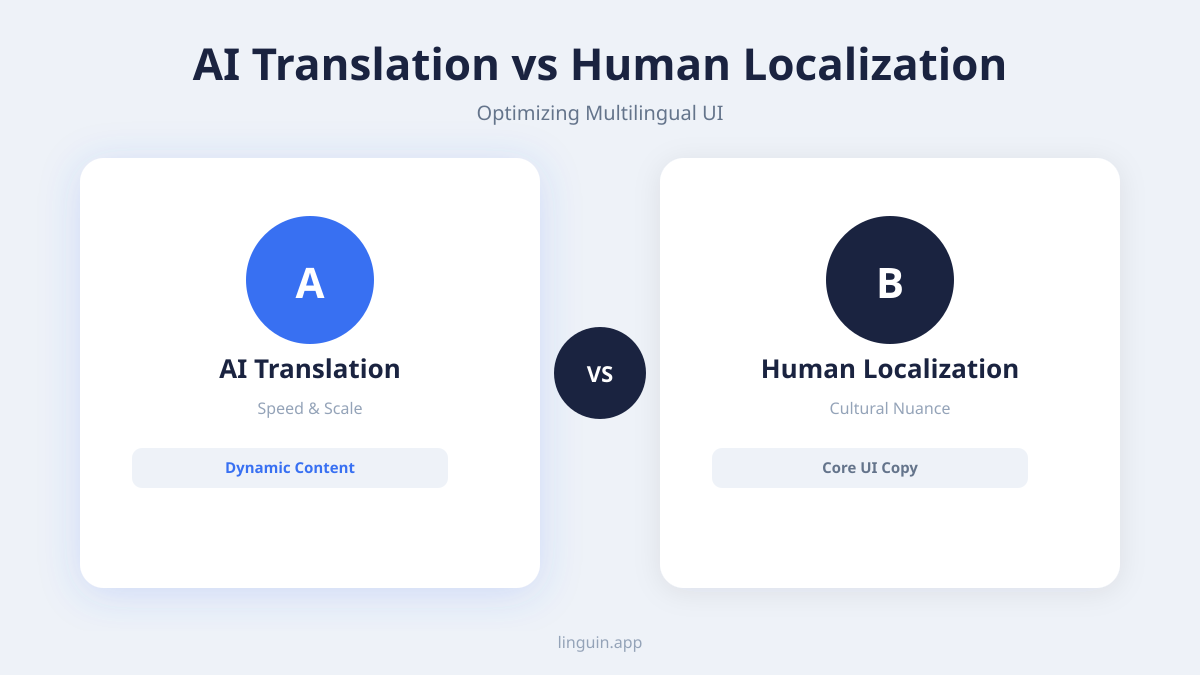
Another scenario is an e-commerce app displaying “Recommended for you.” The items here are user-generated content (UGC), like product titles and descriptions. While core UI strings are translated once, UGC may need real-time translation. Implementing an on-demand translation feature, perhaps via a browser extension like Linguin’s, allows users to translate product details instantly without leaving the app flow. This hybrid approach-static UI localization combined with dynamic content translation-offers a complete user experience.
Consider a project management tool where a user can comment, “Let’s circle back on this tomorrow.” Translating this informal, collaborative phrase in real-time for a multilingual team requires AI that understands informal grammar and business slang. The model must convey the intent of scheduling a follow-up without a literal, confusing translation. Setting up your AI to recognize and properly handle such conversational tones in a professional setting keeps cross-team communication fluid and clear, a topic further explored in AI translation for remote multilingual teams.
Measuring success and iterating on your multilingual UI
Success in multilingual UI design is measured by user engagement and satisfaction, not just completion of translation. Key performance indicators include reduced bounce rates in specific locales, higher in-app purchase conversion rates, and positive feedback in app store reviews mentioning the quality of the local experience. Monitoring support tickets for language-related confusion can also pinpoint areas where translation or UI adaptation failed.
A/B testing different translations or UI layouts for specific markets can yield valuable data. You might test two different translations for a key call-to-action button in Spanish to see which drives more engagement. This data-driven approach allows you to refine translations iteratively. The AI models powering tools like Linguin can learn from these preferred outcomes, gradually improving their output for your specific application and user base.
Continuous iteration is vital. Languages evolve, and so do design trends and user expectations. Establishing a process for regularly updating translations-especially after major feature releases-ensures your app remains current and resonant. Treat your multilingual UI as a living component of your product, one that benefits from the same agile development and user-centric design principles as the core functionality.
Frequently asked questions
What is the biggest mistake in translating a user interface?
The biggest mistake is treating translation as a final, purely linguistic step. Without integrating it into the initial design and development workflow, teams encounter broken layouts, inconsistent terminology, and translations that lack context. Successful multilingual UI requires planning for space, cultural norms, and technical integration from the very first sketch.
How do I handle languages that read from right to left?
Right-to-left languages like Arabic and Hebrew require a complete mirroring of the UI layout, not just text alignment. This affects the placement of navigation menus, icons, and even the direction of animations. Modern design tools and front-end frameworks offer RTL support. When using AI translation for UI design, ensure your process includes a step to apply RTL styling and to review the fully mirrored interface for usability.
Can AI translation handle all the nuances for my app’s specific niche?
While general AI models are powerful, niche apps with specialized jargon benefit from customization. Most professional AI translation platforms allow you to create custom glossaries and style guides, and even fine-tune models on your own translated content. This trains the AI on your specific terminology and desired tone, dramatically improving accuracy for technical, medical, or financial interfaces.
How do we manage updates and new features in multiple languages?
Implement a continuous localization workflow. Connect your AI translation tool directly to your code repository and design system. When developers add new text strings, the system automatically detects, translates, and inserts them into the proper files. This keeps all language versions in sync with the main development branch, allowing for simultaneous global rollouts of new features.
Is machine translation good enough for a professional app’s UI?
Modern, context-aware AI translation is fundamentally different from older, phrase-based machine translation. When integrated with proper internationalization, contextual notes, and a review process, it produces high-quality, natural-sounding UI text. For most strings, it is efficient and accurate, though a human review for brand voice and complex cultural nuances is still recommended for critical user-facing content.
Implementing a seamless multilingual design process
Optimizing AI translation for UI design is a strategic investment that removes barriers to global growth. The core principles remain constant: design with flexibility in mind, provide rich context for every text string, and integrate translation deeply into your creative and technical workflows. By doing so, you ensure that every user, regardless of language, experiences an interface that feels intentional, clear, and respectful of their cultural context.
The most effective next step is to conduct an internationalization audit of your current app or design prototypes. Identify all hard-coded text, test layouts with pseudo-localized content, and extract strings into a centralized management system. This groundwork is essential for any successful translation effort. With a structured foundation in place, leveraging a specialized tool can streamline the entire process, allowing your team to focus on crafting exceptional global user experiences. Linguin, with its focus on context-aware AI translation, is built to support this integrated approach, helping teams translate not just words, but meaning and intent directly within their UI and app design environment.