
 English
  Español
  Français
  Deutsch
  Português
  Italiano
  Русский
  中文(简体)
  日本語
日本語  한국어
한국어  العربية
  हिन्दी
  Nederlands
  Türkçe
  Polski
When choosing an AI-powered translation tool, the decision often comes down to Linguin and DeepL. Both are highly capable, but they serve different needs and user workflows. This comparison is crucial for professionals, students, and anyone who regularly works across languages, as the right tool can streamline communication and improve accuracy. This article provides an in-depth analysis of both platforms, examining their core strengths, ideal use cases, and overall value to help you make an informed choice.
Key takeaways
- Linguin operates primarily as a copy-paste-and-translate app (
Option + Spaceon macOS) and browser extension, while DeepL offers a powerful web interface and desktop app with a focus on document upload and translation.- For quick text translations, chat messages, and any text selected on a webpage, Linguin’s on-demand approach is often more efficient because it’s a shortcut away rather than a separate tab.
- DeepL holds an advantage for bulk text and formal document translation, especially for European languages, due to its dedicated text editor and file format support (including PDF and Word upload, which Linguin doesn’t have).
Understanding the core approaches
The fundamental difference between Linguin and DeepL lies in their design philosophy. Linguin is built around the concept of fast, on-demand translation that’s one shortcut away from your existing workflow. It functions as a lightweight app on macOS and iOS, and as a browser extension, ready to translate any text you paste in or select on a page. This makes it less about visiting a separate website and more about removing language barriers with minimal friction.
DeepL, in contrast, is built around a powerful translation engine accessed primarily through its web portal or desktop application. Users typically go to DeepL to translate a block of text, an entire document, or to use its writing assistant features. Its strength is in handling larger volumes of text with high fluency, particularly among European languages. The experience is more focused on a dedicated translation session rather than continuous, ambient assistance.
This distinction shapes every aspect of the user experience. With Linguin, translation feels close to a native system function even though it’s still a copy-paste step: you copy text, press Option + Space on your Mac, paste, and get a translation. You’re reading a foreign-language article in a browser, and the Chrome extension or, on macOS, the Safari extension, can translate phrases or the whole page without leaving the tab. The tool stays close to your context even if it isn’t literally embedded inside every other app.
DeepL asks you to bring your text to it. You copy and paste into its clean, web-based editor or upload a document file. This allows for careful review, editing of the output, and the use of alternative translations. It’s a more deliberate, text-centric process. For tasks like translating a contract, a research paper, or a long email draft, this focused environment is a significant benefit.
Platform availability and accessibility
Where you can use a translation tool is often the deciding factor. Linguin’s strategy is to be close at hand within the Apple and web ecosystems. Its native macOS app is a single global shortcut (Option + Space) away from anywhere on your system, and the iOS app is a tap away for pasting in text. The Safari extension (macOS only, bundled with the app) and Chrome extension bring similar capability into the browser, letting you translate a selection or an entire webpage on any site.
This makes Linguin exceptionally useful for on-the-fly tasks. Say you’re messaging a colleague in Japan on Slack’s web app and they use a technical term you don’t recognize. With Linguin’s Chrome extension installed, you can select that term right there in the browser tab and get a translation via the right-click menu without switching apps. If you’re using Slack’s desktop app instead of the browser, you copy the text and paste it into Linguin.
DeepL is widely accessible via any modern web browser, which is a universal advantage. It also offers desktop applications for Windows and macOS, and a mobile app. Its web interface is consistent and full-featured. However, its browser extension functionality is generally more limited compared to Linguin’s, often focusing on translating selected text by sending it to the DeepL web page rather than providing an immediate inline overlay.
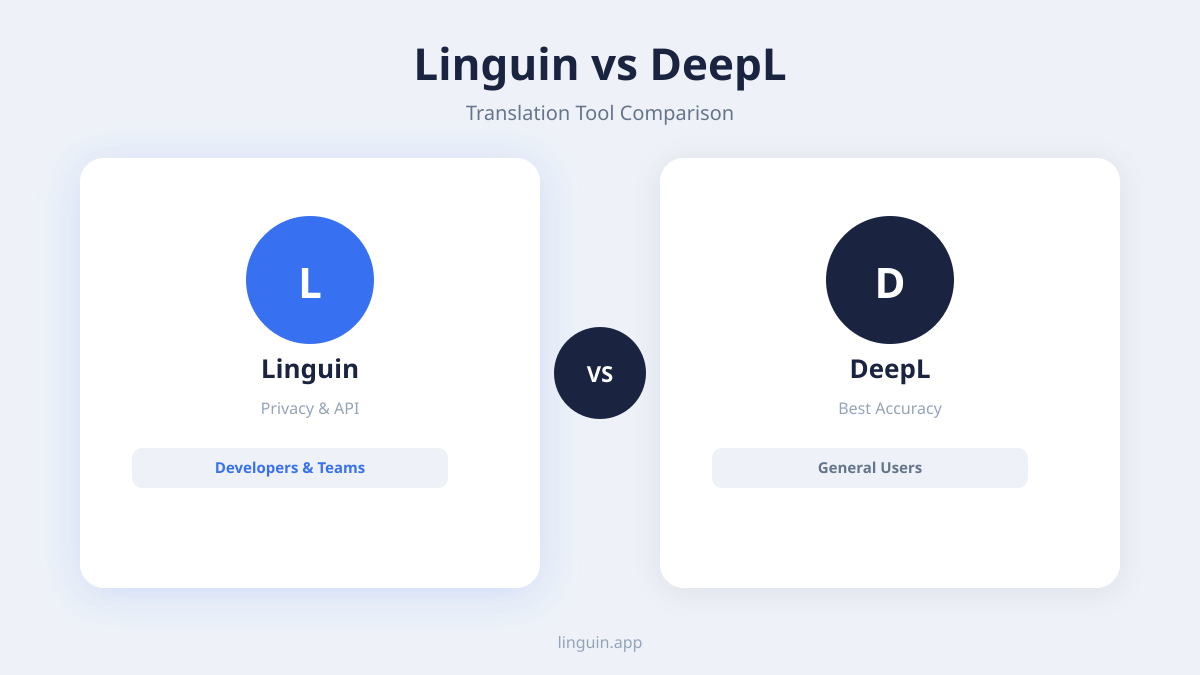
For users who work primarily within a browser and need a powerful, standalone translation workspace, DeepL’s web app is excellent. For users who need translation deeply woven into their entire operating system experience, especially on Mac and iPhone, Linguin’s native approach offers a tighter, more responsive integration. The choice here depends on whether you prefer a powerful destination (DeepL) or an intelligent, ever-present assistant (Linguin).
Translation quality and language support
Both Linguin and DeepL utilize advanced AI models to produce translations that are more natural and context-aware than older statistical methods. DeepL has long been praised for the fluidity and grammatical accuracy of its outputs, particularly for language pairs involving English, German, French, Spanish, and other European languages. Its neural network technology is fine-tuned to produce results that often sound like they were written by a human.
Linguin also employs sophisticated AI to deliver context-aware translation. A key differentiator is how Linguin can use the surrounding text or conversational context to inform its translation, which is critical for ambiguous terms or idioms. For example, translating the word “bank” from a financial chat versus a conversation about a river requires different contextual understanding, which Linguin’s models are designed to grasp.
In terms of sheer volume, DeepL supports around 30 languages. Linguin supports over 100 languages, offering a much broader reach for less common languages or regional dialects. This makes Linguin a more versatile tool for global teams or content dealing with a diverse set of languages.
For the most common language pairs, both tools produce highly competent results. The perceived quality can be subjective and often depends on the specific text. DeepL might produce a slightly more polished phrase for a formal document in German. Linguin might handle the casual, abbreviated language of a social media post or live chat more adeptly because of its design for real-time communication. For a deeper dive into what makes AI translation accurate, you can explore our article on AI translation accuracy.
Features and real-world use cases
Examining specific features reveals which tool excels in different scenarios. Linguin is built for speed on short pieces of text. Its hallmark features are the Option + Space shortcut on macOS, five translation styles (Standard, Casual, Formal, Technical, Creative), a custom dictionary for consistent terminology, and voice dictation with read-aloud playback in the native apps. It’s less about managing translation projects and more about instantly understanding and being understood.
Say you’re reviewing a multilingual customer support ticket in a web-based helpdesk tool. Instead of copying each foreign-language sentence into a separate tab, you could use Linguin’s browser extension to select the text right there in the interface and right-click to translate it, getting immediate results that let you resolve the issue faster.
DeepL’s feature set is geared towards content creation and document handling. Its core offerings include a document translator (supporting PDF, Word, PowerPoint formats), a writing assistant that suggests alternative phrasing, and a glossary feature for customizing translations with company-specific terminology. It’s a powerful tool for preparing localized marketing materials, translating official documents, or refining the language of a non-native draft.
A concrete scenario for DeepL would be a freelance writer who needs to translate a client’s technical whitepaper from Italian to English. They could upload the .docx file to DeepL, get a solid first draft translation, and then use the in-editor alternatives to fine-tune specific technical terms, ensuring consistency and accuracy throughout the lengthy document.
Linguin’s strength is its proactive utility, while DeepL’s is its reactive power. You use Linguin to clear hurdles as you encounter them in your daily digital life. You use DeepL to sit down and deliberately process a piece of text from one language to another. For those who need both, our guide on the best translation apps compared offers a wider perspective.
Pricing and value for different users
Cost is a practical consideration. DeepL operates on a freemium model. Its free web version is robust but has a character limit. DeepL Pro removes limits, offers document translation, and provides increased data security, with monthly or annual subscriptions. This model is straightforward: you pay for more capacity and advanced features.
Linguin uses a different approach, focusing on unlimited, on-demand translation through a subscription that covers all its platforms (macOS app, iOS app, browser extensions). This can provide strong value for a power user who translates constantly throughout the day across multiple devices and contexts, as there are no per-character or per-document fees.
For a casual user who only needs to translate a few emails or web pages per week, DeepL’s free tier might be sufficient. For a professional translator working with large documents, DeepL Pro’s dedicated features are likely worth the investment. For a business professional, researcher, or student who is constantly engaging with multilingual content in apps, browsers, and communications, Linguin’s flat-rate, always-available model may offer better overall utility and cost-effectiveness by saving time and reducing friction.
The value proposition also ties back to the primary use case. If your need is episodic and document-heavy, paying for DeepL Pro per document or via a subscription makes sense. If your need is continuous and embedded in your workflow, Linguin’s subscription acts as a utility bill for removing language barriers everywhere you work. Comparing tools like DeepL vs Google Translate can also help frame the pricing landscape.
Integration and workflow compatibility
How a tool fits into your existing software environment is critical for adoption. Linguin’s deepest integration is its macOS app, which can be invoked from anywhere with Option + Space. The iOS app doesn’t have a keyboard extension or share-sheet integration, so getting text in means copying it and pasting it into the app, a small but real extra step compared to a true system-wide integration.
For web-based work, the Chrome extension and, on macOS, the Safari extension mean Linguin’s functionality is available on platforms like Gmail, Google Docs, Notion, Salesforce, or any web application, wherever you can select text on a page.
DeepL integrates through its API, which is a strength for developers and businesses looking to build translation into their own applications or websites. For individual users, the integrations are more conventional: you can use the DeepL desktop app or you copy and paste text. Some third-party apps offer DeepL plugins, but the out-of-the-box, system-wide integration is not as pervasive as Linguin’s dedicated approach.
Your choice may hinge on your primary workspace. If you live in a browser and a few key desktop applications, and you don’t mind a separate window for translation, DeepL fits neatly. If you use a wide variety of native apps, communication tools, and frequently switch contexts, having a translation layer that sits above all of them, as Linguin does, can be a significant productivity booster. This aligns with the benefits discussed in our list of best Mac productivity apps.
Privacy and data handling considerations
Privacy is a paramount concern when text, which can be sensitive or confidential, is sent to a translation service. DeepL, based in Germany, is known for its strong commitment to European data privacy standards (GDPR). DeepL Pro subscribers benefit from enhanced data protection measures, including optional text logging disablement, which is important for businesses handling sensitive information.
Linguin also prioritizes user privacy. As a tool designed for translating potentially private conversations and messages, it employs encryption and is built with a privacy-conscious architecture. The specifics of data retention and processing should always be reviewed in the respective privacy policies of both services.
For the most sensitive translations, such as legal documents or internal corporate communications, the advanced privacy features of DeepL Pro or enterprise solutions are a key selling point. For general professional and personal use where the convenience of instant translation is the priority, both platforms provide responsible data handling, but users with strict compliance requirements should evaluate the policies closely.
Frequently asked questions
Which is more accurate, Linguin or DeepL?
Accuracy is highly context-dependent. For formal text between major European languages, DeepL often produces exceptionally fluent results. For short chat messages, casual text, and text where tone matters, Linguin’s style options (Standard, Casual, Formal, Technical, Creative) are designed to help. Both are highly accurate for their intended purposes, and the best choice depends on the nature of the text you’re translating.
Can I use Linguin to translate entire documents like PDFs?
No, not directly. Linguin has no file upload; it translates text you paste in or select on a webpage. To translate a PDF with Linguin, copy the text out of your PDF viewer first. For translating entire document files like PDFs or Word documents in their original format, DeepL’s dedicated document upload feature is currently the more streamlined solution. For PDFs, you might also consider a specialized best PDF translator service.
Is DeepL better for professional translators?
DeepL’s web editor, glossary feature, and document translation often make it a preferred tool for many professional translators, especially for large projects. Linguin, with its Option + Space shortcut and translation styles, can be an excellent complementary tool for quick lookups, communicating with clients, or translating short passages without leaving your current window.
Does Linguin work offline?
No. Linguin has no offline mode and no cached or downloadable language packs; every translation requires an internet connection because the text is sent to the translation engine to be processed.
Which tool is better for translating websites?
Both have browser extensions that can translate an entire webpage on demand. DeepL’s extension sends the page to the DeepL website to be translated. Linguin’s Chrome extension and macOS Safari extension translate the page in place, or just a text selection, without leaving the tab.
Making your choice
Choosing between Linguin and DeepL ultimately depends on how you encounter language barriers. If your primary need is to process documents, emails, and prepared texts with high fidelity, DeepL’s powerful web and desktop editors are an excellent choice. Its fluency with formal language and document support is hard to beat for that workflow.
If your need is to quickly understand and respond to short pieces of multilingual text, chat messages on Slack’s web app, foreign news sites, or a quick reply you want to get right, Linguin’s shortcut-driven, always-close-at-hand approach is a strong fit. It acts less like a tool you open and more like a habit you build into your existing workflow.
The most important points to remember are that DeepL excels as a destination for text, while Linguin excels as an assistant in your context. Both represent the pinnacle of AI-driven translation but apply it differently. A practical next step is to identify your most frequent translation task. Is it a planned activity, or an unexpected hurdle? Your answer will point you toward the right solution. For those ready to try the integrated approach, exploring Linguin’s capabilities directly on your device is the best way to experience the difference.
-vs-translator.png)




