
 English
  Español
  Français
  Deutsch
  Português
  Italiano
  Русский
  中文(简体)
  日本語
日本語  한국어
한국어  العربية
  हिन्दी
  Nederlands
  Türkçe
  Polski
You can translate an entire website automatically using specialized AI translation platforms. This process makes your content accessible to a global audience without requiring manual translation for every page. For businesses, educators, and content creators looking to expand their reach, automating website translation is a practical step toward true internationalization. This guide will walk you through the methods, tools, and best practices to translate your entire website accurately and efficiently, ensuring a seamless experience for visitors in any language.
Key takeaways
- Automated website translation uses AI to convert all your site’s text into multiple languages simultaneously, saving significant time and resources.
- The most effective method involves using a translation proxy or plugin that integrates directly with your website’s CMS, like WordPress or Shopify.
- For optimal results, a human review step is recommended after automatic translation to catch nuances and ensure brand voice consistency.
- Choosing a tool with context-aware AI translation is crucial for handling idioms, cultural references, and industry-specific terminology correctly.
What does it mean to translate a website automatically?
Translating a website automatically means using software, powered by artificial intelligence and machine learning, to convert all the textual content on your site from a source language (like English) into one or more target languages. Unlike manual translation, this process is handled by algorithms that analyze your web pages, identify all text elements, and generate translations at scale. The core idea is to replicate your website’s structure and design while swapping out the language, creating a parallel multilingual site with minimal manual intervention.
This automation covers various content types. It translates static text like headers, paragraphs, and menu items. It also handles dynamic content such as product descriptions in an online store, blog posts, user-generated comments, and text within images (via OCR technology). The goal is to create a fully functional version of your website that feels native to speakers of the target language, with all links, forms, and navigation still working perfectly.
The technology behind this has evolved significantly. Early methods relied on simple word-for-word substitution, which often resulted in awkward and inaccurate phrasing. Modern AI-powered translation uses neural machine translation models. These models are trained on vast datasets of parallel texts, allowing them to understand context, grammar, and even cultural nuances. They don’t just translate words, they translate meaning. This results in output that is far more natural and readable, approaching the quality of a human translator for many types of content.
For website owners, the primary value is scalability and speed. Manually translating a website with hundreds of pages into even a few languages is a monumental, expensive task. Automatic translation makes this feasible, allowing you to launch multilingual versions in a matter of days or weeks, not months or years. It’s a powerful first step in localization, the broader process of adapting your content and business for a specific region or market.
Main methods for automatic website translation
There are several technical approaches to achieve automatic website translation, each with its own workflow and level of integration. Choosing the right method depends on your website’s platform, your technical expertise, and your desired level of control over the final translated content.
Using a translation proxy
A translation proxy is one of the most popular and seamless methods. When a user visits your website, the proxy service sits between your server and the visitor’s browser. It detects the user’s language preference (usually from their browser settings) and automatically fetches the original page from your site. It then translates the content on the fly before delivering it to the user. The translated versions are often cached for performance. The major advantage here is that there’s no need to modify your website’s code or manage separate hosting for each language. Services like this handle everything from translation to delivery. The downside can be less control over the final output and potential SEO complexities if not configured correctly.
CMS plugins and integrations
For websites built on content management systems like WordPress, Shopify, Wix, or Drupal, dedicated translation plugins are the go-to solution. These plugins integrate directly into your admin dashboard. They allow you to select pages or posts for translation, manage the process, and often provide an interface for editing the AI-generated translations. The plugin typically creates separate pages or posts for each language, maintaining a clear structure. This method gives you more direct control, makes it easier to perform human reviews, and often offers better native SEO support by creating proper sitemaps and hreflang tags. It does, however, require installation and configuration within your specific CMS.
Manual export and batch translation
A more hands-on method involves exporting your website’s content, translating it in bulk, and then re-importing it or building new pages. You might export page text into a spreadsheet or document format, use a batch translation service to process the entire file, and then manually create the new language versions on your site. While this offers maximum control and is cost-effective for one-off projects, it is not truly “automatic” for ongoing updates. Every time you change the original website, you must repeat the export-translate-import cycle. This method is best for static websites that rarely change or for an initial translation push before moving to a more automated system for future updates.
Hybrid human-in-the-loop automation
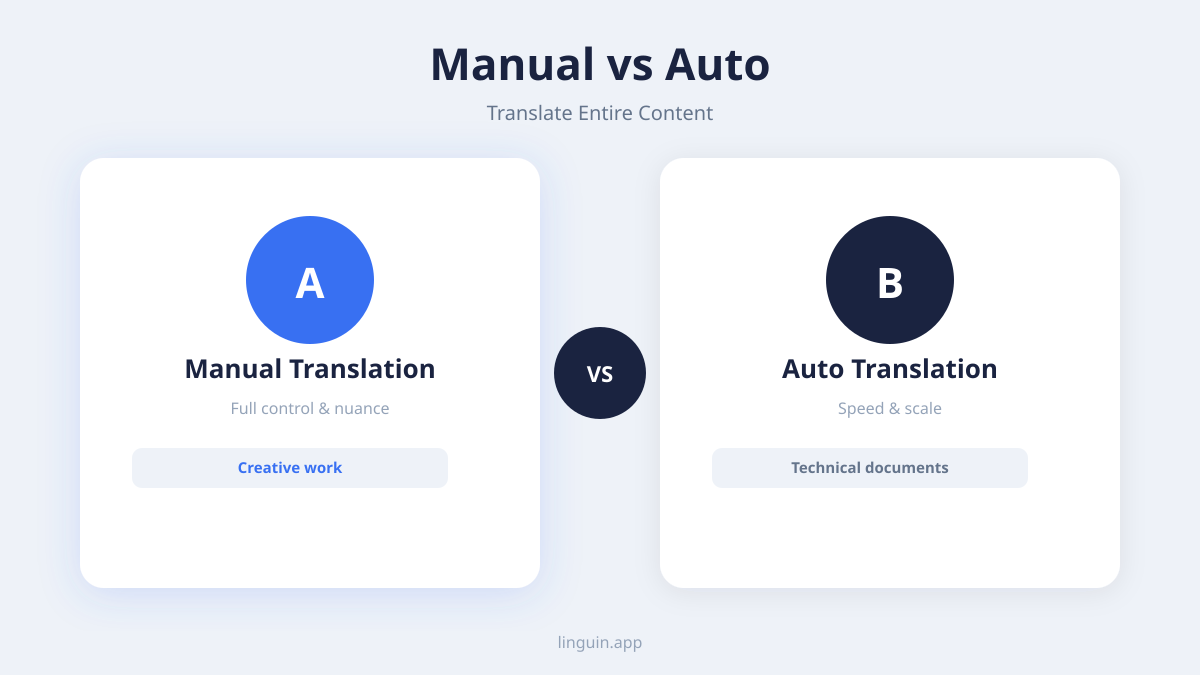
The most effective production strategy is often a hybrid model. You use AI to perform the initial, heavy-lifting translation of the entire website automatically. Then, you employ human editors or reviewers to check, refine, and approve the content. This combines the speed and scale of automation with the quality assurance and nuance-catching ability of a human. Many professional translation platforms are built for this workflow, allowing you to assign review tasks, track progress, and maintain a translation memory that learns from human corrections to improve future automatic translations.
Choosing the right AI translation tool
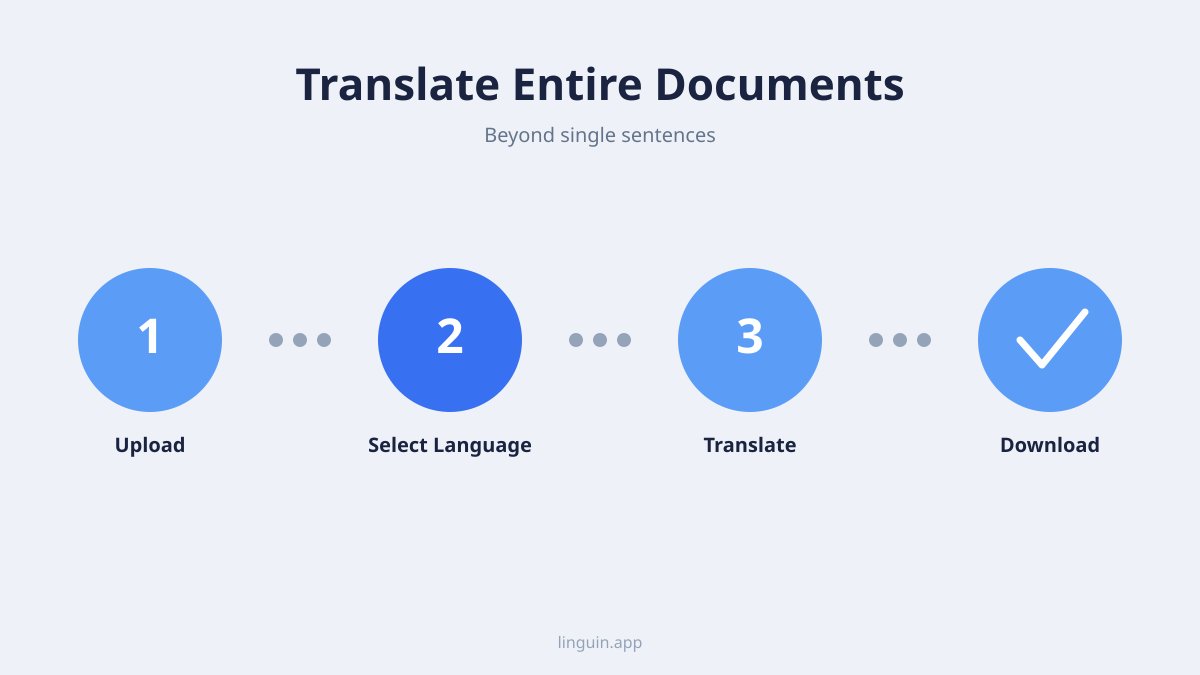
Selecting the tool to power your automatic website translation is a critical decision that impacts quality, user experience, and long-term maintenance. Not all translation AI is created equal. You need a solution that balances raw translation power with practical features for managing a live website.
First, prioritize context-aware AI models. The best tools don’t just translate sentences in isolation. They consider the surrounding text, the page’s topic, and even your website’s overall purpose to choose the most appropriate terminology and tone. For instance, the word “server” should be translated differently on a restaurant’s website versus a IT company’s site. Look for tools that advertise neural machine translation with context capabilities. You can learn more about how this technology works in our article on AI translation accuracy.
Second, evaluate the tool’s integration method. Does it offer a proxy, a plugin for your specific CMS, or a flexible API? The API option is powerful for custom-built websites, as it allows your developers to send content for translation and receive it back programmatically. For most users, a ready-made plugin or proxy will be the simplest path. Ensure the tool supports all the languages you currently need and might need in the future, checking not just for major languages but also for regional dialects if necessary.
Third, assess the management and editing features. A good platform will provide a central dashboard where you can see translation progress, manage which pages are live in which languages, and most importantly, edit translations. The ability to manually override an AI translation is essential for fixing errors, ensuring brand voice consistency, and handling unique product names or slogans that shouldn’t be translated. Some tools also offer glossary features, where you can pre-define how specific terms should always be translated, ensuring consistency across thousands of pages.
Finally, consider performance and SEO. Translations should load quickly without slowing down your website. The tool should handle SEO metadata translation automatically, including page titles, meta descriptions, and alt text for images. Crucially, it must implement the correct hreflang tags. These HTML tags tell search engines like Google which language version of a page to show to users in different countries, preventing duplicate content issues and ensuring the right audience finds the right page. A tool that neglects SEO will render your multilingual site invisible in search results.
Implementing translation on your site: a step-by-step guide
Once you’ve chosen your method and tool, it’s time for implementation. Following a structured process will help ensure a smooth launch and a high-quality result. This guide assumes you are using a dedicated translation plugin or proxy service, the most common path.
Step 1: Audit and prepare your source content. Before you translate a single word, clean up your original website. Fix any grammatical errors, simplify overly complex sentences, and ensure consistency in terminology. This step is vital because translating poor-quality source text will amplify its problems. Identify any content that should not be translated, such as trademarked names, code snippets, or addresses. Most tools allow you to exclude specific HTML elements or mark text as “non-translatable.”
Step 2: Install and configure your translation tool. For a plugin, install it from your CMS marketplace (like the WordPress Plugin Directory). For a proxy service, you’ll typically sign up for an account and change your domain’s DNS settings to point to their servers, a process they will guide you through. During configuration, select your source language (the language of your current site) and all your target languages. Configure any glossaries or style guides if the tool supports them. Set up the language switcher, deciding where it will appear on your page (often in the header or footer).
Step 3: Run the initial translation. This is the automatic bulk process. You can usually choose to translate your entire site at once or select specific sections to start with, like your main pages and blog. Initiate the translation and let the AI work. Depending on your site’s size, this could take from a few minutes to several hours. The tool will crawl your site, extract text, send it to the translation engine, and then populate the new language versions.
Step 4: Review and edit translations. After the automatic process is complete, do not simply publish. Plan to review the translations. Start with key pages: homepage, contact page, product/service pages, and checkout/purchase flows. Read through them for fluency and accuracy. Edit any awkward phrasings, incorrect terms, or cultural missteps. Use the tool’s interface to make corrections, which will then be stored and applied if that text appears elsewhere. This review is where the hybrid “human-in-the-loop” model proves its worth.
Step 5: Publish and test. Once you’re satisfied with the translations for a set of pages, publish the language versions. Then, test thoroughly. Navigate your site as a user would. Check that all buttons work, forms submit correctly, and images display properly. Pay special attention to dynamic elements like search bars, filters, and shopping carts. Ensure the language switcher works seamlessly, allowing users to move between languages without losing their place or encountering errors.
Step 6: Establish a maintenance workflow. Your website is not static. You will publish new blog posts, add products, or update page content. Configure your translation tool to handle updates automatically. Many plugins can be set to auto-translate new content immediately, or to flag it for review. Decide on a workflow: will you auto-publish translations for blog posts but hold product updates for review? Assign someone on your team to oversee this ongoing process to maintain quality.
Best practices for quality and user experience
Automating translation is a technical task, but its success is measured by human readers. Adhering to best practices ensures your multilingual site provides a professional, engaging experience that builds trust with your international audience.
Prioritize cultural localization over literal translation. This is the most important practice. Localization means adapting content to the cultural context of the target audience. It goes beyond words to include date formats (DD/MM/YYYY vs. MM/DD/YYYY), currency, units of measurement, and color symbolism. For example, a marketing message that uses a sports analogy familiar in the U.S. might need to be replaced with a different analogy for an audience in Japan. Imagery should feature people and settings relatable to the local culture. A tool that only translates text will miss these nuances. You must be prepared to manually localize key marketing and branding content.
Maintain a consistent brand voice. Your company’s tone, whether it’s friendly, authoritative, or playful, should carry across all languages. Some AI tools allow you to guide the translation style (e.g., “formal” or “conversational”). Use this feature. Create a glossary of key brand terms and their approved translations. For instance, if your company slogan is “Deliver Wow,” decide if it should be translated literally, adapted conceptually, or kept in English. Consistency across all touchpoints makes your brand feel established and reliable globally. For insights into how AI handles different tones, see our comparison of DeepL vs. ChatGPT for translation.
Design a intuitive language selection experience. The language switcher is the gateway to your translated content. Make it easy to find, typically with a globe icon or the name of the current language (e.g., “EN”) in the top-right corner of the page. When clicked, it should list languages by their native name (e.g., “Español,” “Deutsch,” “日本語”) rather than in English. Consider using flags with caution, as a flag represents a country, not always a language (e.g., Spanish is spoken in many countries beyond Spain). The best practice is to use the language’s native name, possibly with a country code in parentheses if necessary (e.g., “Portuguese (BR)”).
Optimize for international SEO. Translating your content is only half the battle, you need people to find it. Ensure your translation tool correctly implements hreflang annotations. Submit a separate sitemap for each language version to Google Search Console. Research keywords in the target language, don’t just translate your English keywords. The search intent and common phrases can differ significantly. Localize your page titles and meta descriptions with these localized keywords. Proper international SEO ensures that a user searching in French finds and is served your French-language page.
Common pitfalls and how to avoid them
Even with the best tools, several common mistakes can undermine an automatic translation project. Being aware of these pitfalls allows you to plan around them and achieve a more professional outcome.
Pitfall 1: Ignoring layout and design expansion. Translated text often takes up more or less space than the original. German text, for example, can be 30% longer than its English equivalent. If your website layout has fixed-width buttons or tightly designed text containers, the translated text might overflow, break onto multiple lines awkwardly, or get cut off. To avoid this, use a responsive and flexible design from the start. Test each language version thoroughly and be prepared to adjust CSS styles to accommodate text expansion or contraction. This is a key part of app and website localization.
Pitfall 2: Forgetting to translate non-text content. Text embedded within images, infographics, PDF downloads, and video subtitles is often overlooked by automatic translation crawlers. If your homepage hero image has a compelling headline baked into the JPEG, it will remain in the source language on all translated versions. The solution is to either replace image-based text with live HTML text (which can be translated) or to create separate image assets for each language. Similarly, provide transcripts and subtitles for videos and ensure downloadable documents are also processed through your translation workflow.
Pitfall 3: Failing to plan for ongoing costs and updates. While AI translation reduces upfront costs, it is not a “set it and forget it” free service. Most professional platforms operate on a subscription model based on word count or page views. As your site grows, so will your costs. Furthermore, if you forgo any human review, the quality may stagnate or even degrade as you add new, complex content. Budget for both the ongoing software subscription and periodic human quality checks, especially for high-value pages like pricing and legal terms.
Pitfall 4: Over-relying on AI for sensitive content. Legal documents, medical advice, financial disclosures, and nuanced marketing copy carry high stakes. A subtle mistranslation in a terms of service agreement could have legal repercussions. For this type of content, use the AI translation as a draft, but insist on a review by a professional legal or technical translator fluent in both the language and the subject matter. The AI saves them time, but their expertise ensures precision and compliance.
Pitfall 5: Neglecting user feedback channels. Once your translated site is live, you need a mechanism to hear from its users. A minor translation error on a checkout button could cause cart abandonment. Include a simple way for users to report translation issues, perhaps a “Is this translation correct?” link on each page that feeds into a ticket for your team. This feedback loop is invaluable for continuous improvement and shows your international audience that you care about their experience.
Frequently asked questions
Is automatic website translation good for SEO?
Yes, when implemented correctly, it is beneficial for SEO. Properly translated and localized content allows you to rank for keywords in new languages, attracting organic traffic from other countries. The critical technical requirement is the correct implementation of hreflang tags, which tell search engines about the language and geographical targeting of each page version. This prevents duplicate content issues and ensures the appropriate language page appears in search results for each user.
How accurate is AI at translating a full website?
Modern AI translation is highly accurate for conveying the general meaning and intent of standard, well-written text. It excels at grammar and fluency. However, accuracy can drop with complex sentences, industry-specific jargon, idioms, or content heavy with cultural context. For most business websites, AI provides an excellent foundation (85-95% accuracy on clear content), but a human review step is recommended to catch errors and refine tone, ensuring professional quality. The evolution of this accuracy is detailed in our article on AI translation accuracy in 2026.
Can I translate a website for free?
There are free methods, but they come with limitations. Browser extensions like Google Translate can translate pages on the client side, but this translation is not permanent, isn’t visible to search engines, and often breaks site functionality. Some open-source plugins offer free tiers with limited word counts or languages. For a professional, permanent, and SEO-friendly multilingual website, a paid service is almost always necessary. These services provide reliable integration, ongoing updates, and support.
How long does it take to translate an entire website automatically?
The initial AI processing is very fast. A website with 500 pages can be translated into multiple languages in a few hours. However, the total project time is dominated by the review, editing, and testing phases. A realistic timeline for a mid-sized site, including a basic human review of key pages, is one to three weeks. The size of your site, the number of target languages, and the depth of your quality assurance process are the main variables.
Will automatic translation work on my website platform?
Most likely, yes. The most common platforms like WordPress, Shopify, Wix, Squarespace, and Webflow have dedicated translation plugins or apps in their marketplaces. For custom-coded websites, you can use a translation proxy (which works with any HTML site) or integrate a translation API directly. The first step is to check the documentation of your chosen translation tool to confirm compatibility with your specific tech stack.
Getting started with Linguin
Translating your entire website automatically is a strategic move to unlock global growth. By leveraging AI, you can overcome the traditional barriers of cost, time, and complexity associated with manual translation. The key to success lies in choosing a context-aware translation tool, implementing it with a structured process, and committing to a human review of critical content to ensure quality and cultural appropriateness.
To begin, audit your current website and define your target languages and markets. Research translation solutions that integrate seamlessly with your website’s platform and offer the management features you need. Remember, the goal is not just to change words, but to create authentic experiences for your international visitors.
Linguin is not a CMS plugin or a translation proxy: it will not crawl your site, manage hreflang tags, or auto-publish new pages on its own. What it does well is give you fast, context-aware AI translation for any text you hand it, through the Linguin Chrome extension while you browse, or the Linguin apps for Mac and iOS for everything else. That makes it a useful way to sanity-check quality while you evaluate site-wide options: translate a page or a paragraph with Linguin to see what accurate, natural output actually looks like, then choose the CMS integration or proxy service that fits your publishing workflow.
-vs-translator.png)




