 English
 Español
 Français
 Deutsch
 Português
 Italiano
 Русский
 中文(简体)
 日本語
 한국어
 العربية
 हिन्दी
 Nederlands
 Türkçe
 Polski
Translating a resume is the first step to applying for jobs in another country. It requires more than a basic word swap. You need to adapt your professional experience for a new culture, format, and set of expectations. This guide explains how to translate a resume correctly, compares different translation methods, and provides actionable steps to ensure your qualifications are understood anywhere in the world.
Key takeaways
- A translated resume must adapt formatting, terminology, and cultural norms, not just language.
- AI translation tools offer speed and cost benefits but require careful review for industry-specific terms.
- Professional human translation ensures accuracy for high-stakes applications but comes at a higher cost.
- Always have a native speaker proofread the final document to catch subtle errors.
Why you can’t just use Google Translate
You might think translating a resume is as simple as pasting text into a free online tool. That approach often leads to confusing, unprofessional results that can disqualify your application. A resume is a specialized document with specific terminology, cultural expectations, and formatting rules that vary by country. Direct, word-for-word translation fails to account for these nuances.
For example, the common North American phrase “responsible for managing a team of five” might translate awkwardly into German, where a more direct statement of achievement is preferred. Similarly, listing your “GPA” is standard in the U.S., but irrelevant in many European countries. The layout also matters. A photo is expected on resumes in Germany and Japan, but including one can lead to automatic rejection in the U.S. or the UK due to anti-discrimination policies. A simple translation tool will not warn you about these critical differences.
The goal is localization, which goes beyond translation. Localization adapts your content so it feels native to the target audience. It considers local date formats (DD/MM/YYYY vs. MM/DD/YYYY), measurement systems (metric vs. imperial), and even the expected length of the document. A two-page resume is common in America, while a single-page Lebenslauf is the standard in Germany. Using a basic translator ignores all this context, risking that your carefully crafted experience gets lost in translation.
Three main approaches to resume translation
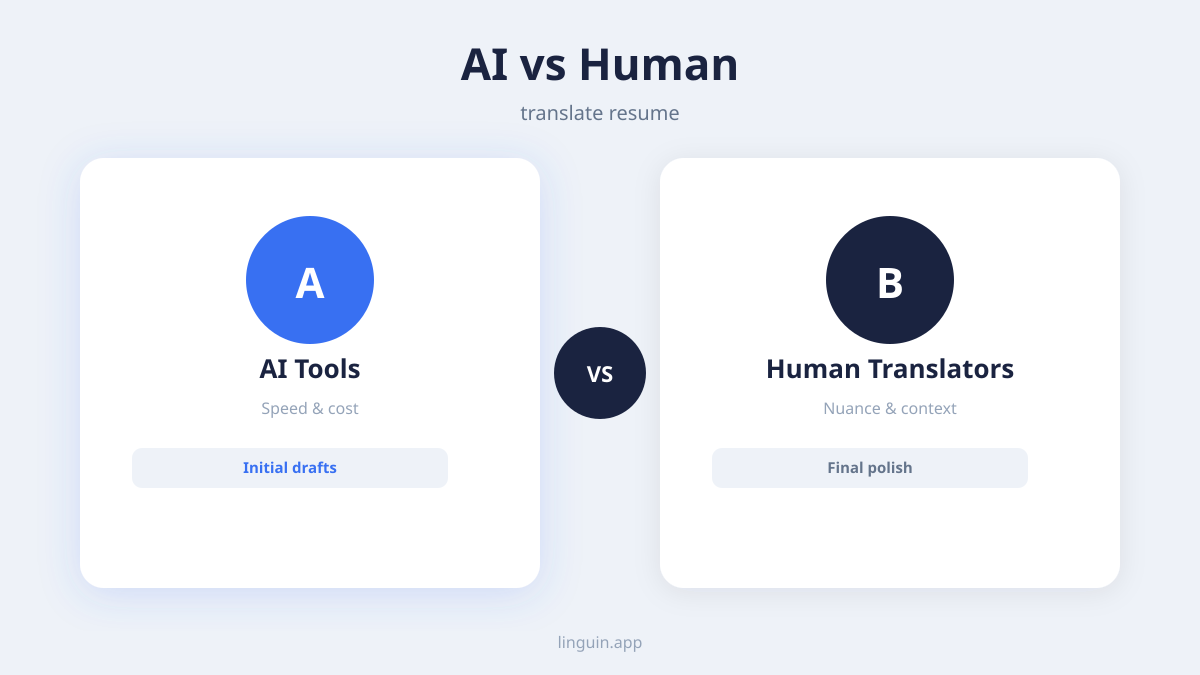
You have three primary paths for translating your resume: doing it yourself, using an AI-powered tool, or hiring a professional service. Each has distinct trade-offs in cost, speed, and quality.
Manual translation and self-adaptation
This method involves you translating the document yourself, potentially with the aid of dictionaries and style guides. The main advantage is complete control and a deep understanding of every word choice. It is also free. The disadvantage is the significant time investment and the high risk of errors if you are not fully fluent in the target language. You might translate a technical term incorrectly or use an awkward phrasing that a native speaker would avoid.
If you choose this path, work sentence by sentence, not word by word. Focus on conveying the meaning and impact of your achievements. After your draft is complete, it is essential to have a native speaker-preferably one familiar with your industry-review it. They can correct subtle mistakes and suggest more natural phrasing.
AI-powered translation tools
AI translation apps and platforms provide a middle ground. They use advanced neural networks to produce more natural, context-aware translations than older statistical tools. You can translate an entire document in seconds, which is useful for creating a first draft or applying to multiple countries quickly. Many tools, like Linguin, integrate directly into your workflow on macOS, iOS, or as a browser extension, allowing you to translate text on any website or in any document.
However, AI is not perfect. It can struggle with highly specialized jargon, acronyms, or culturally specific idioms. For instance, translating “wore many hats” in a startup context could confuse an AI. The output always requires human review. You must check for consistency in terminology, proper formatting of dates and numbers, and overall fluency. The good news is that reviewing and editing an AI-generated draft is typically faster than translating from scratch.
Professional human translation services
For critical applications to dream companies or highly competitive roles, a professional translator is the safest choice. These experts are native speakers who specialize in business or technical documents. They ensure perfect grammar, appropriate terminology, and cultural adaptation. According to Kings of Translation, a professional service can offer resume translation in 120+ languages starting from $0.06 per word.
The benefits are accuracy and peace of mind. The drawbacks are cost and turnaround time. A professional translation can take several days and cost significantly more than an AI tool. When selecting a service, look for translators with experience in your specific field (e.g., engineering, marketing, legal) and ask for samples of their work. This approach is an investment, but for high-stakes opportunities, it is often the most reliable.
Comparing resume translation tools and services
The market offers a range of options, from dedicated resume platforms with built-in AI to general translation services. Understanding their features helps you choose the right tool.
Dedicated resume builders often include translation as a feature. For example, Resumly’s AI resume builder offers translation into 40+ languages with RTL (right-to-left) support. These are convenient because they handle formatting automatically, keeping your layout intact across languages. Similarly, the Adecco ‘Resume Maker’ AI tool, launched in November 2024, supports over 50 languages according to Adecco. These tools are designed for job seekers, so they may offer additional advice on localization.
Standalone AI translation services are more flexible. They are not limited to resumes and can translate any text you encounter online or in documents. For instance, according to Kickresume, DeepL’s Pro plan for translation starts at around $8.99 per month. Other tools, like LumiCV’s AI resume translation tool, support 27 languages, including German, French, and Japanese, and offer a free plan with 5 AI credits per month.
Here is a quick comparison of some options based on available information:
- Joberney: According to Joberney, its AI resume translator supports 32 languages, including Chinese (Traditional), Hebrew, and Persian (Farsi).
- Folium: According to Folium, its resume translator, updated September 2026, translates into 22 languages, including Arabic and Chinese.
- General AI Translators (like Linguin): These tools support 100+ languages and work across all your apps and websites, not just resumes. They are useful for translating job descriptions, company research, and email correspondence as part of your international job search.
When comparing, consider language support, cost, ease of use, and how well the tool preserves your document’s original formatting. For more on how modern AI translators compare to older services, read our analysis of DeepL vs. Google Translate.
Step-by-step guide to translating your resume
Follow this process to ensure your translated resume is accurate, professional, and culturally appropriate.
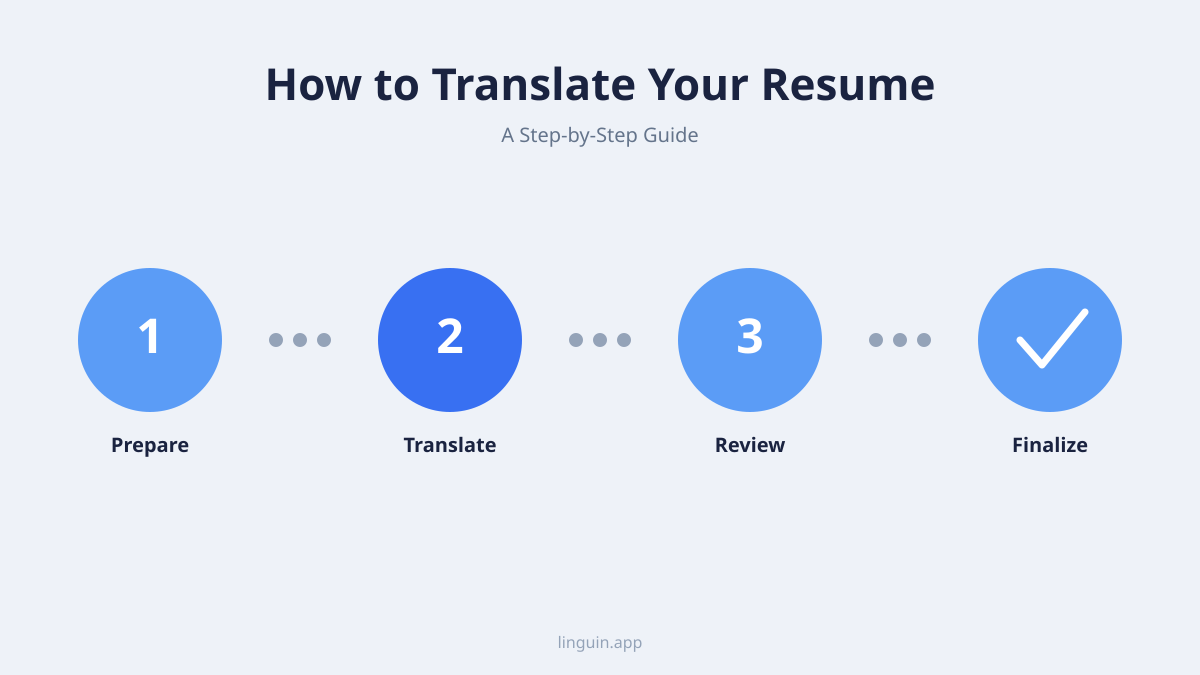
- Prepare your source document. Start with a clean, well-formatted resume in your native language. Use a simple, standard font and clear section headings (like “Experience,” “Education”). Avoid complex tables or text boxes, as they can break during translation. Make sure the English version is strong and error-free first.
- Choose your translation method. Decide between manual, AI, or professional translation based on your budget, timeline, and the importance of the application. For a quick draft or multiple applications, an AI tool is efficient. For your top-choice application in a new language, consider a professional.
- Translate the content. If using an AI tool, paste sections of text or upload the entire document. For best results, translate in logical chunks (e.g., all bullet points under one job) rather than the entire document at once. This makes review easier. Tools like Linguin allow you to translate a PDF on Mac or a Word document directly.
- Localize and adapt. This is the most critical step. Review the translated text and adapt it.
- Change the contact info: Use your international phone number with the correct country code.
- Adjust the format: Research the standard resume length and structure for the target country. You may need to reorder sections (e.g., “Education” before “Experience” in some European countries).
- Localize terminology: Replace country-specific terms. Change “CV” to “Resume” for the U.S., or translate degree names to their local equivalents (e.g., “Bachelor of Science” to “Licenciatura” in Spanish).
- Proofread and review. Do not skip this. First, use software spell-check set to the target language. Then, read the document aloud to check for flow. Finally, have at least one native speaker review it. Ask them specifically to check for unnatural phrasing and cultural missteps.
- Save and test. Save the final document with a clear filename, such as “FirstName_LastName_Resume_DE.pdf”. Open the file to ensure all formatting is intact. Send a test copy to a friend to open on their device, confirming it looks correct.
Common pitfalls and how to avoid them
Even with careful translation, certain mistakes commonly trip up applicants. Being aware of them helps you create a flawless document.
Literal translation of job titles and idioms. Translating your job title word-for-word might not correspond to a real position in another country. Research the equivalent title. Similarly, idioms like “hit the ground running” or “think outside the box” should be replaced with clear statements of skill or achievement. A tool focused on translating business documents can help with formal terminology, but human judgment is key for phrases like these.
Ignoring cultural norms. As mentioned, including a photo, age, or marital status can be either required or prohibited. In many Asian and European countries, a photo is standard. In the U.S., Canada, and the UK, it is not used. Research these norms for your specific target country. Also, consider the level of formality in language. Some languages have formal and informal “you” pronouns; your resume should always use the formal address.
Formatting chaos. Translation can disrupt spacing, fonts, and alignment. A beautifully formatted English resume can become a jumbled mess in Arabic or Hindi. After translating, spend time fixing the layout. Use standard fonts that support the target language’s character set. For languages like Arabic or Hebrew that are written right-to-left, you may need to mirror the entire layout. Some dedicated tools offer RTL support to handle this automatically.
Inconsistent terminology. If you call it “Project Management” in one section and “Program Management” in another after translation, it looks sloppy. Create a small glossary of key terms for your field and ensure they are translated consistently throughout the document. This is especially important for technical roles. For translating complex terms found in images or charts, a tool that can translate image text might be useful for supplemental materials.
Integrating translation into your job search workflow
Translating your resume is not a one-time task. A full international job search involves translating other materials and communications.
First, translate your cover letter. It requires the same level of care and localization as your resume. The cover letter’s tone is often more personal, so getting the cultural nuance right is essential. You can use the same tool or service you used for your resume to maintain consistency in language and terminology.
Next, prepare for translated interviews. You might need to discuss your resume in the new language. Practice describing your experience, achievements, and career goals aloud. Use translation tools to help you prepare answers to common interview questions. Linguin’s audio translation features, like translate English to Spanish audio, can be helpful for listening practice.
Also, use translation to research companies. Read the local news, company websites, and industry reports in the target language to understand the market and show your initiative during interviews. A browser extension like the Linguin Chrome extension can translate entire webpages instantly, making this research much easier.
Finally, manage professional communications. You may need to write emails in the new language. A translation tool integrated into your email client can help you draft and check messages quickly. For guidance on this, see our article on how to translate emails professionally. Keeping all these elements consistent in tone and quality presents you as a prepared and serious candidate.
Frequently asked questions
Is it acceptable to send a resume in English when applying abroad?
It depends on the country and the company. For multinational corporations or roles specifically advertised in English, an English resume is often acceptable, especially in non-English speaking countries like Germany or the Netherlands where business English is common. However, for local companies, government positions, or roles requiring daily interaction in the local language, a translated resume is expected and shows respect and commitment. When in doubt, check the job posting’s language requirements or apply with both versions.
Can I use the same translated resume for every Spanish-speaking country?
Not without adjustments. While the language is similar, vocabulary, cultural norms, and even resume formats can differ between Spain, Mexico, Argentina, and other Spanish-speaking countries. Job titles, date formats (DD/MM/YYYY vs. MM/DD/YYYY), and certain idioms may vary. It is best to research the specific country’s standards and tailor your resume accordingly. At a minimum, ensure your spelling and terminology align with the local variant (e.g., ordenador in Spain vs. computadora in Latin America for “computer”).
How do I handle references from my home country on a translated resume?
The standard practice is to translate the reference’s job title and the company name if there is a well-known local equivalent. However, the reference’s actual name and contact information should remain in their original language. You can add a brief note in parentheses explaining the translation, for example: “Project Manager (Gerente de Proyecto) at Global Tech Inc.” Always inform your references that you are applying internationally and that they may be contacted, possibly in another language or time zone.
What is the biggest risk of using a free online translator for my resume?
The biggest risk is producing a document that is technically translated but sounds unnatural, contains subtle grammatical errors, or uses inappropriate terminology. This can make you appear unprofessional or careless to a hiring manager who is a native speaker. Free tools often lack the context to properly handle industry jargon, complex sentences, or cultural references. They are useful for getting the gist of a foreign job description, but your own resume requires a higher standard of accuracy.
Getting started with your resume translation
Translating your resume opens doors to global opportunities, but it requires a thoughtful approach that balances accuracy, cultural fit, and professionalism. Remember that the goal is not just to change the language, but to adapt your entire professional presentation for a new audience. Start by choosing the method that fits your needs: the control of manual adaptation, the speed of an AI tool, or the precision of a professional service. Whichever path you take, the non-negotiable final step is a thorough review by a native speaker.
To begin, prepare your best English resume and identify your target country and language. Research the local resume standards for that region. If you decide to use an AI-powered tool for its convenience and support for 100+ languages, you can integrate it directly into your computer or browser for a smooth workflow. For example, you can try Linguin to translate text instantly across macOS, iOS, or directly in your Chrome or Safari browser as you prepare your application materials. This allows you to focus on perfecting your message, confident that the language barrier won’t hold you back.