
 English
 Español
 Français
 Deutsch
 Português
 Italiano
 Русский
 中文(简体)
 日本語
 한국어
 العربية
 हिन्दी
 Nederlands
 Türkçe
 Polski
Translating English to Hebrew requires more than word-for-word substitution. It involves navigating a different alphabet, a right-to-left script, and a complex grammatical structure. This guide explains how to achieve accurate and natural Hebrew translations, whether for business, travel, or personal communication. You will learn about the specific challenges of Hebrew translation, compare available tools, and get practical tips for ensuring your translated text is both correct and contextually appropriate.
Key takeaways
- Hebrew’s right-to-left script and grammatical gender system are primary challenges for machine translation.
- Modern AI translation models provide more context-aware results than older rule-based systems.
- Specialized apps offer features like gender context selection and OCR to handle real-world translation tasks.
- The cost of professional-grade AI translation for English to Hebrew can be significant at scale.
- Checking translations for cultural nuance and formality is essential for effective communication.
Understanding the Hebrew language for translation
Hebrew is a Semitic language with a unique structure that differs from English. It uses an abjad writing system, where letters represent consonants and vowels are typically indicated with diacritical marks called niqqud. Modern Hebrew often omits these marks, relying on context for pronunciation. The language is written from right to left, which is the first major adjustment for English speakers and a critical factor for software to handle correctly.
A core grammatical feature is the use of grammatical gender. Every noun in Hebrew is either masculine or feminine, and this gender dictates the form of associated adjectives, verbs, and pronouns. For example, the adjective “big” would be gadol (גדול) for a masculine noun and gdola (גדולה) for a feminine noun. This system extends to numbers and past/future tense verb conjugations. A translator that ignores gender will produce grammatically incorrect and confusing sentences.
The language also employs a root and pattern system. Most words are built from a three-consonant root, which carries a core meaning, and a pattern of vowels and prefixes/suffixes that modifies this meaning. For instance, the root K-T-B (כ-ת-ב) relates to writing. From it comes katav (כתב, he wrote), mikhtav (מכתב, letter), and ktav (כתב, script). Understanding this can help you see connections between words that seem unrelated on the surface.
A practical scenario involves translating a business email. A sentence like “The attached document is ready for your review” must account for the gender of “document” (te’udah, feminine) and “review” (bdikah, feminine). A good translation would be Ha’te’udah hanetzefah mukhanah le’bdikah shelakh (התעודה המצורפת מוכנה לבדיקה שלך), using the feminine forms of “attached” and “ready.” Without this, the translation feels broken to a native reader.
How AI translation works for English to Hebrew
Modern translation has moved beyond simple phrasebooks and dictionary lookups. Early machine translation relied on statistical models that analyzed large volumes of human-translated text to find probable matches. These systems often produced awkward, literal translations because they lacked understanding of context and grammar.
Today’s AI-powered translation uses neural networks, specifically models trained on parallel texts in English and Hebrew. These models don’t just translate words, they attempt to understand the meaning of a sentence or paragraph and then express that meaning naturally in the target language. They consider context, such as whether a word is a noun or verb, and the surrounding words to choose the most appropriate Hebrew equivalent. This leads to more fluent and idiomatic output.
The training process involves feeding the AI model millions of sentence pairs. It learns patterns, such as how English passive voice often converts to Hebrew active voice, or how English prepositions map to different Hebrew constructs. For translating English to Hebrew, the model must also learn to restructure sentences. English typically follows a Subject-Verb-Object order, while Hebrew often uses Verb-Subject-Object, especially in past and future tenses.
A key advantage of AI is its ability to handle polysemy, where a single English word has multiple meanings. Take the word “bank.” An AI model uses the context-”river bank” versus “bank account”-to select the correct Hebrew word: gada (גדה) for the side of a river, or bank (בנק) for the financial institution. Older systems might have consistently chosen one translation, leading to obvious errors.
Say you’re reading a Hebrew news article online and want to understand a complex paragraph about economic policy. A basic translator might give you a jumble of words. An AI model, understanding the economic context, would produce a coherent summary in English, preserving terms like memshala (government) and tkufat tzimzum (period of contraction/austerity) correctly. This contextual awareness is what makes AI tools like Linguin effective for real-world use across over 100 languages.
Top challenges in English to Hebrew translation
Several consistent hurdles make translating between these two languages difficult for both machines and humans. The most apparent is the right-to-left (RTL) script. This affects not just the flow of text, but also the placement of numbers, punctuation, and embedded English words or URLs. Software must properly handle this bidirectional text to prevent a confusing mix of directions.
As introduced, grammatical gender permeates the language. Every verb conjugation in the past and future tenses, and every adjective, must agree in gender and number with the subject or noun it modifies. This is where many generic translators fail. They might translate “they went” correctly as hem halchu (הם הלכו) for a masculine group, but use the same phrase for a feminine group, when it should be hen halchu (הן הלכו). Some specialized tools, like the baba app, directly address this by offering seven distinct gender contexts for Hebrew translation.
Another challenge is the lack of a verb “to be” in the present tense. In English, we say “I am a student” or “it is cold.” In Hebrew present tense, you say ani student (אני סטודנט) and kar (קר), literally “I student” and “cold.” A word-for-word translation that inserts “am” or “is” would be incorrect. Translators must know to omit these present-tense conjugations.
Hebrew also uses prepositions and possessives differently. The possessive is often constructed with a preposition like shel (של), meaning “of.” “David’s book” becomes ha’sefer shel David (הספר של דוד), “the book of David.” Additionally, Hebrew has a direct object marker, et (את), which has no English equivalent and must be inserted before definite direct objects. A translator must know when to add this small but grammatically required word.
Idioms and cultural references are a final frontier. Translating “break a leg” literally into Hebrew would be bizarre. The equivalent good-luck phrase for performers is b’hatzlacha (בהצלחה), meaning “with success.” A sophisticated translator recognizes common idioms and substitutes the culturally appropriate sentiment, not the literal words. This level of nuance is what separates basic translation from true localization, a process also important for tasks like translating a birth certificate or other official documents.
Choosing the right translation tool
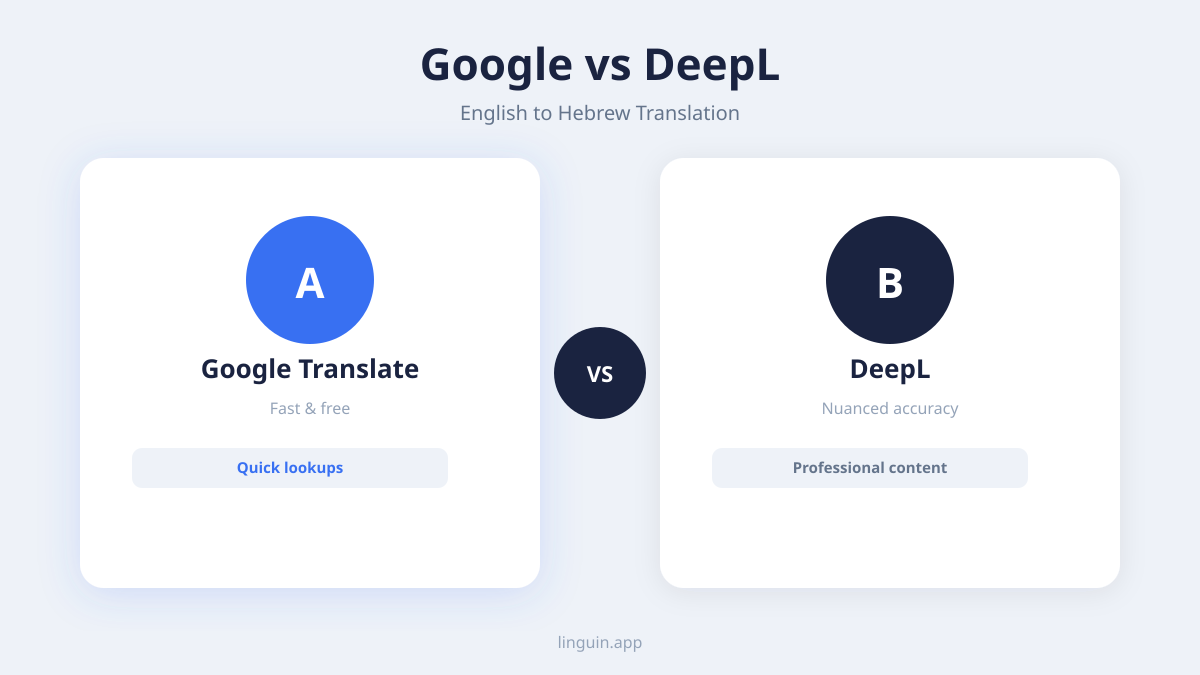
With various options available, selecting a tool depends on your specific needs: speed, accuracy, cost, and features. Free online platforms like Google Translate offer a quick, basic solution. They are convenient for single words or short phrases where perfect grammar is not critical. Another free option, according to MachineTranslation.com, is their site which offers free English to Hebrew text translation without requiring an account or sign-up. However, for longer texts or professional use, their limitations with Hebrew’s grammar become apparent.
Dedicated translation apps often provide better handling of language-specific features. For example, the baba app is designed for Hebrew and addresses grammatical gender explicitly. According to their pricing page, the baba translation app’s free plan provides 2,500 characters of translation per month. For heavier use, baba Pro subscription costs $5 per month when billed annually. An update for this app, baba 2.0, was announced on March 9, 2026, according to EIN Presswire, featuring camera OCR, voice input, and PDF translation.
For professional or high-volume needs, enterprise AI translation services offer the highest quality but at a cost. A 2026 benchmark by Intento found that the cheapest AI translation solution meeting every Standard requirement for English to Hebrew cost $30.72 per million characters. This highlights the expense of high-quality, scalable translation.
When evaluating any tool, consider these features:
- Context Awareness: Does it allow you to specify the subject’s gender or the text’s formality?
- Input Methods: Can it translate text from images (OCR), audio, or PDFs, like the features added in baba 2.0?
- Integration: Is it available as a browser extension for translating web pages on the fly? The baba Chrome extension, for instance, was updated on May 1, 2026.
- Output Options: Does it show transliteration (Hebrew written in English letters) to help with pronunciation?
- Cost Structure: Does it have a generous free tier, or is it purely subscription-based?
For versatile use across devices, an app like Linguin, which works on macOS, iOS, and as a browser extension, provides a balanced approach, leveraging AI for context-aware translations without requiring deep technical setup. It is designed for practicality, similar to tools you might use for translating a PDF on a Mac or translating website text instantly.
Practical tips for accurate Hebrew translation
To improve your translation outcomes, follow these actionable strategies. First, provide as much context as possible. If your tool allows, specify if the text is formal or informal, or who is speaking. For example, translating “you are welcome” depends on context: al lo davar (על לא דבר) is a common response to “thank you,” while baruch haba (ברוך הבא) means “welcome” as a greeting to a male visitor. Giving the tool a hint prevents mix-ups.
Second, translate ideas, not just words. Before you input text, rephrase complex English sentences into simpler ones. Instead of “Would you mind pointing me in the direction of the nearest post office?” use “Where is the post office?” This simpler input, eyfo ha’doar? (איפה הדואר?), is more likely to yield a clear, usable Hebrew translation.
Third, always review the RTL layout. After translation, check that numbers and embedded English terms (like brand names or email addresses) are positioned correctly within the right-to-left flow. A common error is having punctuation appear on the wrong side of a word.
Fourth, verify gender agreement. Look at the key nouns in your original text. If they refer to a woman or a feminine-gender object, check that the Hebrew adjectives and verbs use the feminine form. Use a dedicated Hebrew grammar checker or consult a native speaker if possible.
Finally, test with back-translation. Use the tool to translate the Hebrew result back into English. This won’t catch all errors, but if the back-translated English is wildly different from your original intent, it signals a problem. For instance, if your English “I’m feeling excited” comes back as “I feel nervous,” you know the translation of the emotion was lost.
Imagine you are preparing a social media post for your business to wish Israeli customers a happy holiday. You write “Wishing you a happy and prosperous New Year.” A direct translation might miss the common Hebrew greeting for Rosh Hashanah, Shanah Tovah u’Metukah (שנה טובה ומתוקה), meaning “A good and sweet year.” A tip here is to search for the standard cultural phrase and use that directly, rather than translating your English version word-for-word. This approach to cultural phrases is also valuable when working with other languages, as seen in guides for English to Hindi translation or English to Japanese translation.
Common translation scenarios and solutions
Different situations call for different translation approaches. Here’s how to handle common use cases.
Travel and Conversation: You need quick, spoken phrases. Focus on tools with audio pronunciation output. Learn key phrases like slicha (סליחה, excuse me) and toda (תודה, thank you). For translating menus or signs, use an app with camera OCR. Speak your English phrase and play the Hebrew audio to a local if needed. This method is similar to using an English to Spanish audio translator for travel in Latin America.
Business and Professional Communication: Accuracy and tone are paramount. Use a premium AI translator and always have a human review important emails or documents. Pay special attention to titles and forms of address. Hebrew often uses Mar. (מר, Mr.) or Gveret (גברת, Mrs./Ms.) followed by the surname. Avoid translating the names of companies or legal terms unless there is a known, official Hebrew equivalent.
Academic or Literary Translation: This is the most demanding scenario. Machine translation can provide a rough draft or help understand the gist of a text, but the nuances of academic jargon or literary style require a professional human translator. Use AI to build a glossary of terms, but do not rely on it for final publication.
Digital Content and Websites: You need a tool that integrates directly into your workflow. Browser extensions are ideal for translating web pages, social media, or SaaS interfaces on the fly. Ensure the extension properly renders the RTL text. For translating a whole website or app for localization, consider an API-based service that can handle large volumes, though as noted, costs can add up. The process shares challenges with other complex translations, like translating Chinese characters or AI video translation.
Personal Learning: If you’re studying Hebrew, use translation as a learning aid, not a crutch. Try to translate a sentence yourself first, then use the tool to check your work. Pay attention to the word order and gender agreements it uses. Tools that show dictionary definitions or root words for each term are especially helpful for students.
Common questions
What is the most accurate translator for English to Hebrew?
No single tool is perfect for every situation. For quick, free translations of words and simple sentences, online platforms work. For more accurate and grammatically correct results, especially with longer text, dedicated AI-powered apps like Linguin or specialized Hebrew translators tend to perform better because they are designed to handle context and grammatical gender. For critical documents, a human translator is still the gold standard.
Why does Hebrew translation sometimes look backwards?
Hebrew is written from right to left. When you see Hebrew characters mixed with English on a digital screen, the software must manage bidirectional text. If the rendering is incorrect, words and punctuation can appear in the wrong order. Using software that properly supports RTL languages will prevent this display issue.
How do I translate a PDF from English to Hebrew?
You need a tool with PDF import capability. Some dedicated translation apps offer this feature directly. Another method is to first convert the PDF to an editable text format (like .docx or .txt) using a converter or OCR tool if it’s a scanned document, then paste the text into your translation app. For a step-by-step guide, see our article on how to translate a PDF on Mac.
Is it difficult to learn Hebrew for an English speaker?
Hebrew presents several challenges for English speakers, including a new alphabet, right-to-left reading, and different grammatical concepts like root systems and grammatical gender. However, its consistent pronunciation and logical grammar (with fewer exceptions than English) can be advantageous. With dedicated study, achieving conversational proficiency is absolutely attainable.
Can I translate English audio to Hebrew text?
Yes. This requires a tool with speech-to-text functionality for English, followed by translation into Hebrew text. Some comprehensive translation apps offer an integrated voice input feature. You speak in English, the app transcribes it, and then translates the transcription into Hebrew. This is similar to the process used for translating French audio to English.
Getting started with Linguin
Translating English to Hebrew effectively hinges on understanding the language’s unique structure and using tools designed to handle its specific challenges. The key points are to always consider grammatical gender and right-to-left formatting, provide clear context to the translator, and choose a tool whose features match your needs, whether that’s OCR for signs, audio for conversation, or high-volume API access for business.
For a practical next step, you can explore how modern AI translation works in a real application. Try Linguin to see how context-aware translation handles Hebrew’s grammatical nuances across websites, documents, and conversations. The app is built to provide natural-sounding translations where accuracy in gender and syntax matters, helping you communicate more effectively without needing to become a language expert.