English
  Español
  Français
  Deutsch
  Português
  Italiano
  Русский
  中文(简体)
  日本語
日本語  한국어
한국어  العربية
  हिन्दी
  Nederlands
  Türkçe
  Polski
AI translation tools are transforming how multilingual customer support teams operate by enabling instant, accurate communication across language barriers. For support teams serving a global customer base, the ability to understand and respond in a customer’s native language is no longer a luxury but a critical expectation. This article provides a comprehensive guide to optimizing your team’s workflow with AI translation, covering best practices for integration, context handling, and maintaining a high-quality support experience. You will learn how to leverage these tools to reduce resolution times, improve customer satisfaction, and empower your support agents.
Key takeaways
- AI translation enables support agents to handle tickets in multiple languages without requiring fluency in each one.
- Context-aware translation is essential for accurately interpreting customer queries about technical products or service issues.
- Integrating translation directly into your help desk software can drastically reduce the time between receiving and answering a ticket.
- A consistent glossary of key product and support terms ensures translations remain accurate and on-brand across all languages.
- Regular quality checks and human-in-the-loop reviews are necessary to maintain translation quality for complex or sensitive support cases.
The role of AI translation in modern support
The landscape of customer support has expanded beyond regional boundaries, with businesses serving clients from Tokyo to Toronto. This global reach creates a fundamental challenge: providing timely, empathetic, and accurate support in dozens of languages. Hiring native-speaking agents for every language is often impractical from a cost and scaling perspective. This is where AI translation for customer support teams becomes a strategic asset. It acts as a force multiplier, allowing a single agent to comprehend and craft responses in languages they do not speak.
The primary advantage is speed. A support ticket in a foreign language no longer needs to be manually routed to a specific bilingual agent or an external translation service. With an AI translation tool like Linguin integrated into the workflow, the agent can see the customer’s query translated instantly. They can then formulate a response in their primary language, which is translated back to the customer’s language before sending. This process cuts down on internal handoffs and waiting times, leading to faster first responses and overall resolution times, which are key metrics for any support team.
Furthermore, AI translation promotes consistency. Human translators, especially across different shifts or teams, might use slightly different phrasing for the same solution or product name. AI models, when trained on a consistent knowledge base and terminology glossary, will use the same preferred terms every time. This ensures that whether a customer speaks Spanish, Korean, or Arabic, they receive the same core information presented with uniform terminology. This consistency builds brand trust and reduces confusion that can arise from inconsistent phrasing.
Say you’re messaging a colleague in Japan about a bug report from a user. Instead of forwarding the untranslated Japanese text and waiting, you can use a browser extension to instantly understand the issue’s description. You can then discuss the technical details in English with your engineering team and provide a translated update directly to the customer, all within the same thread. This seamless flow keeps the conversation moving without logistical friction.
Integrating translation into your support workflow
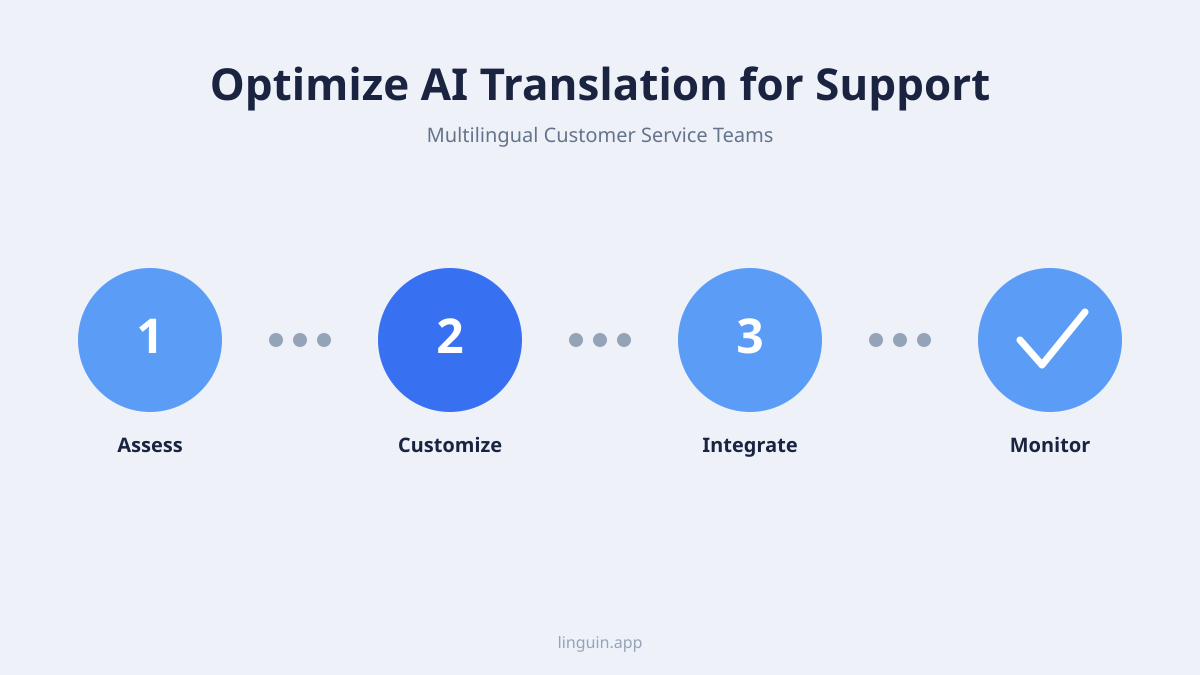
Implementing AI translation effectively requires more than just providing agents with a standalone app. The goal is to make translation an invisible, seamless part of the existing tools they use daily. The most impactful method is direct integration with your customer support platform, such as Zendesk, Freshdesk, or Help Scout. Many platforms offer marketplace apps or APIs that can connect translation services directly into the ticket interface. This allows for in-place translation of incoming messages and real-time translation as agents type their replies.
Another critical integration point is the knowledge base. Support teams rely on curated articles to provide consistent answers. Translating this entire knowledge base manually is a massive undertaking. AI translation can handle the bulk of this work, converting hundreds of articles into multiple languages quickly. However, the key is to then implement a human review process. A native-speaking team member or a specialized reviewer should check these auto-generated articles for technical accuracy, tone, and local relevance. This creates a scalable multilingual knowledge base that agents can then link to, ensuring customers get detailed, accurate support content in their language.
For real-time support channels like live chat, speed is paramount. Here, AI translation must operate with minimal latency. Solutions that offer streaming translation or instant phrase translation within the chat window are ideal. Agents can read the customer’s messages as they are typed and respond without perceptible delay. It is also beneficial to give customers a clear indicator that translation is being used, fostering transparency and managing expectations about the communication process.
Building a centralized translation glossary is a non-negotiable step for optimization. This glossary should contain your company’s product names, feature terms, brand slogans, and common support phrases with their approved translations in every target language. When your AI translation tool is configured to reference this glossary, it will consistently use “Project Falcon” instead of a literal translation that might become “Eagle Project” in another language. This prevents brand dilution and ensures technical accuracy. Tools like Linguin allow for the management of such custom terminology, which directly improves the quality of automated support translations.
Ensuring accuracy and handling context
The success of an AI translation customer support strategy hinges on accuracy. While general translation has improved dramatically, support dialogues contain unique challenges: technical jargon, error codes, urgent emotional tones, and industry-specific slang. Generic AI models might translate a software error message literally, losing the specific meaning intended for the user. This is where context-aware translation models prove their worth. These models are designed to consider the surrounding text and the likely domain (e.g., tech support, billing inquiry) to produce a more fitting translation.
For example, a customer might write, “The payment gateway keeps timing out.” A simple word-for-word translation might not convey the technical meaning of “payment gateway” or the repeated action implied by “keeps.” A context-aware model, trained on similar support texts, would recognize “payment gateway” as a key term and choose an appropriate technical equivalent in the target language, and understand “keeps timing out” as an ongoing failure event. You can learn more about how this works in our article on context-aware translation.
The tone of support communication is also vital. A frustrated customer’s message needs to be translated in a way that preserves the sense of urgency or dissatisfaction, so the agent can respond with appropriate empathy. Conversely, the agent’s calm and helpful tone must be maintained in translation. Some advanced tools allow for tone guidance, helping to ensure that translated replies remain professional and supportive. Managing nuances like formality, humor, or sarcasm is complex; for a deeper dive, see our guides on AI translation for formal and informal tone in emails and handling humor and sarcasm.
Building a multilingual support quality assurance process
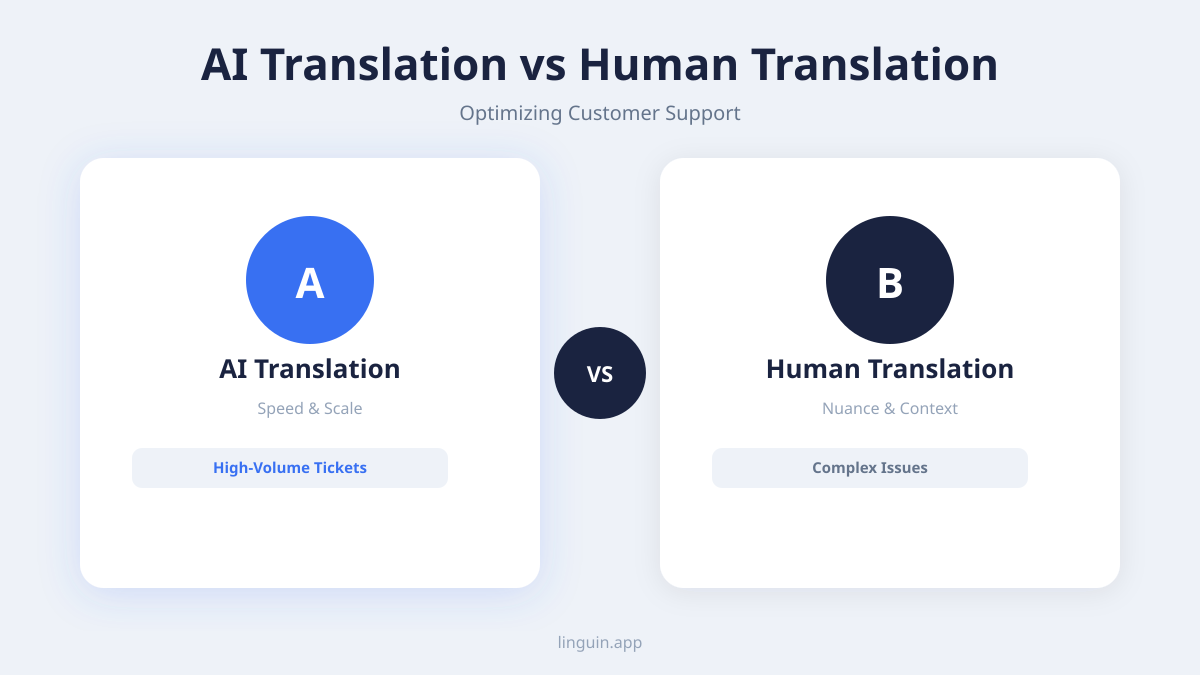
Deploying AI translation is not a set-and-forget solution. To maintain high standards, a robust quality assurance (QA) process must be established. This process should involve regular spot-checks of translated ticket responses and knowledge base articles. The easiest method is to use a human-in-the-loop model. For low-risk, routine queries (like password reset instructions), fully automated translation may be sufficient. For complex, high-value, or sensitive issues (like billing disputes or technical troubleshooting), a workflow should flag these tickets for a quick review by a bilingual expert before the response is sent.
Creating a feedback loop within your support team is essential. Agents should have a simple way to flag a translation that seems odd or inaccurate. This feedback can be used to retrain the AI model’s glossary, add new terms, or identify contexts where the translation is consistently weak. Over time, this iterative process significantly improves the system’s performance for your specific use case.
It is also important to measure the impact. Track metrics like first contact resolution rate for tickets handled via translation versus those handled natively. Monitor customer satisfaction scores (CSAT) for interactions involving translation. If these metrics remain strong or improve, it validates your approach. If they dip, it signals a need for further training or review of the QA process. Remember, the goal is not perfect, unassisted AI translation, but a highly efficient hybrid system that leverages AI for speed and humans for quality control.
Training and empowering your support team
The introduction of any new tool requires proper change management. Support agents may be skeptical about relying on technology for communication. Comprehensive training is crucial. This training should not just cover how to use the translation button, but also its limitations and best practices. Agents need to understand when to trust the automated translation and when to seek human review.
Empower agents by educating them on how to write for translation. Clear, concise, and grammatically simple sentences in their native language will translate more accurately. Avoiding idioms, cultural references, and overly complex sentence structures leads to better outcomes. Encourage them to use the approved glossary terms from your centralized database in their responses to ensure consistency.
Furthermore, position the AI tool as an aid, not a replacement for their skills. It handles the language barrier, freeing them to focus on what they do best: problem-solving, empathy, and applying product knowledge. This mindset shift turns agents from potential critics into empowered advocates who can serve a wider audience effectively. For teams working across different regions, tools like Linguin can facilitate better internal communication as well, as discussed in our article on AI translation for remote multilingual teams.
Choosing the right AI translation tool for support
With many options available, selecting the right AI translation tool for your customer support team requires careful evaluation. The ideal tool should prioritize accuracy in your specific business domain, not just general language. Look for features like custom glossary support, API access for integration, and the ability to handle the file formats common in your support (e.g., PDF guides, chat logs, email threads). For a comparison of leading services, you can review our analysis of best translation apps and DeepL vs. Google Translate.
Deployment flexibility is another key factor. Does your team work primarily on macOS desktops, use iPhones for on-the-go support, or manage tickets directly within a Chrome browser? The tool should be available where your agents work. A dedicated translator app for Mac or a reliable Chrome translator extension can provide that seamless, in-context experience without switching between applications.
Finally, consider the provider’s roadmap and support. Is the tool actively developed? Does it offer robust documentation for integration? Can it scale with your growing language needs? A tool that is part of a broader ecosystem focused on professional use cases, like Linguin, often provides more tailored features for business environments than a generic consumer-facing translator.
Cost-benefit analysis and ROI
Implementing AI translation for customer support teams involves investment: subscription costs for the software, time for integration and glossary development, and hours for training and quality assurance. To justify this, it’s important to model the return on investment. The most direct savings come from increased agent productivity. Agents spend less time routing tickets or waiting for translations, meaning they can handle more tickets per shift. This can delay or reduce the need for hiring additional bilingual staff.
Indirect benefits often have a greater financial impact. Improved customer satisfaction and loyalty from being understood in one’s native language can reduce churn and increase lifetime value. Faster resolution times can decrease the volume of follow-up tickets and escalations. Furthermore, by making your support accessible in more languages, you can enter new markets with confidence, knowing you can provide a localized support experience from day one.
When calculating ROI, factor in the alternative costs: hiring and retaining a large multilingual support staff, paying for outsourced human translation per ticket, or the opportunity cost of lost customers due to poor support experiences. For most growing global businesses, the scalable, always-on nature of AI translation presents a compelling economic case.
Frequently asked questions
Can AI translation fully replace human bilingual support agents?
No, AI translation is best used as a powerful assistant to human agents, not a replacement. It excels at handling routine queries and breaking down language barriers for general communication. However, for highly complex, sensitive, or nuanced issues, the judgment, empathy, and deep cultural understanding of a human agent are irreplaceable. A hybrid model, where AI does the heavy linguistic lifting and humans provide the final quality check and strategic input, is the most effective approach.
How do you handle slang, idioms, or cultural references in support tickets?
This is a known challenge. Advanced AI translation models are increasingly better at detecting and handling common idioms and cultural phrases by analyzing the overall context of the sentence. The most reliable method is to use a custom glossary that includes your company’s specific jargon and to train agents to avoid using region-specific slang in their responses. For incoming customer messages containing such language, a good practice is to have a bilingual reviewer available to clarify meaning if the agent is unsure. Our article on idioms and cultural nuances explores this topic further.
Is customer data safe when using an AI translation service?
Data security is paramount, especially when handling sensitive customer support tickets. It is essential to choose a translation provider that prioritizes security. Look for features like end-to-end encryption, clear data privacy policies stating that customer text is not used for training other models without consent, and compliance with standards like GDPR and SOC 2. Always review the provider’s security documentation before integration.
How many languages can we realistically support with AI translation?
With modern AI translation tools supporting 100+ languages, you can technically offer support in all of them. The realistic limit is defined by your quality assurance capacity and business need. It is better to start with a core set of 5-10 languages that represent your primary markets, establish a robust QA process for them, and then scale gradually. Trying to support 50 languages without the proper review structure will likely lead to inconsistent quality and customer frustration.
How do we measure the accuracy of the AI translations for our specific use case?
Avoid generic accuracy scores. Instead, implement practical metrics. Regularly sample translated ticket responses and have them evaluated by native speakers for accuracy, clarity, and appropriateness. Track the rate at which agents flag translations as problematic. Most importantly, monitor downstream support metrics: if first-contact resolution and customer satisfaction scores remain stable or improve in translated interactions, it is a strong indicator that the translation accuracy is sufficient for your operational needs.
Implementing your optimized support strategy
Optimizing AI translation for multilingual customer support is a strategic process that blends technology with human oversight. The key points are integration, context, and quality control. Start by integrating translation directly into your agents’ daily workflow to eliminate friction. Invest time in building a custom glossary and using context-aware models to ensure technical and tonal accuracy. Most importantly, establish a clear human-in-the-loop quality assurance process to maintain standards and build trust.
Your specific next step is to conduct an audit of your current support workflow. Identify the top three languages your team encounters but struggles with, and analyze the types of tickets (technical, billing, general inquiry) that come in those languages. This will give you a clear starting point for selecting a tool and designing your glossary and QA rules. A tool like Linguin, with its focus on context and custom terminology, can be a practical part of this solution, helping your team communicate clearly with every customer, regardless of language.