English
  Español
  Français
  Deutsch
  Português
  Italiano
  Русский
  中文(简体)
  日本語
日本語  한국어
한국어  العربية
  हिन्दी
  Nederlands
  Türkçe
  Polski
Effective multilingual project management hinges on clear communication, and AI translation is the tool that makes it possible. For project managers and teams coordinating across borders, language barriers can slow down progress, create misunderstandings, and increase risk. This article provides a practical guide to integrating AI translation into your project workflows, from daily chats to technical documentation, ensuring your global team stays aligned and productive.
Key takeaways
- AI translation enables real-time communication in meetings and chats, reducing delays and clarifying intent across language divides.
- It provides scalable solutions for localizing project documents like requirements, reports, and user manuals without constant human translation costs.
- Proper integration into project management platforms and a strategy for handling specialized jargon are critical for success.
The role of AI translation in global project coordination
Managing a project with team members and stakeholders in different countries introduces a fundamental challenge. Everyone needs to understand goals, updates, and feedback in a language they are comfortable with. Traditional methods, like relying on a few bilingual team members or outsourcing to translation agencies, create bottlenecks. They are slow, expensive, and often lack the context of the ongoing project conversation.
AI translation for project management addresses this by acting as an always-available communication layer. It is not about replacing human expertise but about augmenting it. The primary value lies in its immediacy and scalability. A project manager in Berlin can write a status update in English, and team members in Seoul, São Paulo, and Cairo can read it in their native languages moments later. This parallel understanding prevents the sequential delays of waiting for a translation.
This technology supports both synchronous and asynchronous work. For live interactions, such as video calls or instant messaging, AI translation tools can provide real-time subtitles or text translation. This allows for more dynamic discussions. For asynchronous work, like email threads, document reviews, or task comments in tools like Jira or Asana, AI can translate the content within the platform itself. This ensures context is not lost when moving between applications.
Say you’re messaging a colleague in Japan about a critical bug fix. Instead of crafting a carefully simplified English message, you can write naturally. The AI translation will convey the technical urgency and specific details accurately to your colleague, who can then respond in Japanese. You receive a clear English reply, and the issue is resolved in one exchange instead of several confusing back-and-forths.
The goal is to create a common operational picture. When every team member, regardless of language, has access to the same information at the same time, decision-making improves. Risks are identified faster, and project momentum is maintained. AI translation removes the friction from this process, making multilingual collaboration a standard practice rather than a constant hurdle.
Enhancing real-time team communication and meetings
Clear communication is the backbone of any project, and it becomes exponentially more complex with multiple languages. Daily stand-ups, sprint planning, client presentations, and brainstorming sessions all suffer when participants struggle to express or understand ideas. AI translation transforms these real-time interactions by providing immediate linguistic support.
The most direct application is in video conferencing. Modern AI translation tools can generate live captions or subtitles in multiple languages simultaneously. A project lead speaking English can have their words appear as Spanish text for the Madrid team and Korean text for the Seoul team. This goes beyond simple word-for-word translation. Advanced models handle context-aware output, interpreting sentences based on the meeting’s subject matter. For instance, the word “release” in a software project context would be correctly translated to terms meaning “software launch,” not “to set free.”
Instant messaging platforms like Slack or Microsoft Teams are where much project coordination happens. AI translation extensions can be integrated directly into these channels. When a message pops up in French, you can hover over it or click to see the translation into your language. This fluidity prevents conversations from fracturing into separate language-based channels, keeping the entire team in one unified communication stream. It also encourages quieter team members who may be less confident in a second language to participate more actively.
Consider a scenario where a design team in Italy and an engineering team in Poland are debating a technical implementation in a group chat. The discussion is fast-paced with specialized terms. An AI translator that understands technical jargon can keep up, translating “API endpoint” or “UI component” correctly. This allows the debate to focus on the technical merits, not on deciphering what was said. You can learn more about managing such specialized conversations in our guide on AI translation for remote multilingual teams.
For meetings, preparation and follow-up are also crucial. Agendas and minutes can be drafted in one language and instantly localized for all attendees. This ensures everyone arrives prepared and leaves with the same understanding of action items. The key is consistency. Using the same AI translation tool across all communication mediums ensures a uniform translation style and terminology, which reduces confusion over time.
Localizing project documentation and deliverables
A project generates a vast amount of documentation. This includes project charters, requirement specifications, technical guides, quality assurance reports, and user manuals. For a global project, these documents often need versions in several languages. Manually translating each document is a monumental, costly, and slow task that can stall project timelines.
AI translation provides a scalable solution for document localization. The process begins with the source document, which should be written as clearly as possible. AI models can then process entire files, such as PDFs, Word documents, or Confluence pages, while preserving the original formatting. The output is a draft translation in the target language. This draft is not the final product, but it drastically reduces the human translator’s workload. The human’s role shifts from translating from scratch to editing and refining the AI-generated text, focusing on nuance, brand voice, and ultimate accuracy.
This is particularly effective for technical and repetitive content. For example, translating a software requirement document with hundreds of similar functional points. An AI can maintain perfect consistency in how terms like “user shall” or “system must” are translated throughout. For insights on achieving this level of precision, see our article on AI translation accuracy.
The true power lies in integrating translation into the documentation workflow. When a developer updates an API guide in English, a connected system can automatically generate updated versions in other languages and notify the relevant localization managers. This creates a continuous localization pipeline, keeping all language versions closely aligned with the rapidly evolving source material. It prevents the common problem where the English documentation is on version 5.2, but the Spanish version is still on 4.1.
Say you’re preparing a quarterly business review presentation for stakeholders in Germany, Mexico, and Japan. Instead of creating three separate decks, you build one master presentation. An AI translation tool can localize the text within your slides, and you can then have a native speaker quickly review each version for cultural appropriateness. The result is three professional, synchronized deliverables produced in a fraction of the time it would take otherwise. For content that needs to resonate culturally, our resource on AI translation and cultural context for marketing offers valuable strategies.
Managing tasks and deadlines across language barriers
A project management tool is the central source of truth for tasks, owners, and deadlines. When team members speak different languages, this tool can become a wall of incomprehensible text for some, leading to missed tasks and confusion over responsibilities. AI translation bridges this gap by making the task management platform itself multilingual.
The integration works at the data level. Task titles, descriptions, comments, and status updates written in one language can be made readable in another. A project manager can assign a task with a detailed description in English, and the assignee in France sees it all in French within the same interface. This eliminates the need for team members to copy text out of the platform and into a separate translator, a process that breaks workflow and risks losing task context.
This capability is vital for agile project management. During sprint planning, user stories and acceptance criteria need to be universally understood. If a developer misunderstands a requirement due to language, it results in rework. With AI translation embedded, each team member can engage with the backlog in their preferred language, ensuring a shared understanding of what “done” means for each task. Similarly, during daily scrums or when logging work, comments about blockers or progress are immediately clear to everyone.
Consider a bug-tracking scenario. A quality assurance engineer in Brazil logs a defect in Portuguese, detailing the exact steps to reproduce it. The developer in India, reading the ticket in Hindi, understands the precise issue and can begin fixing it immediately. The project manager in Canada, monitoring the dashboard in English, gets a real-time view of the issue’s status. This seamless flow keeps the project moving without administrative translation overhead.
Furthermore, automated notifications and deadline reminders generated by the project management system can be localized. A reminder that “Task XYZ is due in 24 hours” is far more effective when received in the recipient’s primary language. This reduces the chance of deadlines being overlooked due to linguistic oversight, contributing to better on-time delivery rates for the entire project.
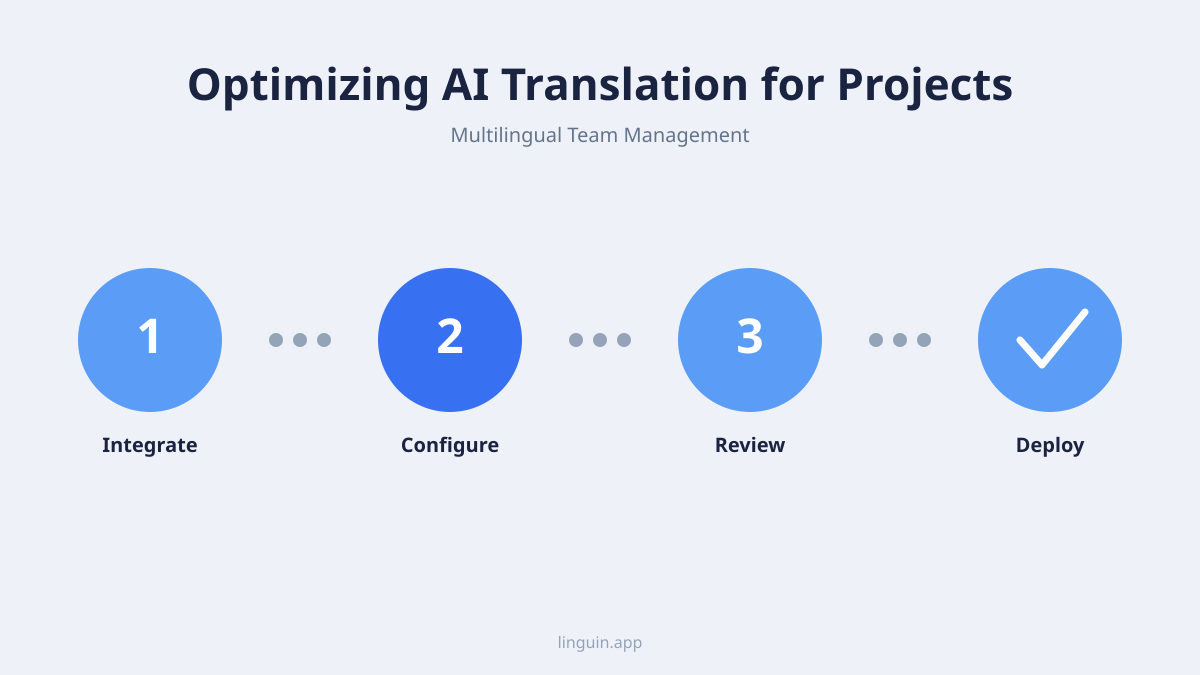
Best practices for implementing AI translation in your workflow
Introducing a new tool like AI translation requires thoughtful implementation to gain team adoption and realize its full benefits. It is not just about installing software, it is about adapting processes and setting clear expectations.
First, choose the right tool for your ecosystem. The AI translator should integrate smoothly with the platforms your team already uses. For macOS and iOS-centric teams, a native AI translator for Mac or a robust translation app that works across devices is essential. For teams living in a browser, a reliable Chrome extension is key. The tool should support the 100+ languages your team needs and offer the ability to handle domain-specific language, which is crucial for technical projects.
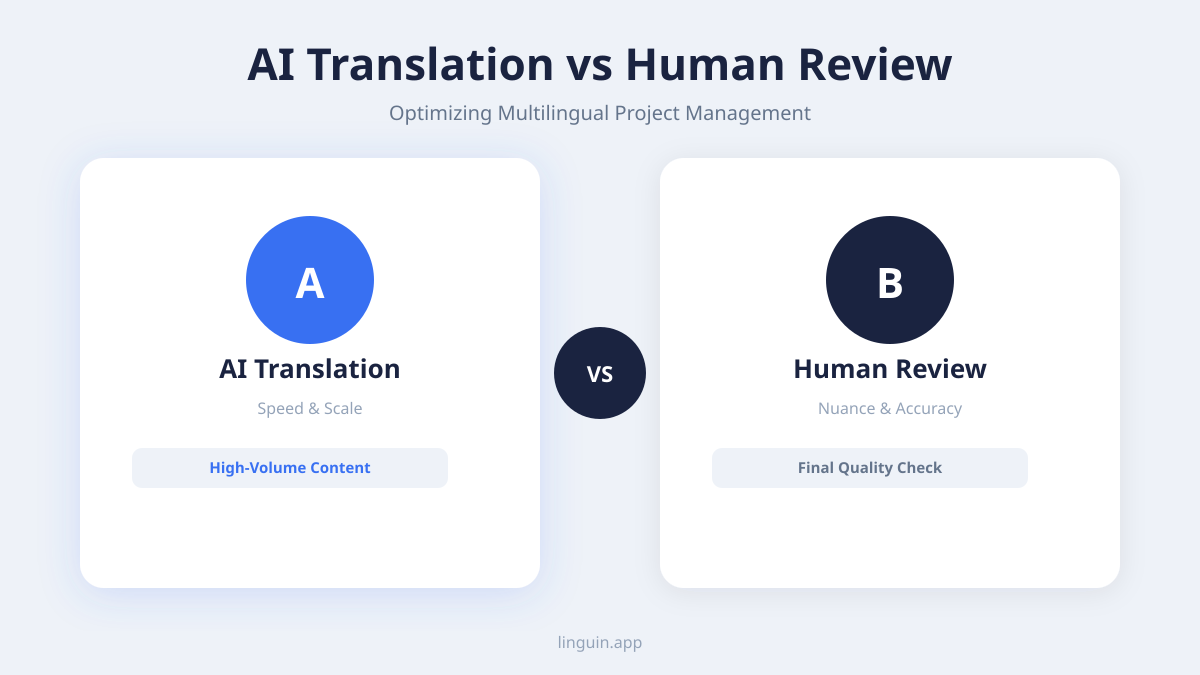
Second, establish guidelines for use. Decide when AI translation is sufficient and when human review is mandatory. For example, real-time chat translation and internal documentation drafts might use AI directly. However, client-facing contracts, official press releases, or final marketing copy should always be reviewed by a professional human translator. The AI output serves as an excellent first draft in these cases, speeding up the human’s work. Clarifying these boundaries prevents misuse and manages quality expectations.
Third, build a centralized glossary. Every project and industry has its own acronyms, product names, and technical terms. Work with your team to create a list of these key terms and their approved translations in each target language. Many advanced AI translation tools allow you to upload custom glossaries. This ensures that “Q3 launch” or “backend microservice” is translated consistently every time, across all communications and documents, avoiding confusion.
Training is also important. A short onboarding session can show the team how to use the translation features within their daily tools. Highlight simple actions, like how to translate a message in Slack or a task in Asana. Encourage team members to provide feedback on translations, especially if they spot errors in their native language. This feedback can often be used to improve the AI’s performance for your specific project context over time.
Finally, monitor and adapt. Check in with the team regularly to see if the translation tools are reducing friction. Are meetings more productive? Is documentation clearer? Use this feedback to tweak your approach, perhaps by adding new languages to your glossary or adjusting your review protocols for certain document types.
Addressing the nuances of tone, idiom, and cultural context
While AI translation excels at factual and technical content, the subtleties of language require special attention. Project communication is not just about transferring information, it is also about maintaining relationships, motivating teams, and navigating cultural expectations. Idioms, humor, sarcasm, and formal tone can be challenging for any translator, AI or human.
A project manager might write, “Let’s not boil the ocean on this feature,” meaning the team should avoid overcomplicating things. A literal translation could confuse international team members. Advanced AI models are now trained to recognize such common idioms and provide a culturally equivalent meaning, but it is an area where errors can occur. For a deeper dive into this challenge, explore our article on AI translation for idioms and cultural nuances.
Tone is equally critical. An email to a senior stakeholder requires a different level of formality than a chat message to a close teammate. AI translation tools can often be instructed on the desired tone, such as “formal” or “casual.” This ensures that a politely worded request in English does not become a blunt demand in another language, which could be perceived as rude. Understanding these nuances is key for managing tone in emails.
Cultural context extends beyond words. Color symbolism, date formats, units of measurement, and even examples used in presentations should be considered. While AI translation handles the text, the project team must be culturally aware. For instance, when scheduling deadlines, be mindful of regional holidays. When using examples in a presentation, ensure they are internationally relatable.
The strategy here is a hybrid one. Use AI for the bulk of translation to achieve speed and scale. Then, for high-stakes communications where tone and relationship are paramount, involve a human reviewer who is a native speaker and understands the cultural context. This reviewer can adjust the AI’s output to ensure it strikes the right chord. This combination leverages the efficiency of AI with the nuanced understanding of humans, protecting both project clarity and team morale.
Frequently asked questions
Can AI translation handle my industry’s specific technical jargon?
Yes, modern AI translation models are trained on vast datasets that include technical and scientific literature. For optimal results, look for tools that allow you to customize translations with a project-specific glossary. This ensures consistent handling of proprietary terms, acronyms, and product names. For highly specialized fields, the initial translations may require more human editing to perfect the terminology.
Is AI-translated project documentation secure and confidential?
Security depends entirely on the translation service you choose. Reputable AI translation providers implement strong data encryption for both data in transit and at rest. For sensitive project information, such as unreleased product specs or financial data, it is critical to select a tool with a clear privacy policy that states your data is not used for training their public models and is deleted after processing. Always verify the security credentials of any service before uploading confidential documents.
How does AI translation compare to human translation for project management?
AI and human translation serve complementary roles. AI translation is superior for speed, scalability, and cost-effectiveness for real-time communication, internal updates, and drafting documents. Human translation is essential for high-stakes, public-facing, or legally binding materials where nuance, creativity, and absolute precision are non-negotiable. The most effective strategy uses AI for day-to-day workflow efficiency and employs human experts for final review and sensitive content.
What if a team member speaks a regional dialect?
Leading AI translation services support major regional dialects and variants, such as Latin American Spanish versus European Spanish, or Brazilian Portuguese versus European Portuguese. When setting up your project, specify the target variant (e.g., French for France vs. French for Canada) to ensure translations use the appropriate vocabulary and grammar. For businesses deeply engaged with specific regions, understanding regional dialects is an important consideration.
Can I use AI translation offline for sensitive or remote work?
Yes, several AI translation applications offer offline functionality. These apps download language packs to your device, allowing translation to occur locally without an internet connection. This is valuable for working with sensitive data that cannot leave your corporate network or for project teams operating in areas with unreliable internet access. Look for features like “offline mode” when evaluating translation tools.
Integrating AI translation into your next project
Optimizing AI translation for multilingual project management is about building a more inclusive, efficient, and agile work environment. The core benefits are clear: breaking down communication silos in real-time, scaling the localization of critical documents, and ensuring task management platforms work for every team member. By following best practices, such as establishing clear usage guidelines and maintaining a project glossary, you can harness this technology effectively while respecting its limits regarding cultural nuance and tone.
The logical next step is to experiment with a tool that fits seamlessly into your existing workflow. For teams using macOS, iOS, or Chrome, Linguin provides an AI-powered translation solution that works across apps and websites, supporting over 100 languages with context-aware output. Start by using it in a single, low-risk project channel or to translate a set of meeting notes. Observe the impact on clarity and speed, and gradually expand its use based on your team’s positive experience. This practical approach allows you to build competency and confidence, transforming language from a barrier into a bridge for your global projects.