
 English
  Español
  Français
  Deutsch
  Português
  Italiano
  Русский
  中文(简体)
  日本語
日本語  한국어
한국어  العربية
  हिन्दी
  Nederlands
  Türkçe
  Polski
Real-time translation is the technology that converts spoken or written language from one language to another almost instantly. It enables fluid conversation and comprehension across language barriers, making it a foundational tool for modern global communication. This capability is essential for international business professionals, travelers, language learners, and anyone who needs to connect with people who speak a different language. In this guide, you will get a comprehensive understanding of how real-time translation works, its practical applications, and how to choose and use the best tools available.
Key takeaways
- Real-time translation relies on a combination of speech recognition, machine translation, and sometimes speech synthesis to function without perceptible delay.
- Context-aware translation is the critical AI advancement that allows these tools to produce natural-sounding, accurate results by understanding full sentences and intent.
- The most effective tools work across multiple platforms, such as dedicated mobile apps, browser extensions, and desktop software, to integrate into your existing workflow.
- For optimal results, users should speak clearly, provide context when possible, and understand the tool’s limitations with idioms and highly specialized jargon.
What is real-time translation?
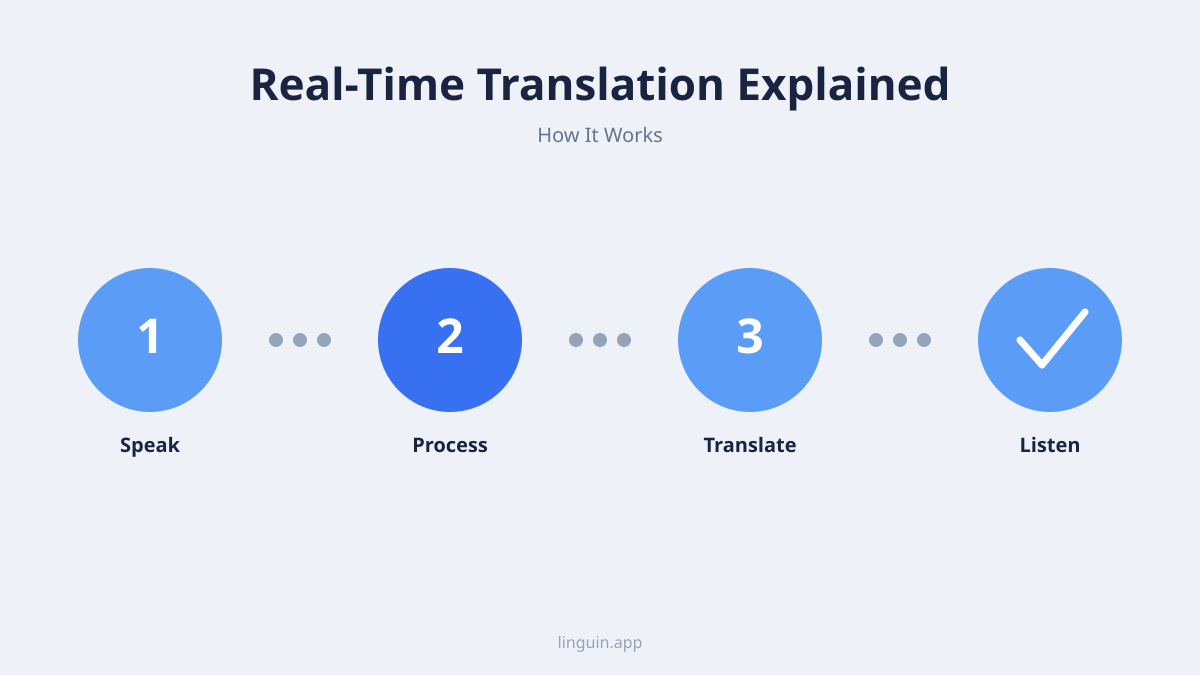
Real-time translation is a process where language is converted from a source to a target language with minimal latency, creating the experience of immediate understanding. Unlike traditional translation, which can involve significant wait times for a human or batch-processed machine translation, real-time systems aim for a delay of just a few seconds or less. This technology powers features like live subtitling for video calls, instant chat translation, and voice-to-voice conversation aids.
The core components that make this speed possible are interconnected. First, speech recognition or text input capture converts audio into digital text. This text is then fed into a machine translation engine, typically powered by neural networks, which generates the translation. Finally, for voice-based systems, text-to-speech synthesis reads the translated text aloud. The entire pipeline is optimized for speed, often running on powerful cloud servers or increasingly, on capable local device hardware.
The difference between real-time and near-real-time translation often comes down to the use case. True real-time translation, like simultaneous interpretation for live broadcasts, has virtually no lag. Near-real-time translation, common in messaging apps, might have a delay of a second or two as the message is sent, processed, and received. For most users, this small delay is imperceptible and does not hinder the flow of conversation. The goal is to remove the barrier, not necessarily to achieve zero latency, which remains a technical challenge for complex utterances.
How AI powers modern real-time translation
The leap from clunky, phrase-based translation to fluid, real-time communication has been driven almost entirely by advances in artificial intelligence. Early systems relied on statistical models that translated words and phrases in isolation, often leading to awkward and inaccurate results. Modern AI translation uses neural network architectures, specifically sequence-to-sequence models, that process entire sentences or paragraphs as a whole.
These neural networks are trained on massive datasets of parallel texts, such as translated books, websites, and documents. By analyzing these examples, the AI learns not just word-for-word substitutions, but the deeper patterns, grammar, and semantic meaning of language. This allows it to handle nuances like word order, idiomatic expressions, and context. For instance, it can determine whether the English word “bank” refers to a financial institution or the side of a river based on the surrounding words.
A crucial subset of this technology is context-aware translation. This means the system considers the broader context of a conversation or document to maintain consistency and accuracy. Say you’re messaging a colleague in Japan about a project deadline. A context-aware translator will remember that the topic is business and project management, ensuring that terms like “deliverable,” “stakeholder,” and “Q3” are translated correctly and consistently throughout the exchange, rather than in isolated, potentially conflicting ways.
This AI foundation is what enables tools like Linguin to provide natural-sounding translations across over 100 languages. The models continuously improve as they process more data, leading to better handling of slang, regional dialects, and industry-specific terminology. For a deeper dive into how these models achieve accuracy, you can explore our article on AI translation accuracy.
Key applications and use cases
Real-time translation technology has moved beyond a novelty to become a practical tool integrated into daily personal and professional life. Its applications are diverse, solving communication problems in several key areas.
Business and professional communication: This is one of the most impactful use cases. Professionals use real-time translation for:
- Conducting multilingual video conferences with live captioning.
- Negotiating with international partners via translated chat or voice calls.
- Understanding foreign-language emails, reports, and documents instantly.
- Providing customer support to a global clientele in their native languages.
- Localizing marketing materials and user interfaces quickly, a process detailed in our guide to app localization.
Travel and tourism: For travelers, real-time translation acts as a digital interpreter.
- Translating street signs, menus, and transportation schedules using a phone’s camera.
- Having spoken conversations with hotel staff, taxi drivers, or shopkeepers through a voice translator app.
- Reading reviews and local guides written in a foreign language directly in your browser.
Education and language learning: Students and learners use this technology as a supportive tool.
- Accessing educational resources, research papers, and online courses published in other languages.
- Practicing conversation with a language partner, using translation as a safety net for unfamiliar words.
- Getting instant feedback and explanations on sentence structure, which complements dedicated language learning apps.
Content consumption and social media: On a personal level, it breaks down barriers in digital spaces.
- Reading comments and posts on international social media platforms.
- Watching foreign-language videos with real-time generated subtitles.
- Participating in global online forums and gaming communities.
Say you’re a developer reading technical documentation on a Korean website. A real-time translation Chrome extension can overlay the translated text on the original page, allowing you to understand the complex material without leaving your browser or losing the page’s format. This seamless integration turns a formidable task into a manageable one.
Choosing the right real-time translation tool
With many options available, selecting a tool that fits your specific needs is important. The best real-time translation app for one person might not be ideal for another. Consider these key factors during your evaluation.
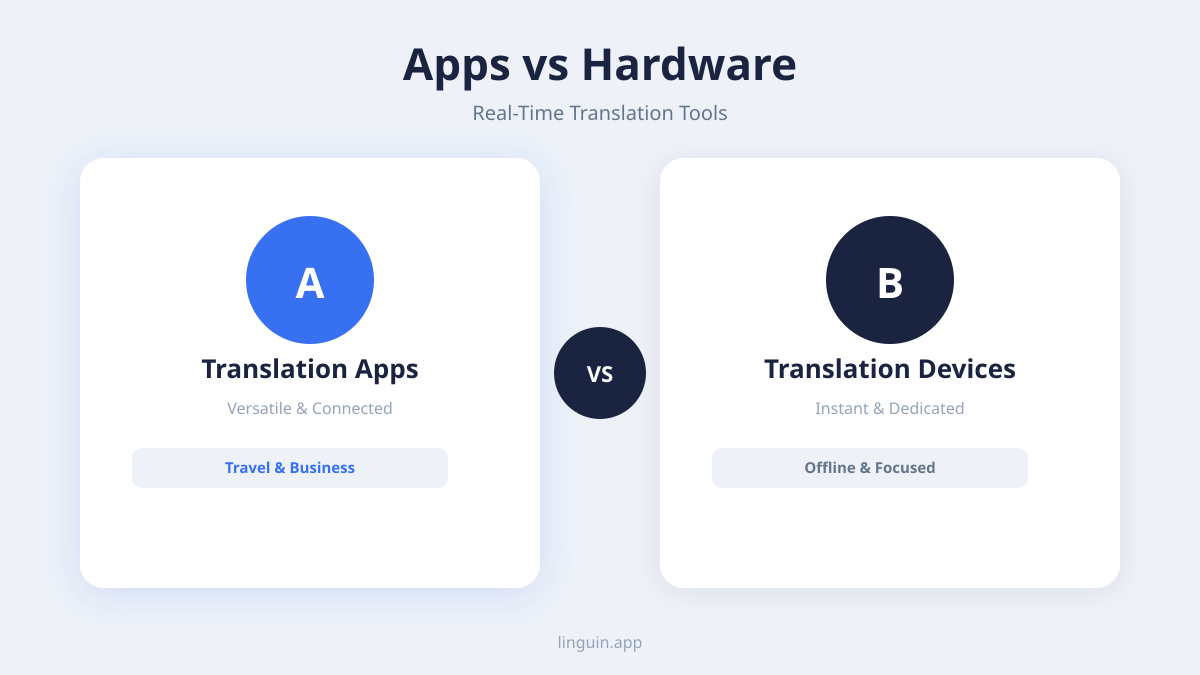
Platform and accessibility: Your primary devices should guide your choice. Do you need translation mostly on a computer, a phone, or within a web browser? A comprehensive tool will offer multiple access points. For macOS users, a dedicated AI translator for Mac that integrates with the system can be more efficient than a web portal. Similarly, a powerful Chrome translator extension is indispensable for anyone who researches or communicates heavily within a browser.
Supported languages and accuracy: Check that the tool covers all the language pairs you require, not just the most common ones. More importantly, investigate the quality of translation for those languages. Accuracy can vary significantly between tools for specific language pairs. Look for tools that advertise the use of context-aware AI models, as they generally provide more coherent and natural results. Our comparison of the best translation apps can be a useful resource here.
Features and functionality: Beyond basic text translation, consider which features you will use.
- Voice translation: For two-way spoken conversation.
- Camera translation: For translating text in the physical world.
- Offline mode: Crucial for travel or areas with poor connectivity.
- Document translation: For translating PDFs, Word files, or PowerPoint presentations while preserving layout.
- Integration: Does it work within your other apps, like email clients or messaging platforms?
Privacy and data security: Understand what happens to your data. Are your conversations and documents processed on your device or sent to a cloud server? For sensitive business or personal communications, tools that offer on-device processing or clear data privacy policies are essential. An offline translator app can be a vital choice for handling confidential information.
Best practices for effective use
To get the most reliable and smooth experience from any real-time translation tool, adopting a few user practices can make a significant difference. Technology is powerful, but it works best when users understand how to interact with it.
Optimize your input for clarity. The principle of “garbage in, garbage out” applies. For speech input, speak clearly at a moderate pace in a relatively quiet environment. For text input, use complete sentences with proper punctuation. Avoid excessive slang, regional idioms, or cultural references that may not translate directly. If you must use a complex term, providing a brief explanation in the same sentence can help the AI context engine.
Provide and leverage context. Many advanced tools allow you to set a conversation topic or domain, such as “business,” “medical,” or “casual.” Use this feature. It guides the AI to select the most appropriate vocabulary and tone. In extended conversations, the tool builds a context window. Referencing previous points helps maintain consistency, as the AI can link pronouns and ideas back to their earlier mentions.
Understand and work around limitations. No system is perfect. Be aware of common pitfalls:
- Homographs and puns: Words with multiple meanings can be mistranslated.
- Sarcasm and tone: AI may translate the literal words but miss the ironic intent.
- Highly specialized jargon: New or niche technical terms may not be in the training data.
- Cultural nuances: Some concepts may not have a direct equivalent in the target language.
When accuracy is critical, such as in legal or medical situations, use the translation as an aid for understanding, not as a final, authoritative document. For important written documents, consider a specialized document translation service that includes human review. By using the tool as a collaborative partner rather than a perfect oracle, you can avoid misunderstandings and communicate more effectively.
The future trajectory of real-time translation
The technology behind real-time translation continues to evolve rapidly, driven by research in AI, linguistics, and computer hardware. Several clear trajectories point to where the field is heading, promising even more seamless and integrated experiences.
One major trend is the move toward on-device processing. Currently, most high-quality translation relies on sending data to cloud servers. Advances in smartphone and computer chips, like dedicated neural processing units (NPUs), are making it feasible to run sophisticated AI models locally. This shift will drastically improve translation speed, enhance user privacy by keeping data on the device, and enable full functionality without an internet connection, making tools like an offline translator app even more capable.
Another area of development is multimodal AI integration. Future systems won’t just process audio or text. They will combine visual context from a camera, auditory cues like tone of voice, and even situational data. Imagine pointing your phone at a complex control panel in a foreign language; the translator would not only translate the labels but, by seeing the buttons and gauges, could offer contextual instructions or warnings based on what it “sees.”
Finally, we will see deeper and more invisible integration into the software and hardware we use daily. Translation will become a built-in layer of the operating system, working automatically in the background of every app, email, and website. The goal is to make the language barrier dissolve completely, allowing people to focus on the content of communication, not the mechanics of translation. As these tools become more accurate and ubiquitous, the debate on AI vs human translation will shift from replacement to collaboration, with AI handling routine, real-time tasks and humans focusing on creative, cultural, and high-stakes refinement.
Frequently asked questions
How accurate is real-time translation?
The accuracy of real-time translation has improved dramatically with AI, especially for common languages and straightforward text. For general conversation, news, and business communication, it can be highly reliable. Accuracy decreases with complex sentences, heavy slang, idioms, or low-resource languages. The best systems use context to improve accuracy, a topic we explore in our article on context-aware translation.
Can I use real-time translation offline?
Yes, but with caveats. Many leading translation apps now offer offline packages for popular languages. These packages contain compressed AI models that run directly on your device. The trade-off is that offline models are often smaller and slightly less accurate or fluent than their cloud-based counterparts, and they take up storage space. They are perfect for travel or basic needs where internet access is unavailable.
Is my data private when using these tools?
Privacy policies vary by provider. When translation is processed in the cloud, your text or audio is typically sent to the company’s servers. Reputable companies have clear policies stating they do not use your data for training purposes without consent and employ encryption. For maximum privacy, look for tools that emphasize on-device processing or offer explicit “no-logging” policies, especially for sensitive communications.
What is the difference between translation and interpretation in real-time tools?
In this context, real-time translation generally refers to the conversion of text or speech from one language to another by software. The term “interpretation” is traditionally used for the human cognitive process of understanding and explaining meaning. Most apps use “translation” even for voice features. However, some specialized tools for live conversations may market themselves as “digital interpreters” to emphasize their focus on spoken, bidirectional dialogue.
How does real-time translation handle different dialects?
This is a current challenge. Most systems are trained on a standard version of a language, such as Modern Standard Arabic or Mandarin Chinese. They may struggle with strong regional dialects, accents, or colloquial speech. Advanced systems are incorporating more dialectical data into their training. Users can often improve results by selecting a specific regional variant if the app supports it, such as Spanish (Mexico) versus Spanish (Spain).
Integrating real-time translation into your workflow
Real-time translation is most powerful when it becomes a natural part of how you communicate and access information, rather than a separate task. The core value lies in its ability to reduce friction, allowing you to connect with people and content across the globe without the traditional delays and costs of translation. By understanding its strengths in providing immediate, context-aware conversions and acknowledging its limitations with nuance and specialization, you can use it as a highly effective tool for comprehension and dialogue.
To start, identify your primary pain point. Is it reading foreign websites, communicating with international team members, or navigating travel? Then, choose a tool that addresses that need directly from your most-used platform, whether that’s a browser extension, a desktop app, or a mobile tool. The next step is to simply begin using it in low-stakes situations. Try translating a news article, using it to help write an email to a non-native speaker, or testing it on a menu during your next trip. This practical experience will build your confidence and show you where it can save the most time and effort.
Linguin is built to provide this seamless, integrated experience across macOS, iOS, and your web browser, focusing on delivering natural-sounding translations where you already work. By combining robust AI models with an interface designed for daily use, it aims to make real-time translation an effortless part of your digital life, helping you focus on the conversation itself, not the language barrier.
-vs-translator.png)




