
 English
  Español
  Français
  Deutsch
  Português
  Italiano
  Русский
  中文(简体)
  日本語
日本語  한국어
한국어  العربية
  हिन्दी
  Nederlands
  Türkçe
  Polski
Need to translate Spanish audio to English? Modern AI translation tools can convert spoken Spanish into accurate, natural-sounding English text and speech almost instantly. This capability is crucial for students analyzing lectures, professionals reviewing international meetings, or travelers understanding conversations. Whether you’re dealing with a recorded podcast, a live conversation, or a video call, the right approach makes the process seamless. This guide will explain the technology behind audio translation, provide step-by-step methods for different scenarios, and show you how to achieve the best results.
Key takeaways
- AI-powered tools can translate Spanish audio to English by first transcribing speech to text, then translating the text, and optionally converting it back to speech.
- Success depends on audio quality, speaker clarity, and the AI’s ability to handle accents, slang, and conversational speed.
- For real-time translation, specialized apps and browser extensions offer the lowest latency, while recorded files allow for preprocessing to improve accuracy.
How audio translation technology works
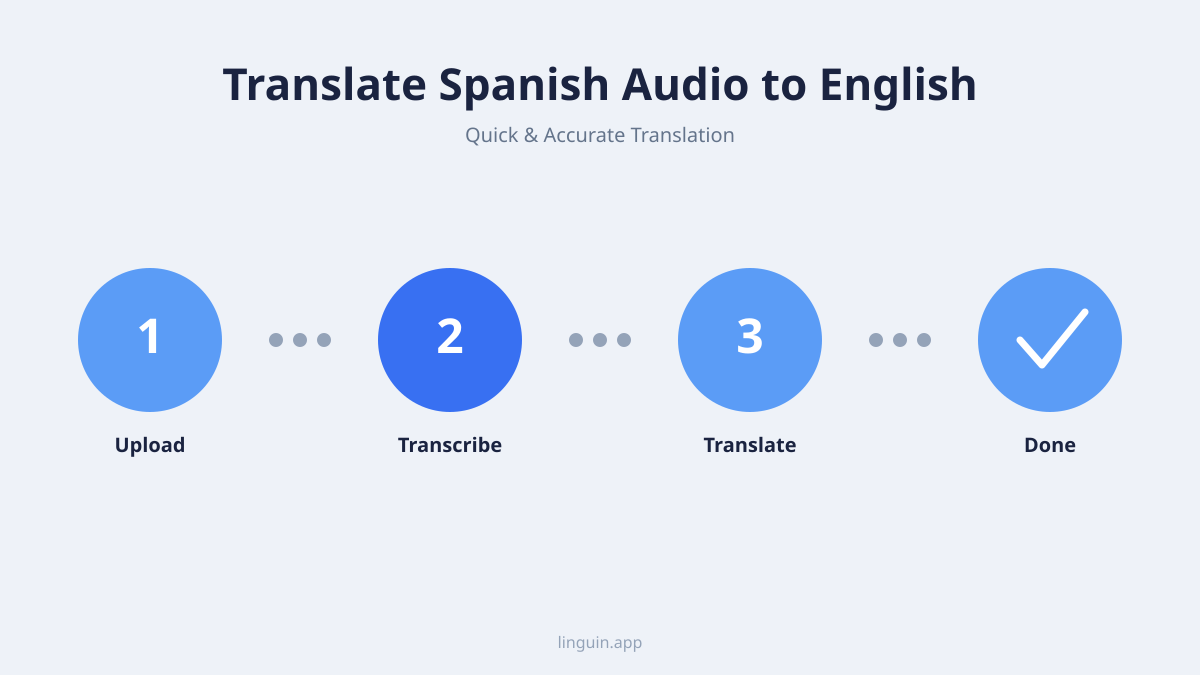
Translating Spanish audio to English is a multi-step process handled by sophisticated artificial intelligence. The system doesn’t translate sound waves directly. Instead, it breaks the task into sequential stages, each powered by specialized AI models. Understanding this pipeline helps you set realistic expectations and troubleshoot any issues that arise.
The first stage is automatic speech recognition (ASR). Here, the AI analyzes the audio waveform, identifies phonemes (the distinct units of sound in a language), and converts them into Spanish text. This is the most critical step. The accuracy of the final English translation depends entirely on a correct transcription. Advanced ASR systems are trained on thousands of hours of diverse Spanish audio, allowing them to recognize different accents from Spain, Mexico, Argentina, and other regions. They also learn to filter out background noise and adjust for variable speaking speeds.
Once the Spanish text is generated, the machine translation (MT) engine takes over. This is where the actual language conversion happens. Modern neural machine translation models don’t just swap words. They analyze the full context of a sentence to produce a natural English equivalent. For instance, the Spanish phrase “Estar en las nubes” would be translated idiomatically as “To have your head in the clouds,” not a literal word-for-word rendering. The best engines consider grammar, syntax, and cultural context.
The final, optional stage is text-to-speech (TTS) synthesis. If you need the English translation spoken aloud, the TTS model generates a human-like voice from the translated text. This involves complex prosody modeling to add correct intonation, stress, and rhythm, making the audio sound less robotic and more natural.
Preparing your Spanish audio for best results
The quality of your input audio is the single greatest factor affecting translation accuracy. Clear, well-recorded Spanish audio will yield a near-perfect English translation, while poor-quality audio can lead to garbled and unusable results. Before you hit the translate button, consider these preparation steps to optimize your source material.
Start by assessing the audio file or stream. Ideal audio has a high bitrate, a clear signal, and minimal compression artifacts. Common formats like MP3, WAV, and M4A are widely supported, but uncompressed formats generally provide more data for the AI to analyze. If you have control over the recording, use a good quality microphone in a quiet environment. Ask speakers to enunciate clearly and avoid talking over one another, as overlapping speech remains a significant challenge for most transcription engines.
For existing recordings with issues, use audio editing software to perform basic cleanup. You can:
- Normalize the volume to a consistent level.
- Apply a noise reduction filter to remove constant background hum (like air conditioning or computer fans).
- Use an equalizer to boost the frequency range of human speech (typically 300 Hz to 3400 Hz).
- Trim long silences at the beginning and end, which can confuse the speech recognition model.
Context is another powerful tool for improving accuracy. If your audio is about a specific topic-like medical terminology, software development, or legal proceedings-see if your translation tool allows you to provide a glossary or select a domain. This guides the AI to prefer technical terms relevant to the subject matter. For example, the word “carta” in a legal context is best translated as “statute,” while in a restaurant, it means “menu.”
Methods for translating Spanish audio to English
You can choose from several methods to translate Spanish audio, depending on whether you need to process a saved file or translate live speech in real time. Each method has its ideal use case, balancing speed, convenience, and control.
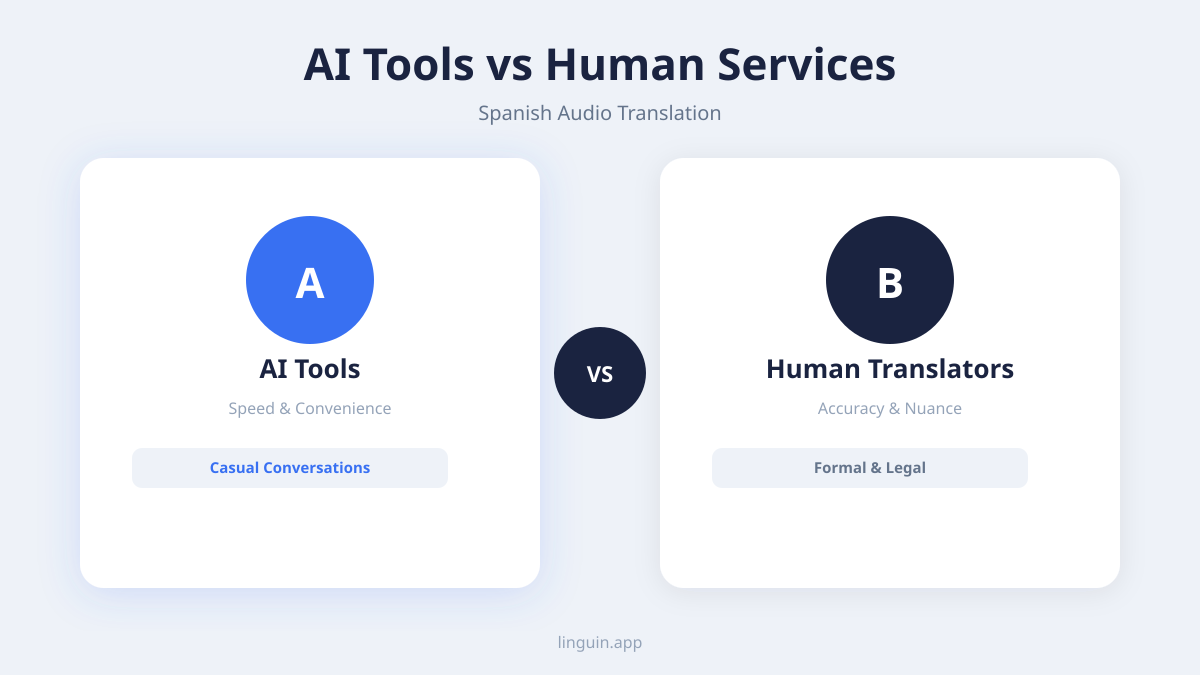
For pre-recorded audio files: This is the most straightforward scenario. You upload an audio file (e.g., a podcast, lecture recording, or voice memo) to a translation platform. The tool processes the entire file, providing you with a transcript in both Spanish and English, and often an option to download an English audio version. This batch processing allows the AI to use the full context of the recording, potentially improving translation quality for ambiguous phrases. It’s perfect for content you want to study, archive, or share with an English-speaking audience.
For real-time conversation translation: This method is essential for live scenarios like video calls, in-person meetings, or customer support chats. Specialized apps use your device’s microphone to listen to Spanish speech and play or display the English translation with just a second or two of delay. Say you’re on a Zoom call with a team in Madrid. A real-time translation app running in the background can provide live captions in English, allowing you to follow the discussion without waiting for someone to manually interpret. This requires robust, low-latency AI models to keep pace with natural conversation.
Using browser extensions: For translating audio from online sources, browser extensions are incredibly efficient. When you’re watching a Spanish-language video on YouTube, a news clip on a website, or a social media story, an extension can access the audio stream directly. With one click, it can generate subtitles or a translated transcript. This method is integrated into your workflow, eliminating the need to download and upload files manually. It’s ideal for researchers, journalists, and casual learners consuming online media.
Overcoming common challenges in audio translation
Even with advanced technology, translating spoken language presents unique hurdles that don’t exist with text. Being aware of these challenges helps you identify the right tool and apply techniques to mitigate problems.
Accents and dialects are a primary concern. Spanish varies dramatically across the globe. The pronunciation, vocabulary, and rhythm of Cuban Spanish differ from Chilean or Andalusian Spanish. A robust AI model should be trained on a diverse dataset, but performance can still vary. If you know the speaker’s origin, some tools allow you to select a regional variant to improve initial transcription accuracy.
Background noise and poor acoustics can corrupt the audio signal. Music, street sounds, or a reverberant room can cause the speech recognition model to insert incorrect words or miss them entirely. As discussed in the preparation section, cleaning the audio beforehand is the best defense. For live translation, using a directional microphone closer to the speaker provides a much cleaner signal than a device’s built-in mic.
Fast speech, slang, and colloquialisms test the limits of AI. Rapid conversational Spanish, filled with local slang (“chido,” “guay,” “chevere”) or shorthand, can be misinterpreted. Similarly, code-switching, where a speaker mixes Spanish and English (like “Vamos a hacer el brainstorming”), requires an AI that can recognize and handle multiple languages within a single utterance. Tools built for this complexity, like those discussed in our guide on AI translation and code-switching, are essential for such scenarios.
Cultural references and humor often don’t have direct equivalents. A joke about a popular Spanish TV show or a reference to a local political figure may leave an AI confused. While the best models are getting better at cultural context, some nuance may be lost. For critical applications, a quick human review of the translated text can catch these subtle points, ensuring the intent is preserved.
Practical applications and use cases
The ability to translate Spanish audio to English unlocks value across education, business, and personal communication. It’s more than a convenience, it’s a tool for breaking down barriers and accessing information that was previously out of reach.
In education and research, students can translate recorded lectures from Spanish universities or conference presentations. Researchers can analyze interviews or focus group recordings conducted in Spanish, incorporating the findings into English-language papers. This promotes multilingual academic collaboration, allowing knowledge to flow freely across linguistic borders. Our article on AI for multilingual academic research delves deeper into this transformative use.
For business and professional use, the applications are vast. Professionals can review sales calls with Latin American clients, understand feedback from Spanish-speaking user groups, or participate fully in international team meetings. In customer support, translating support calls or voice messages allows companies to provide consistent service in the customer’s preferred language. This is a key component of modern multilingual customer support strategies.
On a personal and creative level, the technology is just as powerful. Travelers can understand announcements or have more meaningful conversations. Podcast enthusiasts can enjoy Spanish-language shows, and filmmakers can translate interviews for documentaries. Say you’re helping an elderly relative who only speaks Spanish communicate with their English-speaking doctor. A real-time translation app on your phone can facilitate a smooth, accurate conversation, reducing stress and ensuring critical information is understood. This also extends to enjoying entertainment, as explored in our piece on translating multilingual podcasts.
Choosing the right translation tool
With many apps and services available, selecting the best tool to translate Spanish audio to English depends on your specific needs. Consider these key features when making your choice.
First, evaluate the language coverage and model quality. Ensure the tool supports both European and Latin American Spanish variants and uses a modern, context-aware translation model. Look for information on how the AI handles idioms and colloquial speech, a sign of a more sophisticated system. The core goal is AI translation accuracy, which hinges on the underlying technology.
Second, examine the workflow and integration. How does the tool fit into your existing tasks?
- Does it work with the file formats you commonly use?
- Can it translate audio directly from video files?
- For live translation, what is the latency (delay), and does it work on your preferred devices (macOS, iOS, Chrome)?
- Browser extensions should be lightweight and non-intrusive, translating audio from web pages without disrupting your browsing.
Finally, review the output options and usability. The best tools provide multiple outputs: a Spanish transcript, a translated English transcript, and possibly a synthesized English audio file. Editing capabilities are crucial, allowing you to correct any minor errors in the transcript, which then automatically updates the translation. A clean, intuitive interface saves time and reduces frustration, making the tool a helpful partner rather than a technical obstacle.
Common questions
Can AI translate Spanish audio to English in real time?
Yes, advanced AI translation tools can translate spoken Spanish to English in near real-time, with a delay of just a few seconds. These tools use streaming speech recognition and translation models to process audio as it is received. They are ideal for live conversations, video conferences, and understanding broadcasts.
How accurate is Spanish to English audio translation?
Accuracy is high for clear audio with standard accents and vocabulary, often exceeding 95% for transcription. The translation quality then depends on the AI’s understanding of context and nuance. Accuracy decreases with poor audio quality, strong regional accents, fast speech, or specialized jargon. Using a high-quality tool and clean audio source yields the best results.
What is the difference between translation and transcription?
Transcription is the process of converting speech to text in the same language (Spanish audio to Spanish text). Translation is the process of converting text or speech from one language to another (Spanish to English). Audio translation typically involves both steps: first transcribing, then translating the resulting text.
Can I translate audio from a video file?
Yes. Most comprehensive translation tools allow you to upload video files (like MP4 or MOV). The tool extracts the audio track, transcribes and translates it, and can often output the results as translated subtitles or a new audio track that you can overlay on the original video.
Getting started with Linguin
Translating Spanish audio to English effectively requires a tool that manages the entire pipeline-from accurate speech recognition to context-aware translation. By focusing on audio quality, understanding the different methods for live and recorded audio, and choosing a tool designed for real-world challenges like accents and speed, you can unlock clear communication and access to information.
The next step is to experience the process directly. Try translating a short, clear Spanish audio clip, such as a news report or a podcast segment. Pay attention to how the tool handles flow, idioms, and timing. This practical test will show you the current capabilities and where a little preparation can make a significant difference. For those looking to integrate this technology into their daily workflow, Linguin provides a seamless solution across devices, turning Spanish audio into actionable English understanding.
-vs-translator.png)




