English
  Español
  Français
  Deutsch
  Português
  Italiano
  Русский
  中文(简体)
  日本語
日本語  한국어
한국어  العربية
  हिन्दी
  Nederlands
  Türkçe
  Polski
Translating video to text is the process of converting spoken language in a video into written text in another language. This capability breaks down language barriers, making video content accessible to a global audience. Whether you are a content creator, a student, a professional, or simply a curious learner, you likely encounter videos in languages you do not understand. This article will provide you with a complete, practical guide to translating video to text, detailing the steps, the technology involved, and how to achieve accurate, natural-sounding results.
Key takeaways
- Translating video to text is a two-step process: first transcribing the audio, then translating the transcript.
- Modern AI tools can handle this workflow automatically, producing context-aware translations that capture nuance.
- The best results come from combining accurate transcription software with a specialized AI translation tool.
- This process unlocks video content for education, business, entertainment, and accessibility on a global scale.
Understanding the translate video to text workflow
The phrase “translate video to text” describes a multi-stage technical process. You are not translating the video file itself, but the spoken words contained within it. Therefore, the core workflow always involves two distinct, sequential steps: transcription and translation.
First, you must extract the spoken words from the video’s audio track. This is speech recognition or automatic transcription. The software analyzes the audio, identifies words, and generates a text transcript in the video’s original language. The accuracy of this first step is critical. Errors in transcription, such as mishearing “there” for “their,” will be carried forward and compounded in the translation stage.
Second, you take the generated transcript and translate it into your target language. This is where machine translation comes in. While basic online translators can perform this task, the results are often stiff and literal. For video content, where context, tone, and cultural references are key, you need a more sophisticated approach. AI-powered translation tools that understand context and conversational language produce output that sounds natural and retains the original meaning.
Some integrated platforms now combine these steps into a single automated pipeline. You upload a video, and the system outputs a translated transcript or even translated subtitles. However, understanding the separate components helps you troubleshoot issues and choose the right tools for each part of the job.
Essential tools for transcription and translation
To translate video to text effectively, you need reliable software for both transcription and translation. The market offers a range of options, from dedicated standalone applications to all-in-one browser-based services.
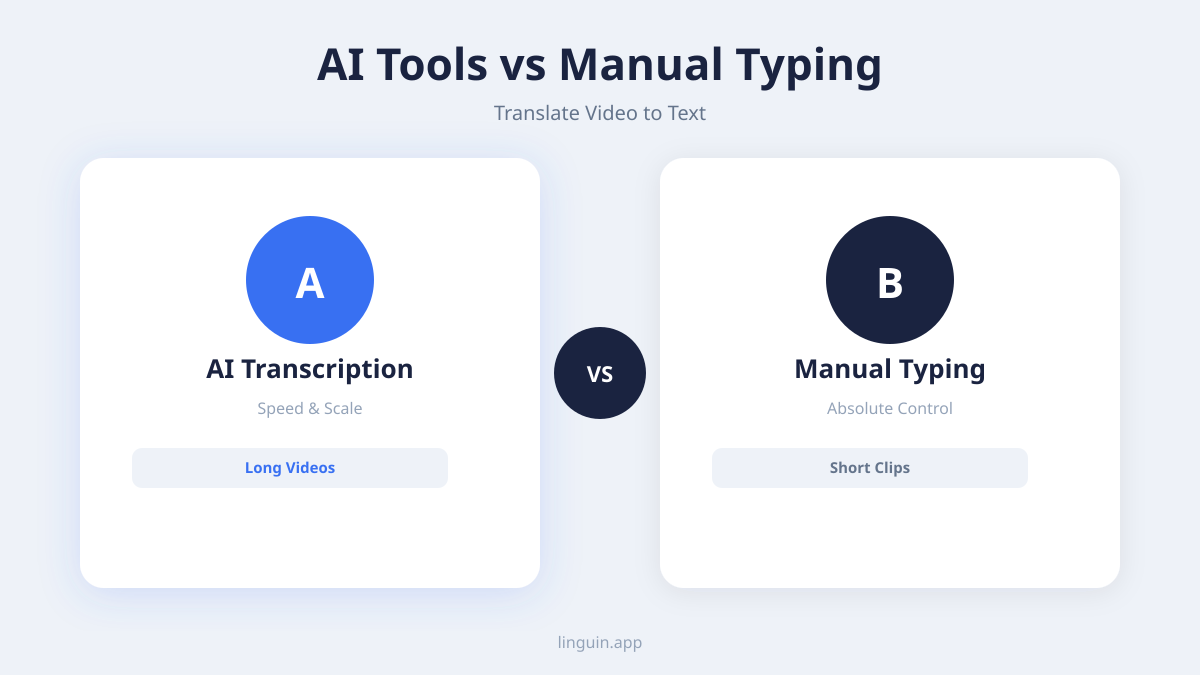
For transcription, look for tools that support multiple audio formats and offer features like speaker diarization (identifying who is speaking) and timestamp generation. Many video editing suites have built-in transcription capabilities. There are also specialized transcription services, both automated and human-powered. Automated services are faster and more cost-effective for clear audio, while human transcriptionists are better for videos with heavy accents, background noise, or technical jargon.
For the translation phase, this is where a tool like Linguin excels. General-purpose translators often struggle with the informal, flowing language common in videos. Linguin’s AI models are trained on diverse, contextual data, making them adept at handling conversational speech, idioms, and the subtle shifts in tone found in video content. Instead of translating words in isolation, it interprets meaning, which is essential for producing a transcript that reads naturally. You can use Linguin directly within your browser via its Chrome or Safari extension to translate text on the fly, or use its desktop app for processing larger transcripts.
The most efficient setup often involves using a dedicated tool for high-accuracy transcription and then feeding the clean transcript into a specialized AI translation platform. This modular approach gives you control over each stage’s quality.
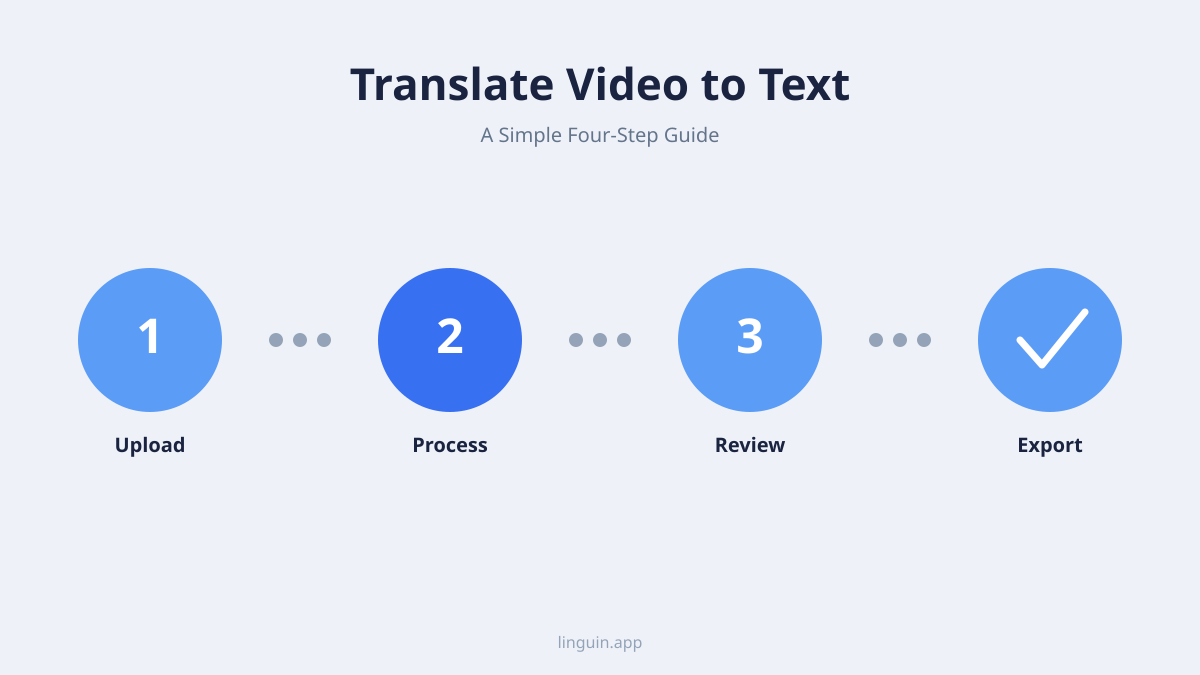
Step-by-step guide to translate your first video
Let’s walk through a practical example. Imagine you found an insightful German-language tutorial on video editing techniques, and you want to translate it to English text.
- Prepare your video file. Ensure you have the video file accessible on your computer. If the video is on a platform like YouTube or Vimeo, you may need to use a trusted downloader or a transcription service that can work directly from the URL, provided you have the rights to use the content.
- Generate the original language transcript. Use your chosen transcription tool. Upload the video file or provide the link. Select German as the source language. Process the file and review the generated transcript. Correct any obvious errors in names or technical terms. This review significantly improves the final translation quality.
- Translate the transcript. Copy the cleaned German transcript. Open your AI translation tool. Paste the text, set the source language to German and the target to English. With a tool like Linguin, you can leverage its understanding of AI translation accuracy to get a reliable, context-aware result. Execute the translation.
- Review and refine the translated text. Read through the English output. Check for fluency and technical accuracy. Does the instruction to “add a keyframe” translate correctly? Are any colloquial German phrases rendered understandably in English? This is where AI’s ability to handle ai-translation-idioms-cultural-nuances becomes valuable. Make minor edits for clarity.
- Format and use the output. Your final product is a translated text document. You can use this as a reference guide, create English subtitles for the video by syncing the text to timestamps, or repurpose the content for a blog post or presentation.
For a different scenario, say you’re a project manager reviewing meeting recordings from a multilingual team. You can transcribe each recording and use translation to create a unified, searchable text record of decisions and action items in your primary working language, streamlining ai-translation-multilingual-project-management.
Optimizing video audio for accurate transcription
The single biggest factor in achieving a high-quality translated transcript is the quality of the initial audio transcription. Garbage in, garbage out. If the transcription tool cannot hear the words clearly, no translation engine can fix it. Here is how to optimize your source video’s audio.
- Improve audio clarity at the source: If you are creating videos, invest in a good microphone. Speak clearly and at a moderate pace. Minimize background noise like fans, traffic, or music.
- Use audio enhancement tools: For existing videos, use audio editing software to reduce background noise, normalize volume levels, and boost vocal frequencies. Many transcription services have built-in audio cleanup features.
- Provide context to the tool: When available, use transcription software that allows you to provide a word list or glossary of proper nouns, technical terms, or names that will appear in the video. This guides the speech recognition engine.
- Choose the right language setting: Always specify the correct source language and, if applicable, regional dialect (e.g., French (France) vs. French (Canada)) in the transcription tool. This adjusts the AI’s acoustic and language models.
- Segment long videos: For videos longer than an hour, consider breaking them into smaller segments before processing. This can prevent time-out errors and make the review process more manageable.
Clean audio leads to a clean transcript, which is the perfect input for translation. A precise transcript allows the AI translation model to focus solely on the complex task of converting meaning between languages, rather than guessing at what was originally said. This principle is foundational to achieving high ai-translation-accuracy-2026 in any workflow.
Applications: Who needs to translate video to text?
The ability to translate video to text has moved from a niche technical task to a broad utility with applications across many fields.
Education and Research: Students and academics can access lectures, documentaries, and conference presentations from around the world. Researchers can analyze interviews or historical footage in foreign languages, facilitating ai-translation-multilingual-academic-research-papers. This dramatically expands the pool of available knowledge.
Business and Marketing: Global companies can localize training videos for international teams. Marketing departments can analyze competitor ads or customer review videos from different regions. Support teams can create knowledge base articles from video tutorials in multiple languages, enhancing ai-translation-multilingual-customer-support.
Content Creation and Media: YouTubers, journalists, and documentary filmmakers can subtitle their content for international audiences, increasing reach and accessibility. They can also research topics by understanding foreign-language news reports or viral videos.
Accessibility and Inclusion: Translation is a key component of accessibility. A video with English audio can be transcribed and translated into Spanish text, serving both deaf or hard-of-hearing Spanish speakers and Spanish-language learners. This aligns with goals for ai-translation-multilingual-educational-accessibility.
Personal Use: From understanding a recipe video in a different language to following along with a foreign-language fitness class, the personal applications are endless. It empowers individuals to learn from and engage with global culture directly.
Overcoming common challenges in video translation
While the process is straightforward, you may encounter specific hurdles. Knowing how to address them will save time and improve your results.
Challenge 1: Poor Audio Quality. As discussed, this is the primary obstacle. Solution: Always try to obtain the highest quality source file. Use audio post-processing tools to clean up the audio before transcription. If the audio is truly unusable, see if a written summary or script exists for the video.
Challenge 2: Multiple Speakers and Overlapping Dialogue. Videos with rapid-fire conversations or interviews can confuse transcription engines. Solution: Use transcription tools with robust speaker diarization features. In the review stage, clearly label speakers (e.g., Interviewer, Speaker A). This structure helps the translation tool maintain conversational flow.
Challenge 3: Technical Jargon, Slang, and Cultural References. A tech webinar will use different language than a casual vlog. Solution: Choose a translation AI that specializes in context. For instance, Linguin’s models are designed to handle domain-specific terminology and the informal grammar found in everyday speech, which is crucial for ai-translation-informal-grammar-slang. For highly specialized fields, you may need to create a custom glossary.
Challenge 4: Formatting and Timestamps. For creating subtitles, the translated text must align with the on-screen timing. Solution: Many transcription tools output transcripts with timecodes. After translation, you can use subtitle editing software to sync the translated text. Some integrated platforms will preserve timestamp alignment through the translation process.
Challenge 5: Verifying Accuracy. How do you know the translation is correct if you don’t speak the source language? Solution: While not perfect, you can check for internal consistency and fluency. Does the translated text make logical sense? You can also use the back-translation feature in some tools (translating the result back to the source language) to see if the core concepts match, though this is a rough check.
The role of advanced AI in context-aware translation
Modern AI translation is what makes translating video to text viable for nuanced content. Early rule-based and statistical machine translation often produced comical or confusing results because they translated phrases word-by-word without understanding.
Today’s advanced neural machine translation models, like those powering Linguin, work differently. They analyze entire sentences and paragraphs to grasp context. This allows them to determine whether the word “bank” refers to a financial institution or a riverbank based on the surrounding words. This contextual understanding is non-negotiable for video content, where meaning is often derived from the situation.
Furthermore, these AI models are trained on massive datasets that include conversational language, scripts, and subtitles. This training makes them particularly good at translating the natural pauses, interjections, and tone shifts present in speech. They can better handle the challenges of ai-translation-humor-sarcasm-tone or the rapid evolution of ai-translation-internet-slang-neologisms, ensuring the translated text feels authentic and engaging, not like a robotic readout.
This capability transforms the translated transcript from a mere textual reference into a faithful representation of the video’s message and character. It is the difference between a usable instruction manual and an engaging story.
FAQ
What is the easiest way to translate a YouTube video to text?
The easiest method is to use an online service that combines transcription and translation. Some platforms allow you to paste a YouTube URL, automatically generate a transcript, and then translate it with one click. For more control and higher quality, use a dedicated transcription service for the video, then translate the resulting text file with a specialized AI translation tool.
Can I translate video to text for free?
Yes, there are free options, but with limitations. Some websites offer free transcription or translation for short videos with a file size limit. Free machine translation engines like Google Translate can handle text. However, for longer videos, better accuracy, or context-aware results, paid tools typically offer superior performance, higher word limits, and more features.
How accurate is AI at translating spoken language from video?
Accuracy depends heavily on the clarity of the original audio and the sophistication of the AI. With clear audio, modern AI translation can be highly accurate in conveying meaning and context. It may still make subtle errors with complex idioms or highly technical terms. The best practice is to always review the translated text, especially for professional or published use.
What video formats can I use for translation?
Most transcription and translation services support common video formats like MP4, MOV, AVI, and WMV. They typically work by extracting the audio track from the video file. Many also support direct links to videos hosted on platforms like YouTube, Vimeo, or Google Drive, as long as the content is publicly accessible or you have the necessary permissions.
How do I create subtitles after translating the video text?
Once you have a translated transcript, you need to synchronize it with the video’s timecodes. Use subtitle editing software (like Subtitle Edit, Aegisub, or online editors). Import your video and your translated text file. Manually or automatically align each line of text with the corresponding spoken segment in the video. Export the final file in a subtitle format like SRT or VTT.
Bringing global video content within reach
Translating video to text is a powerful method to unlock a world of information and entertainment. By mastering the two-step workflow of transcription and translation, and by leveraging modern AI tools that understand context, you can accurately convert spoken words in any video into readable text in your language. This process supports learning, business growth, content creation, and global communication.
The key to success lies in starting with the clearest possible audio, using the right tool for each specialized task, and performing a careful review of the final output. Whether your goal is to localize a corporate training or understand a tutorial from across the globe, the technology is now accessible and effective.
To begin exploring this capability, you can start with a short video in a language you encounter often. Use a transcription tool to see the original text, and then try translating a segment with an AI-powered tool like Linguin to experience the difference context-aware translation makes.