English
  Español
  Français
  Deutsch
  Português
  Italiano
  Русский
  中文(简体)
  日本語
日本語  한국어
한국어  العربية
  हिन्दी
  Nederlands
  Türkçe
  Polski
A video translation app uses artificial intelligence to translate spoken words, subtitles, and on-screen text in videos, breaking down language barriers for viewers and creators. This technology matters for anyone who consumes or produces video content, from international students watching lectures to global businesses sharing training materials. It makes video content universally accessible. This article explains the core technology behind these apps, their practical uses, and what to look for in a modern solution.
Key takeaways
- Modern video translation apps combine AI speech recognition, machine translation, and subtitle synchronization in one workflow.
- They handle more than just dialogue, translating on-screen graphics, text overlays, and user interface elements.
- The best apps preserve context, speaker tone, and cultural nuances, not just words.
- Real-time and batch processing modes serve different needs, from live streams to archived content.
What is a video translation app?
A video translation app is a software tool designed to translate the audio and textual elements of a video file or stream into another language. At its core, it automates a process that would otherwise be manual and time-consuming: transcribing speech, translating that transcription, and then re-timing the translated text to match the original video. The goal is to produce a viewing experience where the dialogue, narration, and any on-screen text feel native to the target language audience.
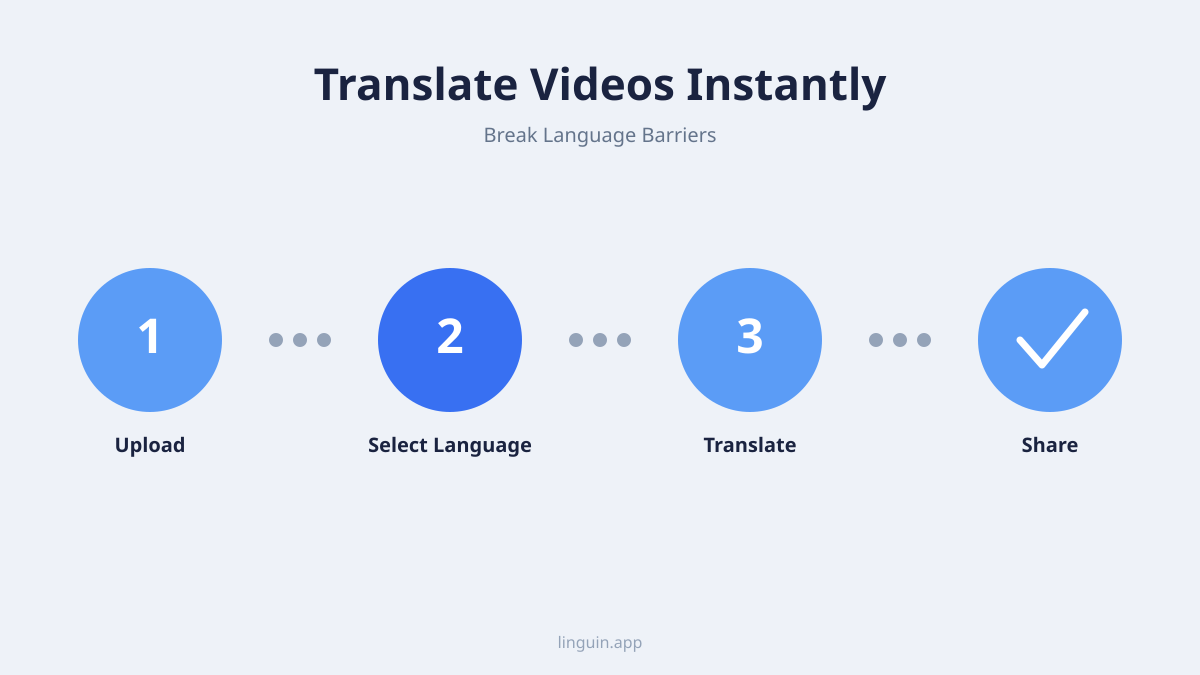
The primary components of such an app are speech-to-text engines, machine translation models, and subtitle synchronization logic. First, the app’s speech recognition module converts the spoken audio into a text transcript, identifying different speakers if possible. Next, the machine translation engine processes this transcript, along with any hard-coded text found in the video frames, into the desired language. Finally, the app handles the timing and formatting, creating subtitle files or even generating synthetic voiceovers that align with the original pacing.
These apps distinguish themselves from simple text translators by managing the temporal and media-specific aspects of video. They understand that a translation must fit within the short time a line of text is on screen and must match the visual context. For instance, translating a technical tutorial requires precision with jargon, while translating a film scene needs to capture emotional tone. A robust video translation app will offer settings to prioritize speed, accuracy, or natural flow depending on the content type.
Core technologies powering modern video translation
The effectiveness of a video translation app hinges on the advanced technologies working in concert. While early tools relied on simplistic word-for-word substitution, today’s apps leverage sophisticated AI models trained on vast datasets of multilingual audio and video.
Automatic speech recognition (ASR) forms the first critical layer. Modern ASR systems are trained to filter background noise, adapt to different accents, and handle overlapping dialogue. They produce not just raw text but often include timestamps for each word and can identify speaker changes. This accurate, time-coded transcript is the essential foundation; any error here will propagate through the translation. High-quality ASR is particularly vital for content with fast-paced dialogue, strong accents, or technical terminology.
Neural machine translation (NMT) is the engine of the actual translation. Unlike older statistical methods, NMT models consider entire sentences and paragraphs for context, leading to more grammatically correct and natural-sounding output. For video, this context is doubly important. The model must use visual cues inferred from the transcript and on-screen text. For example, the word “bat” should be translated differently if the video shows a baseball game versus a dark cave. Leading apps use specialized models fine-tuned for conversational language, technical fields, or creative content to improve results.
Synchronization and rendering technology manages the final output. Once translated text is generated, the app must create subtitle files (like SRT or VTT) with precise start and end times. More advanced features include burned-in subtitles, where the text is permanently overlaid on the video, or voice cloning/synthesis, where a synthetic voice speaks the translation in sync with the original speaker’s lip movements. This step requires careful algorithms to ensure readability, such as breaking long sentences appropriately and positioning text to avoid covering important visual elements.
Primary use cases and benefits
The application of video translation technology spans personal, educational, and professional spheres, unlocking content that was previously inaccessible.
Education and online learning is a major area of impact. Students worldwide can access courses from international universities, professional certifications, and instructional videos without being limited by the instructor’s language. A video translation app can provide real-time subtitles for a live-streamed lecture or translate an entire archive of tutorial videos. This democratizes knowledge and supports lifelong learning. For educators, it allows them to reach a global student body by localizing their course materials efficiently.
Business and corporate communication relies heavily on video. Global companies use these apps to translate internal training videos, all-hands meetings, and product announcements for regional offices. Marketing teams can localize advertisement campaigns and social media video content for different markets. The speed of AI translation enables rapid iteration and distribution, which is crucial for time-sensitive communications. It also fosters inclusion within multilingual workplaces.
Entertainment and media consumption is perhaps the most visible use case. Viewers use video translation apps to watch foreign films, YouTube channels, news broadcasts, and live streams from around the world. Fans can follow international esports tournaments, vloggers, and cultural events. This breaks down the final barrier to global culture, allowing people to enjoy content in its original form with understandable subtitles or dubbing. Creators, in turn, can grow their audience internationally without massive localization budgets.
Key features to look for in a video translation app
With many options available, selecting a capable video translation app requires attention to specific features that affect output quality and user experience.
Language support and model specialization is the first checkpoint. An app supporting 100+ languages is a good baseline, but depth matters. Check if the app uses general-purpose translation models or offers specialized ones for legal, medical, technical, or conversational content. Support for mixed-language input is also valuable, as many videos code-switch or include foreign phrases. For more on how AI handles this complexity, see our article on AI translation for code-switching and mixed languages.
Output format flexibility dictates how you can use the results. The app should generate standard subtitle files (SRT, VTT, ASS) for compatibility with video players and platforms. Options for burned-in subtitles (hardcoded) or closed captions are essential. Some apps offer translated voiceover tracks, either using text-to-speech or more advanced voice preservation techniques. The ability to edit the resulting transcript and translation within the app is a major time-saver for post-processing.
Accuracy controls and customization separate basic tools from professional ones. Look for features that allow you to upload a custom glossary of terms (like brand names or technical jargon) to ensure consistent translation. The option to choose between a formal or informal tone is crucial for matching the video’s context, whether it’s a corporate presentation or a casual vlog. Learn more about managing tone in our guide to AI translation for formal and informal tone in emails. Batch processing capabilities for translating multiple videos at once and adjustable speed/accuracy settings are also important for workflow efficiency.
Challenges and limitations of current technology
While AI-powered video translation is powerful, it is not perfect. Understanding its limitations helps set realistic expectations and guides effective usage.
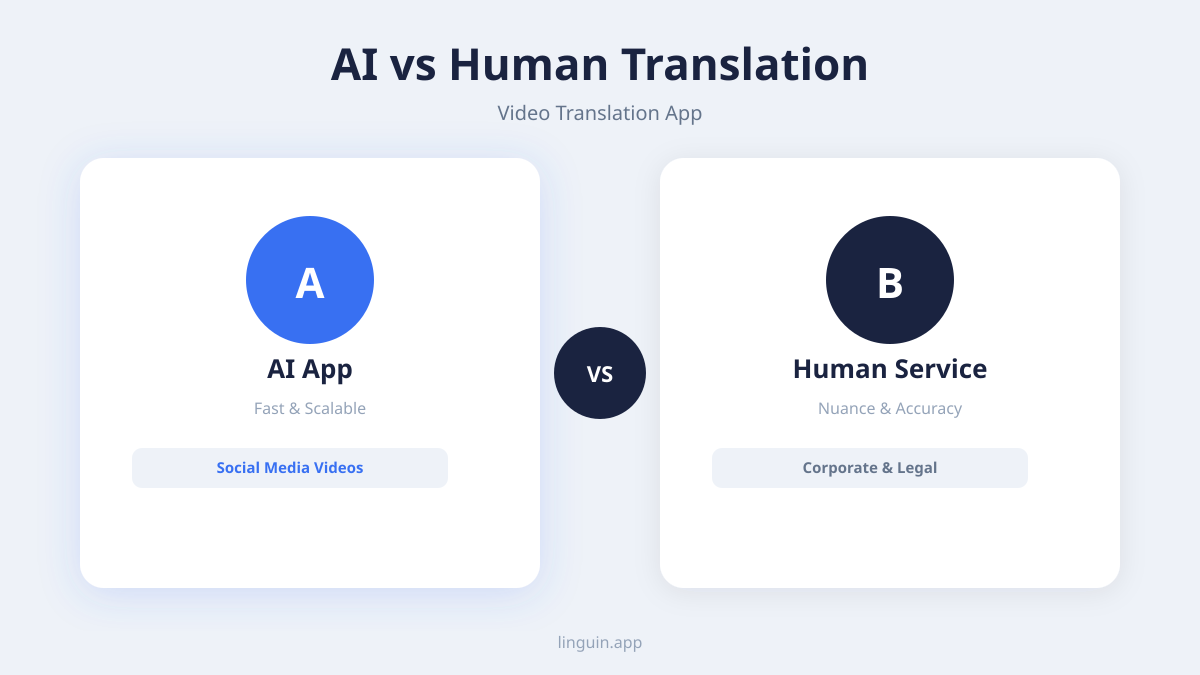
Capturing nuance and cultural context remains a significant hurdle. AI models may translate words correctly but miss sarcasm, humor, or culturally specific references. A joke that relies on wordplay in English might fall flat or become nonsensical in translation. Similarly, historical or regional references might lack an equivalent concept in the target language. Apps are improving at handling idioms and cultural nuances, but human review is often needed for content where tone and subtext are critical.
Handling poor audio quality and complex scenes can degrade performance. Videos with heavy background music, multiple people talking at once, or low-fidelity audio can confuse speech recognition. Visual text translation-such as signs, labels, or text on a whiteboard-requires robust optical character recognition (OCR) that works at different angles, fonts, and lighting conditions. Action-packed scenes with rapid scene cuts can also disrupt subtitle timing and readability.
The “uncanny valley” of synthetic dubbing is a consideration for voiceover features. While text-to-speech has become more natural, fully matching the emotion, intonation, and pacing of a human actor is difficult. Lip-syncing a translated voiceover to match the original speaker’s mouth movements is an even greater technical challenge. For now, high-quality dubbing often requires professional human voice actors, with AI serving best for generating a rough draft or for content where perfect sync is less critical.
Integrating a video translation app into your workflow
Adopting this technology effectively means more than just pressing a translate button. It involves planning and integrating the tool into your content creation or consumption pipeline.
For content creators and publishers, the process starts with source quality. Providing the app with the cleanest possible audio track and, if available, a pre-existing transcript or subtitle file (even in the source language) dramatically improves accuracy. Establish a review step: use the AI-generated translation as a first draft, then have a bilingual team member or hire a professional subtitler to polish it, focusing on timing, line breaks, and cultural adaptation. This hybrid approach balances speed with quality.
For enterprise and educational institutions, integration means connecting the translation app to existing media libraries and learning management systems (LMS). Look for apps with API access that can automate the translation of newly uploaded videos. Develop internal guidelines for when to use fully AI-translated subtitles (e.g., for internal knowledge-sharing videos) versus when to invest in human-polished translations (e.g., for public-facing marketing or official training). Centralized glossary management is key for maintaining brand and technical terminology across all translated materials.
For individual viewers and learners, the integration is simpler. A browser extension or mobile app that offers one-click subtitle generation for online video platforms can be transformative. The workflow involves finding a video in a foreign language, activating the extension, selecting the target language, and adjusting subtitle settings for readability. The best consumer apps allow you to save translation preferences and glossaries for your specific interests, whether you’re watching Spanish cooking tutorials or German engineering lectures.
The future of video translation technology
The field is evolving rapidly, driven by advances in AI research. Several trends point to where video translation apps are headed next.
Increased real-time performance and lower latency will enhance live applications. The goal is seamless translation of live news broadcasts, webinars, and video calls with minimal delay. This requires optimizing all components-speech recognition, translation, and synthesis-for speed without sacrificing accuracy. We may see specialized hardware or edge computing play a role in making real-time video translation more accessible.
Deeper multimodal understanding is a key research frontier. Future apps will not just listen and read text; they will analyze the video’s visual scene to inform translation. For example, recognizing that characters are in a restaurant, seeing objects on a table, or detecting emotions on faces could help disambiguate meaning and choose more appropriate translations. This moves translation beyond a purely linguistic task to a holistic understanding of the audiovisual narrative.
Greater personalization and adaptive learning will tailor translations to the individual user. An app could learn a user’s profession, frequently used terms, and preferred linguistic style (e.g., simpler vocabulary for learners) to customize future translations. It could also adapt to feedback, learning from user corrections to improve its output for that specific user over time. This personal touch could make AI tools feel less generic and more like a dedicated assistant. For a look at how AI translation is expanding access in other fields, explore its role in multilingual educational accessibility.
Frequently asked questions
Can a video translation app translate live streams?
Yes, many modern video translation apps offer a real-time mode designed for live streams. They capture the audio feed, transcribe and translate it continuously, and overlay subtitles with a slight delay of a few seconds. The accuracy for live translation can be slightly lower than for pre-recorded video due to the need for speed and the inability to review context from later in the stream, but it is sufficient for understanding news, talks, and live events.
How accurate are AI-generated video translations?
Accuracy depends heavily on audio clarity, subject matter, and language pair. For clear speech on common topics in widely spoken languages, accuracy can be high, often suitable for general understanding. For technical jargon, strong accents, or languages with less training data, accuracy decreases and human review is recommended. The best practice is to use the AI translation as a high-quality first draft to be refined, rather than a perfect final product.
What video file formats are supported?
Most video translation apps support common formats like MP4, MOV, AVI, and MKV. They also typically work with streaming URLs from major platforms like YouTube or Vimeo. For professional use, check if the app supports high-resolution files, variable frame rates, and separate audio track files, as these can affect processing stability and subtitle sync quality.
Can I edit the translated subtitles after they are generated?
A professional-grade video translation app will include a built-in subtitle editor. This allows you to correct any translation errors, adjust the timing of individual lines, split or merge subtitles for better readability, and reformat text. The ability to export, edit in a dedicated subtitling tool, and re-import the file is also a common feature.
How does it handle songs or music with lyrics in a video?
This is a current limitation. Speech recognition models are typically trained on spoken dialogue, not singing. When a song plays, the app might transcribe the lyrics inaccurately or not at all, and the translation will likely be nonsensical. Some advanced apps may attempt to identify and label music segments differently, but translating sung lyrics meaningfully while preserving rhyme or meter remains a complex challenge beyond standard translation.
Getting started with video translation
Video translation apps have moved from novelty to necessity, enabling global communication, education, and entertainment. The core value lies in their ability to automate the complex pipeline of transcription, translation, and synchronization. While challenges around nuance and audio quality persist, the technology’s speed and increasing accuracy make it an indispensable tool.
The most important next step is to identify your primary use case. Are you looking to translate archived training content, add subtitles to live streams, or simply understand foreign-language videos you enjoy online? Your goal will determine the features you need most, such as batch processing, real-time translation, or browser extension convenience.
You can begin exploring this capability today. Linguin integrates advanced translation AI into a user-friendly interface, supporting a wide range of languages and output formats for various video translation tasks. Try it with a short video clip to see how it fits into your workflow.